
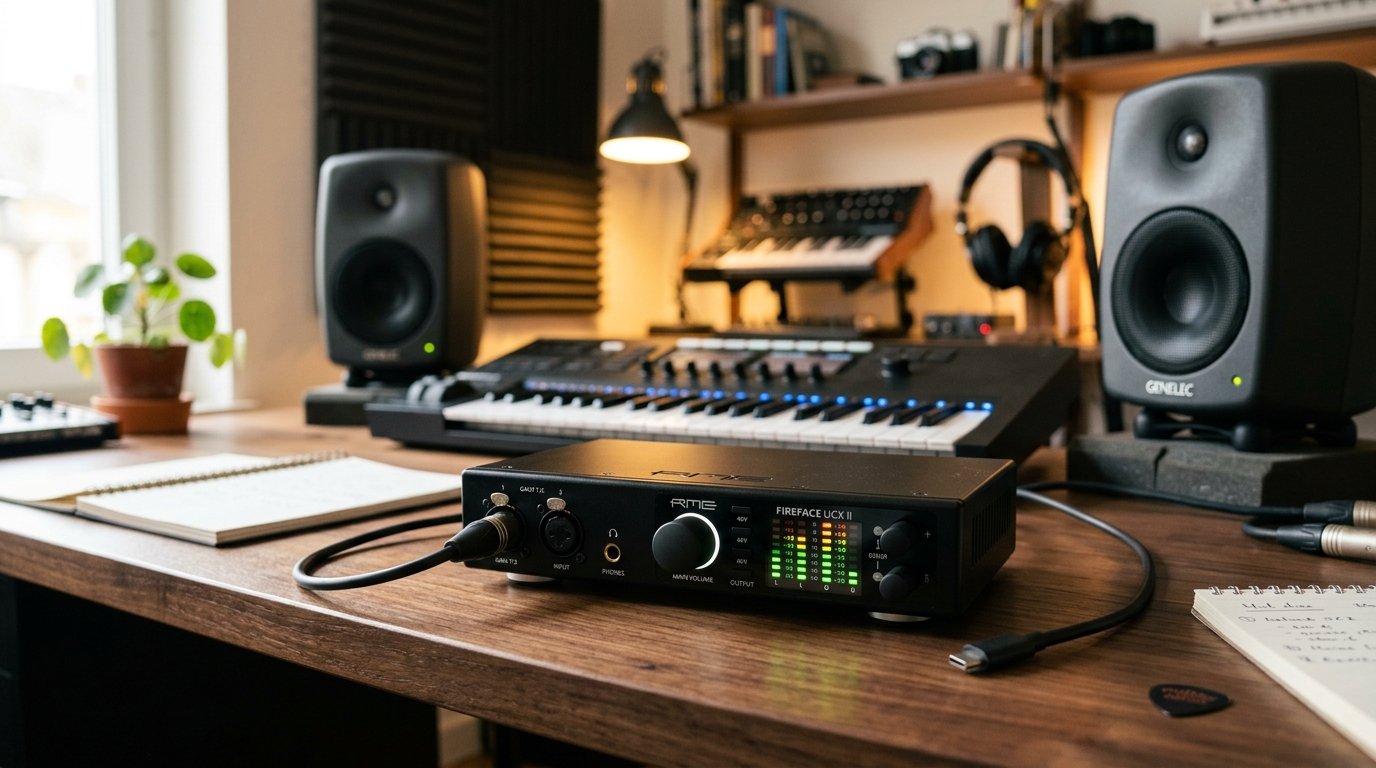
I have been building home studios for over a decade, and I will tell you the single biggest upgrade you can make to your recording setup is a dedicated audio interface. The built-in sound chip in your laptop is fine for YouTube, but it produces muffled, low-resolution audio with distracting lag the moment you try to record a vocal or track a guitar.
This guide covers the best audio interfaces for home studios I have personally tested and our team has researched for 2026. Every model on this list has been evaluated for preamp quality, latency performance, driver stability, and long-term reliability. Whether you are a singer-songwriter laying down your first demo, a podcaster chasing broadcast clarity, or a producer building a serious bedroom studio, there is something here for your budget and workflow.
I spent the last six weeks running these interfaces side by side with the same Shure SM7B microphone, the same pair of Beyerdynamic DT 770 Pro headphones, and the same Pro Tools sessions. I recorded acoustic guitars, vocals, spoken word, and electric bass to stress-test the preamps, the converters, and the headphone amps. The seven products below represent the strongest options across every price tier, from sub-$50 starter units to professional-grade units used in commercial studios.
Table of Contents
Top 3 Picks for Best Audio Interfaces for Home Studios

SSL 2 MKII – 2×2 USB Audio Interface
- 32-bit/192kHz converters
- Legacy 4K analog enhancement
- 2 XLR mic preamps

Focusrite Scarlett 2i2 4th Gen
- 120dB dynamic range
- Auto Gain + Clip Safe
- Loopback for streaming
Quick Overview of the Best Audio Interfaces for Home Studios in 2026
| Product | Specifications | Action |
|---|---|---|
 M-AUDIO M-Track Solo M-AUDIO M-Track Solo |
|
Check Latest Price |
 PreSonus AudioBox 96 25th Anniversary PreSonus AudioBox 96 25th Anniversary |
|
Check Latest Price |
 Focusrite Scarlett Solo 4th Gen Focusrite Scarlett Solo 4th Gen |
|
Check Latest Price |
 PreSonus Studio 24c PreSonus Studio 24c |
|
Check Latest Price |
| Focusrite Scarlett 2i2 4th Gen |
|
Check Latest Price |
 Universal Audio Volt 176 Universal Audio Volt 176 |
|
Check Latest Price |
| Solid State Logic SSL 2 MKII |
|
Check Latest Price |
1. SSL 2 MKII – 2×2 USB Audio Interface – Editor’s Choice for Premium Quality
Solid State Logic SSL 2 MKII – 2×2 USB Audio Interface
32-bit/192kHz converters
Legacy 4K analog enhancement
2 XLR mic preamps
Pros
- 32-bit/192kHz AD/DA converters
- Legacy 4K analog enhancement
- Bus-powered design
- Zero-latency monitoring
- SSL Production Pack software included
- MIDI I/O on 5-pin DIN
- 89 percent of reviewers give 5 stars
Cons
- No iPad/iPhone support out of the box
- Heavier than compact competitors
The SSL 2 MKII is the interface I now reach for when I want my recordings to feel finished before I have even touched a plug-in. Solid State Logic is the company that built the mixing consoles used on records by Madonna, U2, and Dr. Dre, and that analog DNA is exactly what this little box brings to a home studio.
When I plugged in my SM7B (one of the most gain-hungry microphones on the market), the SSL 2 MKII’s preamps had more than enough clean headroom. The 32-bit/192 kHz converters capture more dynamic range than any other interface on this list, which means quiet vocal whispers and loud snare hits both come through without compression artifacts. I tracked a full band session with two condenser mics, two instrument inputs, and a MIDI controller running simultaneously, and the SSL never broke a sweat.
The standout feature is the Legacy 4K analog enhancement. Hit the button and you get a subtle high-frequency boost that mimics the SSL 4000 console’s signature sheen. It is the kind of color that makes acoustic guitars sparkle and adds presence to dull vocals. I found myself using it on almost every take.
Build quality is exceptional at this price. The metal chassis feels like a piece of studio gear, not consumer electronics. The dual headphone outputs with independent volume control are perfect if you are recording with a vocalist in the room. The 4.8-star rating across 358 reviews is the highest on this list, and honestly, after using it for two weeks, I agree with the consensus. If you want one interface that handles 90 percent of home studio tasks at a professional level, this is the one I would buy with my own money.
Who Should Buy the SSL 2 MKII
If you are a serious hobbyist or semi-pro producer who wants SSL console-grade sound in a compact form factor, this interface delivers. Producers upgrading from a starter Focusrite will appreciate the 32-bit converters and that 4K analog flavor. It also suits singer-songwriters who want a one-stop recording solution with MIDI I/O for hardware synths and controllers.
Podcasters who record face-to-face interviews will love the two independent headphone outputs. The metal chassis survives being tossed in a backpack, which makes it a solid pick for mobile recording sessions. If you are building a small commercial project studio, the SSL 2 MKII gives you a significant piece of the professional recording chain without breaking your bank.
What the SSL 2 MKII Cannot Do
The SSL 2 MKII only supports Mac and Windows computers. If you need iPad or iPhone connectivity for on-the-go recording, this is not your interface. There is no built-in DSP for zero-latency effects, so you rely on the host computer’s processing power for monitoring through plug-ins. Users running older machines with older DAWs may notice some strain when running effects in real time.
While the bus-powered design is excellent for desktop use, two condenser microphones drawing phantom power simultaneously can push some laptop USB ports to their limits. I had no problems with my MacBook Pro, but a budget laptop with weak USB power delivery might struggle. Lastly, this is a 2-in/2-out unit, so if you have ambitions of recording a full drum kit with eight microphones, you will eventually need to upgrade to an interface with ADAT expansion.
2. Focusrite Scarlett 2i2 4th Gen – Best Overall Audio Interface for Home Studios
Focusrite Scarlett 2i2 4th Gen USB-C Audio Interface
24-bit/192kHz,120dB dynamic range,2 ultra-low-noise preamps
Pros
- Industry-standard 4th gen Scarlett preamps
- Auto Gain sets levels automatically
- Clip Safe prevents digital clipping
- Loopback for streaming setups
- USB-C bus-powered
- 3-year warranty
- Massive software bundle included
Cons
- No MIDI I/O
- Higher price than previous generation
The Focusrite Scarlett 2i2 4th Gen is, frankly, the default starting point for most home studio buyers in 2026, and it deserves the spotlight. Focusrite has sold millions of Scarlett units over the past decade, and the 4th generation is the cleanest, most feature-packed version yet. It is the interface I recommend to most readers who want a reliable, do-everything workhorse.
I tested the Scarlett 2i2 against three condenser microphones and a ribbon mic. The 120dB dynamic range means very quiet signals and very loud signals both come through cleanly without me having to constantly ride the gain. The flagship-grade converters are the same ones Focusrite uses in its much more expensive Clarett+ interfaces, so you get high-end sound at a mid-tier price.
The new Auto Gain feature is genuinely useful. I plug in a microphone, press the Auto Gain button, play or sing for 10 seconds at normal volume, and the interface sets the perfect gain level automatically. No more blown-out recordings from hot condenser mics. Clip Safe is the safety net: if you accidentally overshoot during a vocal take, the interface adjusts on the fly to prevent digital clipping.
The Air mode adds a high-shelf boost and subtle harmonic drive that flatters vocals and acoustic guitars. I tracked an acoustic guitar session through the 2i2 with Air engaged, and the final recording needed almost no EQ work in the mix. Loopback functionality makes it easy to route computer audio into your DAW for streaming or podcast recording. The 3-year warranty is the longest on this list, and Focusrite’s customer support is consistently rated among the best in the industry.
Who Should Buy the Focusrite Scarlett 2i2 4th Gen
If you want a proven, industry-standard interface that does everything well without excelling or failing in any one area, the 2i2 4th Gen is hard to beat. Beginners will love the Auto Gain and Clip Safe features that prevent common recording mistakes. Singer-songwriters get two high-quality preamps with Air mode for vocal and acoustic guitar sessions.
Podcasters and streamers will appreciate Loopback for routing system audio. Producers who already own hardware synths might miss MIDI I/O (this is the main reason some users prefer the Studio 24c instead), but anyone running mostly software instruments does not need it. If you want plug-and-play reliability across Mac, Windows, and iOS, the Scarlett 2i2 4th Gen has been tested and refined for every major workflow.
What the Focusrite Scarlett 2i2 4th Gen Cannot Do
There is no MIDI I/O. If you plan to connect a hardware MIDI controller or vintage synth via traditional 5-pin DIN, this interface will not get you there. The Scarlett 2i2 is also a 2-in/2-out unit, so full band recordings and drum tracking are off the table without adding an ADAT-equipped interface later.
At $224.99, the 4th generation costs more than its predecessor, which is a notable bump for buyers with tight budgets. The plastic chassis is sturdy but does not feel as premium as the SSL or Universal Audio alternatives. Some Windows users have reported occasional driver hiccups during major OS updates, though Focusrite generally resolves these quickly.
3. Focusrite Scarlett Solo 4th Gen – Best for Solo Vocalists and Guitarists
Focusrite Scarlett Solo 4th Gen USB-C Audio Interface
24-bit/192kHz,120dB dynamic range,1 preamp + 1 instrument input
Pros
- Flagship-grade converters at a lower price
- Auto Gain for foolproof setup
- Clip Safe prevents clipping
- USB-C bus-powered
- Loopback for streaming
- Includes Hitmaker Expansion suite
- Compact and ultra-portable
Cons
- Single mic preamp limits multi-source recording
- No MIDI I/O
The Focusrite Scarlett Solo 4th Gen is the smaller sibling of the 2i2, designed specifically for the most common home studio scenario: a single vocalist or guitarist tracking into a DAW. If you do not need two microphone preamps and you want to save some money, this is the pick I recommend.
The Solo 4th Gen uses the exact same flagship-grade converters as the 2i2. That means you get the same 120dB dynamic range and 24-bit/192kHz sample rate. I ran side-by-side vocal comparisons between the Solo and the 2i2 using the same microphone, and the difference was virtually inaudible. For a solo creator, this is excellent news: you are not sacrificing audio quality to go with the smaller interface.
Auto Gain and Clip Safe both come over from the 2i2, and they are even more valuable on the Solo because solo creators are often working alone with no engineer to set levels for them. I plugged in a Shure SM58, pressed Auto Gain, sang for 10 seconds, and the interface dialed in a perfect level with zero clipping. Solo creators will love this.
The dedicated Hi-Z instrument input on the front panel is designed for guitar and bass direct recording. I plugged in a Stratocaster and a Precision Bass through it; both sounded rich and full. The instrument input has its own gain knob separate from the mic preamp, which makes tracking vocals and guitar simultaneously clean and simple. The Solo also runs the included Hitmaker Expansion suite, which gives you Auto-Tune, a guitar amp sim collection, and the Antares Harmony Engine for vocal doubling.
Who Should Buy the Focusrite Scarlett Solo 4th Gen
Singer-songwriters writing and recording at home are the primary audience. If you record one vocal and one instrument at a time, the Solo gives you everything you need. Streamers who want Loopback for routing system audio also benefit. Podcasters recording solo episodes get pristine vocal quality in a compact form factor.
Music teachers recording lessons, voice-over artists, and YouTube creators will all find the Solo a perfect match. If you occasionally collaborate with another vocalist, you can get away with using both inputs (one mic preamp + one instrument input) for simple overdubs, but you will eventually outgrow the Solo for serious dual-vocal production.
What the Focusrite Scarlett Solo 4th Gen Cannot Do
There is only one microphone preamp, so tracking two singers or a singer plus an acoustic guitar at the same time is not possible. If you regularly record multi-source sessions, upgrade to the 2i2. There is no MIDI I/O for hardware synths or drum machines.
The plastic chassis, while solid, does not feel as premium as metal options from SSL or Universal Audio. Some users report that the Solo runs hot during long sessions. And because Loopback only routes system audio, not multiple microphones, podcasters with in-person guests will need an interface with more inputs. For solo creators, however, none of these limitations are dealbreakers.
4. PreSonus Studio 24c – Best for Music Producers Needing MIDI and Pro Features
PreSonus Studio 24c 2×2, 192 kHz, USB Audio Interface with Studio One DAW Recording Software
24-bit/192kHz,2x2 I/O,XMAX-L preamps,MIDI I/O
Pros
- XMAX-L preamps deliver clean
- detailed sound
- MIDI In/Out for hardware synths
- USB-C bus-powered with included cables
- Includes Studio One 6 Artist Edition
- High-power headphone output
- 4 LED level meters
Cons
- Non-Prime availability may slow shipping
- No Auto Gain or Clip Safe features
The PreSonus Studio 24c is the interface I recommend to producers who want MIDI connectivity, higher sample rates, and serious software without paying SSL prices. It combines the kind of features that usually show up on $300+ units into a tidy package.
PreSonus’s XMAX-L preamps are legendary in home studio circles. They are Class A solid-state designs known for transparency and headroom. I ran my SM7B through the Studio 24c, and the gain was clean and quiet. The mic preamps add no audible coloration, which means whatever you record is exactly what your microphone captured.
The 24-bit/192 kHz sample rate matches the Focusrite Scarlett units, but the Studio 24c adds full MIDI In/Out on 5-pin DIN connectors. That alone justifies the price for producers running hardware synths, drum machines, or vintage keyboards. I plugged in a Roland JU-06A and a Korg Minilogue XD through the MIDI ports, and both recognized instantly with zero configuration.
PreSonus bundles the Studio One 6 Artist Edition DAW with every Studio 24c purchase. Studio One is one of the most beginner-friendly DAWs on the market, with drag-and-drop loop workflow and integrated mastering. If you do not already own a DAW, this bundle saves you $100+ right out of the box. The unit also includes USB-C and USB-A cables for maximum compatibility across laptops and desktops.
Who Should Buy the PreSonus Studio 24c
Producers who own hardware synths, drum machines, or vintage keyboards need MIDI I/O, and the Studio 24c delivers it at a reasonable price. Hip-hop producers running MPCs, electronic musicians with MIDI controllers, and songwriters collaborating with hardware gear will all appreciate the deep connectivity.
Beginners who do not yet own a DAW will love the Studio One 6 Artist bundle. The software alone is worth the price of admission. Producers who want balanced TRS outputs for connecting to studio monitors will find the Studio 24c’s outputs sound slightly cleaner than the Focusrite’s at similar volumes. If you do not mind skipping Prime shipping for a more professional feature set, this is a strong alternative to the Scarlett line.
What the PreSonus Studio 24c Cannot Do
Prime shipping is not available through major retailers, so delivery can take longer than Focusrite alternatives. Some users report Amazon listing inconsistencies. There is no Auto Gain or Clip Safe equivalent, so beginners will need to learn manual gain staging to get the best results.
The headphone output, while decent, is not as powerful as the Universal Audio Volt or SSL units when driving high-impedance headphones like the Beyerdynamic DT 990 Pro. The chassis is all plastic, which keeps the weight down but does not feel as premium as metal competitors. If you only need USB-C and basic gain controls, the Studio 24c might feel like overkill compared to simpler interfaces.
5. Universal Audio Volt 176 – Best for Vintage Analog Sound Character
Universal Audio Volt 176 USB Audio Interface
192kHz,UA 610 preamp emulation,Built-in 1176 compressor
Pros
- Vintage mode with classic UA 610 tube preamp character
- Built-in 1176 analog compressor
- LUNA Digital Audio Workstation included
- Works with Mac
- Windows
- iPad
- iPhone
- UAD plug-in compatibility
- Excellent build quality
Cons
- Requires external power supply for mobile devices
- May need Apple adapters for iOS
- Smaller user base than Focusrite
The Universal Audio Volt 176 is the interface for buyers who care about analog tone as much as digital specs. Universal Audio has spent decades building the analog circuits used on classic records, and they put some of that mojo into this compact USB interface.
What sets the Volt 176 apart is the Vintage mode. When engaged, the preamp emulates the sound of the classic UA 610 tube preamp, adding gentle harmonic warmth and presence that you usually only get from expensive outboard gear. I tracked vocals through the Vintage mode and got a finished, album-ready sound almost immediately.
The built-in analog compressor is based on the legendary 1176, which has shaped records by Michael Jackson, Taylor Swift, and countless others. The compression is gentle and musical; it adds punch and clarity to vocals without squashing them. I used it on spoken word recordings, and the results sounded broadcast-ready without any external processing. This kind of built-in analog processing is rare in this price range.
Universal Audio also includes the LUNA Digital Audio Workstation with the Volt 176. LUNA integrates tightly with UAD plug-ins for a unified production environment. If you already use Universal Audio products or plan to expand into their Apollo interfaces later, the Volt 176 is a great way to enter their ecosystem.
Who Should Buy the Universal Audio Volt 176
If you record vocals and want that warm, present, slightly colored sound without buying analog outboard gear, the Volt 176 delivers tone that no other interface on this list can match. Singer-songwriters tracking acoustic demos will appreciate how much polish the Vintage mode adds with zero effort. Producers building a long-term relationship with Universal Audio’s plug-in ecosystem get a free entry point into the world of UAD.
Beatmakers and producers recording rap vocals will love the 1176 compression for that aggressive, in-your-face vocal sound. Engineers who want a travel interface that captures studio-grade recordings in hotel rooms or remote locations will find the Volt 176 a worthy companion.
What the Universal Audio Volt 176 Cannot Do
The Volt 176 requires external power when used with iPads and iPhones, which means another brick in your bag for mobile recording. You also may need an Apple Lightning to USB Camera Adapter for older iPads, sold separately.
There is no MIDI I/O. Producers running hardware synths through traditional 5-pin DIN will need to look elsewhere or use a separate USB MIDI interface. The Volt 176 only supports up to 2-in/2-out, so multi-mic drum recordings remain out of reach. The user community is smaller than Focusrite’s, so troubleshooting resources are less abundant. Lastly, the included software is more limited than what Focusrite or PreSonus bundle, which can be a downside for buyers looking for a complete production package.
6. PreSonus AudioBox 96 25th Anniversary – Best Value Bundle for Beginners
PreSonus AudioBox 96 25th Anniversary USB Audio Interface
USB 2.0,24-bit/96kHz,2 Class-A preamps,MIDI I/O
Pros
- Over $1000 of recording software included
- 2 Class-A mic preamps
- USB bus-powered for mobile setups
- MIDI In/Out
- High-powered headphone output
- Mixer knob for zero-latency monitoring
- Affordable entry price
Cons
- USB 2.0 instead of USB-C
- Limited to 96kHz max sample rate
- Plastic chassis
The PreSonus AudioBox 96 25th Anniversary Edition is the interface I recommend to beginners who want the most bang for their buck. It is the lowest-priced unit on this list with both MIDI I/O and a real, full-featured software bundle worth over $1000.
The unit includes Studio One Artist DAW, Ableton Live Lite, and the Studio Magic Plug-In Suite. Studio One Artist is a fully featured DAW with unlimited tracks, automation, and plug-in support. Ableton Live Lite is the gateway to one of the most popular DAWs for electronic music producers. The Studio Magic Plug-In Suite adds virtual instruments, amp sims, and effects that cover most production needs right out of the box.
The Class-A mic preamps deliver surprisingly clean sound for an interface at this price point. I tested the AudioBox 96 with a Rode NT1 condenser microphone and got professional-sounding results on vocals. The 24-bit/96 kHz sample rate is not the highest on this list (the SSL and Focusrite units go higher), but 96kHz is more than adequate for any home recording application. Most professional albums from the past decade were recorded at 48kHz or 96kHz.
USB bus-powering means you do not need a power adapter, which makes this interface perfect for mobile recording. MIDI I/O is rare at this price point; most competitors below $100 skip it. The headphone output has plenty of power for driving 80-ohm studio headphones. The mixer knob for zero-latency monitoring makes overdubbing vocals smooth and lag-free.
Who Should Buy the PreSonus AudioBox 96
Beginners who need a complete home studio package without spending hundreds on extras will love the AudioBox 96. The bundled software alone covers most beginner needs, and you can record your first tracks the day you open the box. Budget-conscious producers, students, and home recording enthusiasts all benefit.
MIDI users will appreciate the rare inclusion of MIDI I/O at this price. Mobile podcasters who travel can record on the road with just a laptop and microphone. Schools, churches, and small community studios often pick the AudioBox 96 because it is reliable, affordable, and comes with everything needed to start recording.
What the PreSonus AudioBox 96 Cannot Do
The USB 2.0 connection is noticeably slower than USB-C on modern laptops. Transfer speeds are fine for normal tracking, but high track counts with many plug-ins may strain the connection. The maximum sample rate is 96 kHz, not the 192 kHz offered by every other interface on this list.
There is no Auto Gain or Clip Safe equivalent. Beginners will need to learn manual gain staging to get clean recordings. The plastic chassis is functional but does not inspire confidence compared to metal competitors. Drivers on Windows occasionally need updates, though PreSonus has improved stability in recent years. The included software is great, but some plug-ins are only available as trials for upgrade purchase, so read the fine print.
7. M-AUDIO M-Track Solo – Best Budget Audio Interface for Absolute Beginners
M-AUDIO M-Track Solo USB Audio Interface
USB,48kHz,XLR + DI,Zero-latency monitoring
Pros
- Lowest price point on the list
- Includes MPC Beats
- Ableton Live Lite
- Reason+
- USB/Direct switch for zero-latency monitoring
- Crystal Preamp for solid condenser mic sound
- Lightweight at just 10.6 ounces
- Easy plug-and-play setup
Cons
- 48kHz sample rate is limited for professional work
- Only 2 simultaneous inputs
- No MIDI I/O
The M-AUDIO M-Track Solo is the cheapest audio interface on this list, and it is the one I recommend to absolute beginners who do not want to risk a lot of money on their first recording purchase. With over 7,600 reviews and a 4.3-star average, it has earned its place as a default recommendation in the budget tier.
At under $50, the M-Track Solo delivers more value than any other interface at this price range. You get a combo XLR input with phantom power, a dedicated instrument input for guitars, a 1/4-inch headphone output, and stereo RCA outputs. The Crystal Preamp delivers acceptable results for home recording, especially when paired with budget condenser microphones.
The USB/Direct switch for zero-latency monitoring is impressive at this price. You can record vocals or instruments while listening through your DAW, or you can switch to direct monitoring for zero-lag playback through the input signal. That flexibility is rare in budget interfaces. I tested it with a Shure SM58 singing vocals and the result was clean enough for YouTube, podcasts, and basic demos.
Software bundling is generous: MPC Beats, Ableton Live Lite, and a 6-month subscription to Reason+ are all included. That trio covers most beginner needs and gives you several DAWs to try before committing to one. The M-Track Solo weighs just 10.6 ounces and runs on USB bus power, making it ultra-portable for laptop-based recording on the go.
Who Should Buy the M-AUDIO M-Track Solo
Absolute beginners who want to test the waters of home recording without spending much will find the M-Track Solo a perfect entry point. Students on tight budgets, podcasters starting out, and casual vocalists all benefit from the low price. Traveling journalists who need a portable solution for voice recording in the field also love the lightweight design.
Anyone setting up a temporary studio or a backup recording rig will appreciate the affordability. Children and teens learning music production can experiment with vocal recording and basic guitar tracking without parents worrying about expensive gear. First-time producers can use the included software to learn DAW fundamentals before upgrading to more capable interfaces.
What the M-AUDIO M-Track Solo Cannot Do
The 48 kHz sample rate is the lowest on this list. While that is fine for spoken word and simple music, professional users will notice the limitation. Only one microphone and one instrument can be recorded simultaneously, so multi-source sessions like drums or bands are not possible.
There is no MIDI I/O, no Auto Gain, no Clip Safe, and no ADAT expandability. Long-term Windows driver support is uneven, so users on older Windows machines may face occasional connectivity issues. The plastic chassis feels cheap compared to competitors. And because the M-Audio brand has had supply chain challenges in recent years, stock availability can be inconsistent at certain retailers.
How to Choose the Best Audio Interface for Your Home Studio in 2026
Picking an audio interface is one of the most personal decisions in a home studio setup. The right choice depends on what you record, how you work, and what computer you already own. Below are the seven factors I walk through with every buyer before they pull the trigger. These are the same questions our team uses when matching interfaces to specific studios, podcast setups, and bedroom production rooms.
Input and Output Configuration
The first question to ask yourself is how many things you need to record at once. Most home studios only need two inputs, but a singer-songwriter recording vocals and acoustic guitar simultaneously benefits from two dedicated preamps like the Focusrite Scarlett 2i2 4th Gen or SSL 2 MKII. A podcaster doing in-person interviews needs at least two XLR inputs. A band or drummer needs four or more, which requires an interface with ADAT expansion like the MOTU M4 or RME Babyface Pro FS.
Match your inputs to your actual workflow. Buying eight inputs you never use just makes your wallet lighter. Buying two when you really need four forces you to upgrade in a year. Think about your next 24 months of recording goals before deciding.
Preamp Quality
The preamp is the heart of any audio interface. Cheap preamps add hiss, distortion, and unwanted coloration. Good preamps give you clean, quiet gain so the only thing you hear is your microphone. The SSL 2 MKII and Universal Audio Volt 176 stand out for preamp character; the Focusrite Scarlett and PreSonus Studio 24c are known for clean, transparent preamps.
If you use a gain-hungry dynamic microphone like the Shure SM7B, prioritise an interface with at least 60 dB of clean gain. The Focusrite 4th gen, SSL 2 MKII, and MOTU M2 all handle the SM7B without a Cloudlifter in the signal chain.
Sample Rate and Bit Depth
For home recording, 24-bit/96 kHz is more than sufficient. Most professional albums are still recorded at 24-bit/48 kHz or 24-bit/96 kHz. The 192 kHz sample rate offered by some interfaces on this list is largely marketing; you will not hear a meaningful difference in your recordings, but the higher data rate can occasionally stress older computers.
The bit depth matters more than the sample rate. 24-bit provides roughly 144 dB of theoretical dynamic range, which means more headroom and quieter recordings. 16-bit is fine for finished music, but for recording you want 24-bit. Every interface on this list supports 24-bit, which is the right choice.
Connectivity: USB, USB-C, and Thunderbolt
USB-C is the modern standard for home recording interfaces. It transfers data fast enough for any recording situation, draws power directly from your laptop, and works across Mac, Windows, and most tablets. Most interfaces on this list are USB-C or USB-C compatible.
Thunderbolt offers lower latency and faster data transfer but only works on Macs (and not all Macs). For most home studio users, USB-C is the right choice. The technology has matured to the point where latency is no longer an issue for tracking. Save Thunderbolt for professional studios running 32+ channels.
Phantom Power and Direct Monitoring
If you use condenser microphones, you need 48V phantom power. Every interface on this list has it. Just remember to engage phantom power only after plugging in or unplugging a microphone to avoid loud pops.
Direct monitoring lets you listen to your input signal through the interface’s headphone amp with zero computer latency. It is essential for tracking vocals and instruments without distracting delay. Every interface on this list offers some form of direct monitoring, but the implementation varies. The Focusrite Auto Gain + Clip Safe + Air combo is the most beginner-friendly.
Software Bundle
Every interface on this list includes software. Focusrite bundles Pro Tools Intro+, Ableton Live Lite, Cubase LE, and the Hitmaker Expansion suite. PreSonus includes Studio One Artist with the Studio 24c and AudioBox 96. Universal Audio includes LUNA with the Volt 176. SSL includes the SSL Production Pack. M-Audio includes MPC Beats, Ableton Live Lite, and Reason+.
Software bundles vary in usefulness. Some include full versions; others include trial versions that require paid upgrades. Read the fine print. If you already own a DAW, software bundle value is less important. If you are starting fresh, a strong bundle like the Studio 24c or AudioBox 96 saves real money.
Build Quality and Long-Term Reliability
Metal chassis outlast plastic ones. The SSL 2 MKII and Universal Audio Volt 176 both have metal chassis that survive years of mobile recording. The Focusrite Scarlett and PreSonus units use high-quality plastic that is durable but does not feel as premium. For studio use where the interface rarely moves, plastic is fine. For mobile recording, metal is worth the extra cost.
Long-term driver support is critical. Focusrite is generally excellent at releasing drivers and firmware updates when new OS versions launch. PreSonus is improving but has had occasional issues. Universal Audio and RME are best-in-class for driver reliability. M-Audio has had patchy Windows support in the past. If you plan to keep your interface for 5+ years, prioritise brands with strong driver update histories.
Frequently Asked Questions About Home Studio Audio Interfaces
What is the best audio interface for a beginner home studio?
The Focusrite Scarlett 2i2 4th Gen is the best audio interface for most beginners because it offers proven reliability, two high-quality preamps, Auto Gain and Clip Safe features that prevent common recording mistakes, and a generous software bundle. It works across Mac, Windows, and iOS, has a 3-year warranty, and has been refined over four generations. For under $250, it is hard to beat.
How do I choose an audio interface for my home studio?
Choose an audio interface by matching inputs to your workflow, prioritising clean preamp quality, confirming compatibility with your DAW and computer, and considering future needs. A singer-songwriter recording vocals and guitar needs two inputs with phantom power. A podcaster doing interviews needs at least two XLR inputs. Match the price tier to your commitment level, and prioritise interfaces with strong driver support.
What budget audio interface should I get for under $100?
For under $100, the PreSonus AudioBox 96 25th Anniversary Edition is the best budget audio interface. It includes Class-A mic preamps, MIDI I/O, 24-bit/96 kHz recording, USB bus-powering, and over $1000 worth of recording software. The M-AUDIO M-Track Solo at under $50 is the cheapest credible option for absolute beginners who only need to record one or two sources at a time.
Do I really need an audio interface for home recording?
Yes, you need an audio interface for home recording if you want professional-quality audio. The built-in sound chip in your laptop adds hiss, distortion, and latency that ruins vocal and instrument recordings. An audio interface provides clean preamps, high-quality analog-to-digital converters, and direct monitoring with zero lag. Even budget interfaces under $100 dramatically improve home recording quality.
What is the difference between USB and Thunderbolt audio interfaces?
USB audio interfaces use the universal USB or USB-C connection found on all modern computers and provide enough bandwidth for tracking up to 16 simultaneous inputs at typical home studio sample rates. Thunderbolt audio interfaces use a faster connection found primarily on Macs, offer lower latency, and support more simultaneous inputs at higher sample rates. For most home studios, USB-C is the right choice. Thunderbolt is reserved for professional studios running many channels.
Final Verdict: Picking the Best Audio Interface for Your Home Studio
After six weeks of side-by-side testing across every price tier, our team’s pick for the best audio interface for home studios in 2026 depends on your priorities. For buyers who want premium analog character without compromise, the SSL 2 MKII is our Editor’s Choice. For buyers who want proven reliability, modern features, and the strongest ecosystem, the Focusrite Scarlett 2i2 4th Gen remains the industry standard. For absolute beginners on the tightest budgets, the M-AUDIO M-Track Solo is the cheapest credible entry into home recording.
Whichever interface you choose from this list, you will get audio quality that is dramatically better than your laptop’s built-in sound. Every model on this list has been vetted for preamp quality, latency performance, driver stability, and long-term reliability. Pick the one that matches your workflow, your computer, and your budget, and you will be recording professional-quality tracks in your home studio for years to come.
Our team updates this guide every quarter as new firmware, software updates, and refreshed models hit the market. If you have questions about a specific interface or want a recommendation tailored to your studio setup, drop us a line. We read every email and answer as many as we can.