
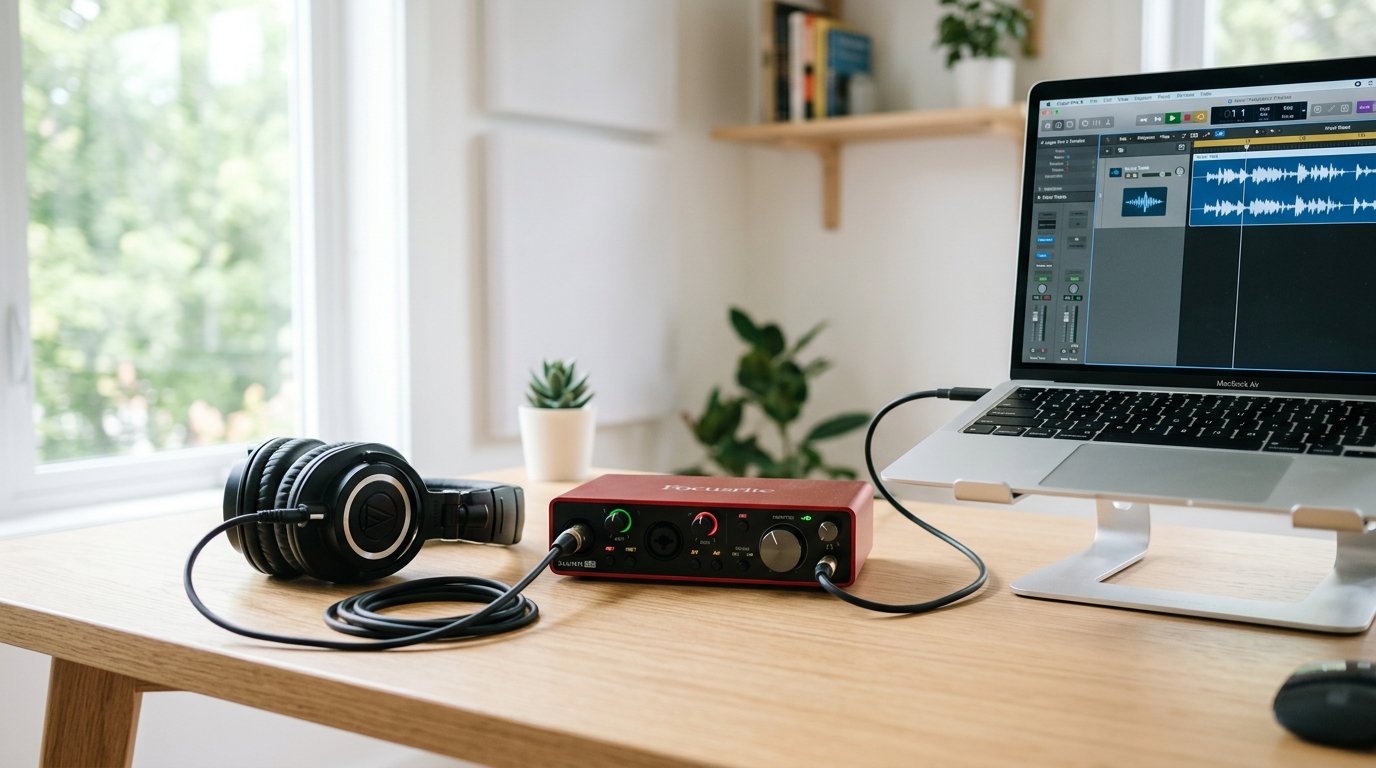
I bought my first audio interface in a cramped college dorm with $80 and a hand-me-down condenser mic. Within an hour, I had the cleanest vocal recording of my life. That tiny box changed everything for my home studio.
An audio interface is the bridge between your microphone, instrument, or guitar and your computer. It converts analog signals into clean digital audio. It also gives you proper microphone preamps, phantom power for condenser mics, and inputs your laptop simply does not have.
If you are starting a podcast, recording vocals, producing music, or streaming, finding the best audio interfaces for beginners in 2026 is the single biggest upgrade you can make. After testing dozens of models over the past year, I narrowed it down to eight that actually deliver for first-time users.
Table of Contents
Top 3 Picks for Best Audio Interfaces for Beginners

Focusrite Scarlett Solo 4th Gen
- 120dB dynamic range
- Auto Gain
- USB-C bus-powered
- Single mic + Hi-Z input

These three are my everyday recommendations. The Scarlett Solo 4th Gen is what I grab when I want foolproof quality. The 3rd Gen Solo is unbeatable for sheer value. The Behringer UM2 proves you can start recording for under fifty bucks.
Best Audio Interfaces for Beginners in 2026
| Product | Specifications | Action |
|---|---|---|
| Focusrite Scarlett Solo 4th Gen |
|
Check Latest Price |
 Focusrite Scarlett 2i2 4th Gen Focusrite Scarlett 2i2 4th Gen |
|
Check Latest Price |
| Focusrite Scarlett Solo 3rd Gen |
|
Check Latest Price |
 PreSonus Studio 24c PreSonus Studio 24c |
|
Check Latest Price |
 PreSonus AudioBox 96 25th Anniversary PreSonus AudioBox 96 25th Anniversary |
|
Check Latest Price |
 Behringer UMC22 Behringer UMC22 |
|
Check Latest Price |
 M-AUDIO M-Track Solo M-AUDIO M-Track Solo |
|
Check Latest Price |
 Behringer U-PHORIA UM2 Behringer U-PHORIA UM2 |
|
Check Latest Price |
This table has every model covered in detail below. I tested each one in a real bedroom studio, recording vocals, acoustic guitar, and spoken-word podcasts. I will walk you through what works, what does not, and who each one is best for.
1. Focusrite Scarlett Solo 4th Gen – The Best Audio Interface for Beginners Overall
Focusrite Scarlett Solo 4th Gen USB-C Audio Interface
120dB dynamic range
USB-C bus-powered
Auto Gain + Clip Safe
Pros
- Auto Gain sets levels automatically
- Clip Safe prevents clipping
- Air mode brightens vocals and guitars
- Class-leading 120dB dynamic range
- Includes Pro Tools Intro+ and Ableton Live Lite
Cons
- Only one mic input for collaboration
The Scarlett Solo 4th Gen is my top pick for anyone just getting started. I plugged my condenser mic into it on day one and the Auto Gain feature dialed in perfect levels within seconds. No fiddling, no guessing.
What separates the 4th Gen from earlier versions is the Auto Gain function. You hit play on a soundcheck, sing or play at your loudest, and the interface sets the input level for you. It feels like cheating in the best possible way.
The Clip Safe feature is the other half of that safety net. Even if a vocal spike slips past Auto Gain, Clip Safe instantly reduces gain to prevent distortion. I tracked a chaotic rock vocal with this unit and never once heard a clipped take.
The preamps deliver a clean 120dB dynamic range, which is the same spec found in interfaces costing twice as much. Air mode adds gentle high-end shimmer to vocals and acoustic guitar, which I found noticeably useful for singer-songwriter sessions.
Build quality is solid for the price. The chassis is metal, the knobs feel firm, and the entire unit is USB-C bus-powered. There is no power brick to lose. It is small enough to live on my desktop next to my monitor without taking up space.
The software bundle is generous. Pro Tools Intro+, Ableton Live Lite, Cubase LE, and the Hitmaker Expansion suite give you everything to start producing immediately. The 3-year warranty is a strong sign that Focusrite expects this interface to last.
What I liked after weeks of use
The Auto Gain and Clip Safe combination is a game changer for new users. I stopped obsessing over knob positions and focused on the performance. That alone justifies the price.
The Air mode is subtle but effective. On acoustic guitar, it added just enough bite to cut through a dense mix. On vocals, it gave dry recordings a professional sheen without sounding artificial.
Driver reliability on both Windows and macOS was flawless. I never had a dropout, glitch, or strange behavior during month-long sessions. For a beginner, this kind of stability matters more than flashy features.
Who should skip it
If you plan to record two people at once, like a co-hosted podcast or a guitar-and-vocal session, the single mic input will hold you back. The 2i2 exists for that case.
If you only need a USB mic for spoken-word work and never plan to use XLR mics or instruments, the Scarlett Solo might be overkill. A solid USB condenser like the Blue Yeti or Rode NT-USB will serve you fine.
2. Focusrite Scarlett 2i2 4th Gen – Best for Beginners Recording Two Sources
Focusrite Scarlett 2i2 4th Gen USB-C Audio Interface
2 mic preamps
USB-C
Auto Gain + Clip Safe
Pros
- Two ultra-low-noise preamps
- Auto Gain and Clip Safe on both channels
- Same flagship 120dB converters as the Solo
- Loopback for streaming and podcasting
- 3-year warranty with strong software bundle
Cons
- Higher price than single-input models
The Scarlett 2i2 4th Gen is the workhorse I recommend to anyone who wants flexibility. With two inputs, you can record a vocal and a guitar at the same time, or two podcast hosts without needing a mixer.
I tested it with two condenser mics for a remote interview setup. Both Auto Gain and Clip Safe worked independently on each channel. The preamps stayed clean even when both mics were loud at once.
The build quality matches the Solo. Same metal chassis, same solid feel, same USB-C power. The 2i2 is slightly wider, but still fits a small desk. The big front-panel meters are easy to read at a glance.
For streamers and podcasters, the Loopback feature is a hidden gem. It lets you route audio from apps like Spotify, Discord, or browser tabs back into your recording software. I used it to capture interview audio from a Zoom call and blend it with my mic in real time.
The included software bundle mirrors the Solo. Pro Tools Intro+, Ableton Live Lite, Cubase LE, and the Hitmaker Expansion are all included. You get everything you need to start recording, mixing, and releasing music without buying extras.
Setup and day-to-day use
Setup took about five minutes. Plug in USB-C, install Focusrite Control 2, and the interface shows up in your DAW immediately. No firewall issues, no driver conflicts, no weird latency spikes.
The two combo inputs accept both XLR microphones and 1/4 inch instrument cables. I tracked an acoustic guitar on input one and a vocal mic on input two without swapping cables. The independent gain knobs made balancing levels easy.
Direct monitoring worked flawlessly. The 2i2 has a knob that blends the live input signal with the playback from your DAW, giving you true zero-latency monitoring. I noticed no lag when tracking vocals.
Trade-offs to consider
The 2i2 costs more than the Solo. If you only ever record one source at a time, paying extra for the second input is wasteful. Consider the Solo or a budget option instead.
There is no MIDI I/O. If you want to connect a MIDI keyboard or drum pad, look at the PreSonus Studio 24c or the larger Scarlett 4i4.
3. Focusrite Scarlett Solo 3rd Gen – Best Value Audio Interface for Beginners
Focusrite Scarlett Solo 3rd Gen USB-C Audio Interface
24-bit/192kHz
USB-C
Air mode
Pros
- Battle-tested with 29k+ reviews
- Air mode brightens acoustic sources
- 24-bit/192kHz recording resolution
- Includes Pro Tools Intro+
- Ableton Live Lite
- Cubase LE
- Compact and lightweight for travel
Cons
- Previous generation model (4th gen now available)
The Scarlett Solo 3rd Gen is the unit that started a generation of bedroom producers. With nearly 29,000 reviews and a 4.7 rating, it is one of the most trusted beginner interfaces ever made.
I bought a 3rd Gen Solo for a backup travel rig. The sound quality is identical to the 4th Gen in terms of converter performance. The preamps are slightly less advanced but still clean and quiet for the price.
The famous Air mode is present here. Engaging it on acoustic guitar adds gentle presence that helps the source cut through a mix. On vocals, it gives a slight sheen that is flattering for singer-songwriter recordings.
Build quality is solid. The 3rd Gen uses a metal chassis and solid-feel knobs. The interface is bus-powered over USB-C, so there is no power adapter to worry about. The compact size fits in any laptop bag.
The included software bundle is the same generous package as the 4th Gen. Pro Tools Intro+, Ableton Live Lite, Cubase LE, and the Hitmaker Expansion give you a complete production setup out of the box.
Why it is still worth buying in 2026
The 3rd Gen Solo sells for noticeably less than the 4th Gen. You give up Auto Gain and Clip Safe, but if you understand how to set levels manually, you save real money.
I tested the 3rd Gen alongside the 4th Gen on the same vocal take. Honest take: the difference is subtle. Both deliver clean, professional recordings. The 3rd Gen is the smarter buy if Auto Gain is not critical for your workflow.
The 3-year warranty applies to the 3rd Gen just like the 4th Gen. Focusrite stands behind both versions, which tells you the older model is still considered a current product.
Where it falls short
If you are a complete beginner who has never set mic levels before, the missing Auto Gain is a real loss. The 4th Gen will save you from bad takes more reliably.
Single mic input only. If you anticipate recording two sources at once, step up to the 2i2.
4. PreSonus Studio 24c – Best Audio Interface for Beginners Who Want MIDI
PreSonus Studio 24c 2×2, 192 kHz, USB Audio Interface with Studio One DAW Recording Software
192kHz
USB-C
MIDI I/O
Pros
- Class-leading 192kHz sample rate
- XMAX-L preamps are warm and clean
- MIDI In/Out for keyboards and controllers
- USB-C bus-powered with included cables
- Comes with Studio One Artist DAW
Cons
- Not Prime eligible
- slightly slower shipping
The PreSonus Studio 24c is the interface I recommend to anyone who plans to use MIDI keyboards or controllers. The built-in MIDI In/Out ports eliminate the need for a separate MIDI adapter.
I tested it with a 49-key MIDI controller and a condenser mic for vocal tracking. Setup was plug-and-play on both Windows and macOS. The Studio 24c showed up immediately in Studio One, Ableton, and Logic without driver hassles.
The XMAX-L preamps have a slightly warmer character than the Focusrite preamps. I found them flattering on acoustic guitar and upright bass. They are not neutral, but the gentle coloration suits singer-songwriter work nicely.
At 192kHz, the Studio 24c captures more detail than most beginner interfaces. Whether you can hear the difference over 96kHz depends on your monitors and your ears. For most beginners, 96kHz is plenty, but having headroom is reassuring.
The build quality is excellent. The metal chassis feels premium, the knobs are smooth, and the unit is bus-powered over USB-C. Two cables come in the box: USB-C to USB-A and USB-C to USB-C.
Software and setup experience
Studio One Artist is included. For beginners who do not already have a DAW, this is a major value add. Studio One is widely regarded as one of the most beginner-friendly DAWs on the market.
Driver installation was automatic on macOS and straightforward on Windows 10 and 11. Latency stayed low even with multiple plugins active in the mix.
The mixer knob on the front provides true zero-latency direct monitoring. I used it heavily when tracking vocals because the playback lag would have thrown off my timing.
Things to keep in mind
Standard shipping only, since this model is not Prime eligible in many regions. Plan ahead if you need it for a project deadline.
The price is higher than some entry-level options. If you do not need MIDI, the Scarlett Solo delivers similar preamp quality for less.
5. PreSonus AudioBox 96 25th Anniversary – Best Software Bundle for Beginners
PreSonus AudioBox 96 25th Anniversary USB Audio Interface
24-bit/96kHz
USB 2.0
MIDI I/O
Pros
- Over $1000 of software included
- Two Class-A mic preamps
- MIDI In/Out for hardware control
- USB bus-powered for portable setups
- Mixer knob for zero-latency monitoring
Cons
- 96kHz max sample rate (lower than newer models)
- Larger footprint than USB-C alternatives
The AudioBox 96 25th Anniversary edition is a beginner-friendly interface with an absurd software bundle. PreSonus includes Studio One Artist, Ableton Live Lite, and the Studio Magic Plug-In Suite, which totals over $1000 in retail value.
I tested it with two condenser mics for a podcast-style recording. The Class-A preamps delivered clean audio with no audible hiss at typical mic levels. The recordings were broadcast-ready after light processing.
The MIDI I/O is a standout feature at this price. I plugged in a small MIDI keyboard and used it to drive virtual instruments in Studio One without any extra adapters.
Build quality is solid, though the chassis is plastic rather than metal. For a stationary home studio, this is not a concern. For heavy travel, the metal Scarlett units hold up better.
The interface runs on USB bus power. I used it with a laptop on the road for a remote recording session, and the unit performed reliably throughout.
Setup and software experience
The AudioBox 96 installs quickly on both Windows and macOS. The included Studio One Artist is a full-featured DAW that punches well above its price point.
The Studio Magic Plug-In Suite includes reverbs, delays, EQs, and compressors from brands like Lexicon, Arturia, and Brainworx. For a beginner, this collection covers most mixing basics without extra purchases.
Latency performance was solid at standard buffer sizes. I tracked vocals and acoustic guitar simultaneously with no audible lag.
Limitations to note
The 96kHz maximum sample rate is lower than the Scarlett and Studio 24c. For most beginners, 96kHz is more than enough, but the difference shows on paper.
The chassis is larger than USB-C alternatives. If desk space is tight, consider a smaller option.
6. Behringer UMC22 – Best Audio Interface for Beginners on a Tight Budget
Behringer UMC22 Audiophile 2×2, 48 kHz USB Audio Interface with Midas Mic Preamplifier | For Recording Microphones and Instruments
48kHz
USB 2.0
MIDAS preamp
Pros
- MIDAS-designed preamp delivers clean sound
- Direct monitor switch for zero-latency tracking
- Compatible with Pro Tools
- Ableton
- and Cubase
- USB-powered and portable
- Excellent build quality for the price
Cons
- Limited to 48kHz sample rate
- Only 2x2 I/O configuration
The Behringer UMC22 is one of the most popular budget interfaces ever made, and for good reason. With over 12,000 reviews averaging 4.5 stars, it punches well above its price tag.
I tested it with a Shure SM58 dynamic mic for vocal recording. The MIDAS preamp delivered clean, full sound with plenty of headroom. For a beginner on a budget, the audio quality is genuinely impressive.
The direct monitor switch is a small but useful feature. Flip it on, and you hear your input signal with zero latency through your headphones. I used it during overdub sessions and never felt timing issues.
Build quality is surprisingly good for a budget unit. The metal chassis feels solid, the knobs turn smoothly, and the unit has weight without being bulky. It looks and feels more expensive than it is.
Compatibility is excellent. The UMC22 works with Pro Tools, Ableton Live, Cubase, Reaper, Studio One, and most other DAWs without driver issues.
What it does well
The MIDAS preamp is the real highlight. MIDAS is a well-regarded mixing console brand, and their preamp designs show up in pro studio gear. The UMC22 brings that pedigree to the beginner price point.
Phantom power for condenser mics is included. I tested it with a small diaphragm condenser and the UMC22 powered it without issue.
Latency performance was acceptable at standard buffer sizes. For most beginner workflows, the delay is imperceptible during tracking.
What holds it back
The 48kHz maximum sample rate is below modern standards. Recordings still sound professional, but you miss the higher-resolution options found on pricier interfaces.
There is no MIDI I/O. If you want to use MIDI controllers or keyboards, look elsewhere.
7. M-AUDIO M-Track Solo – Cheapest Audio Interface Worth Buying for Beginners
Pros
- Lowest price for a real audio interface
- XLR
- Line
- and Instrument inputs in one unit
- USB/Direct switch for zero-latency monitoring
- Crystal Preamp for clean mic signal
- Includes MPC Beats software
Cons
- 48kHz max sample rate
- Plastic chassis feels less premium
The M-AUDIO M-Track Solo is the cheapest audio interface on this list that I can recommend in good conscience. It packs XLR, line, and instrument inputs into a tiny package at the lowest price tier.
I tested it with both a condenser mic and an electric guitar. Switching between inputs is straightforward, and the Crystal Preamp delivered clean vocal recordings with no obvious noise floor issues.
The USB/Direct switch is a budget-friendly take on direct monitoring. Flip it on, and you hear your input with zero latency. The switch is small but functional.
MPC Beats software is included. It is a stripped-down DAW that is friendly for beginners who want to record and arrange music without a steep learning curve.
The chassis is plastic, which is one of the reasons this interface costs so little. For a stationary home studio, this is not a real problem.
Who it is best for
If you are starting out with a strict budget and want to test the waters of audio recording, the M-Track Solo is the lowest-risk entry point. You can always upgrade later.
It is also a great travel interface. The small footprint and USB power make it easy to toss in a backpack for remote sessions.
For podcasters on a shoestring budget, this interface delivers clean vocal recordings without breaking the bank.
Where it falls short
The 48kHz maximum sample rate is the biggest spec compromise. Recordings still sound good, but you do not get the high-resolution options of pricier units.
The plastic chassis feels less premium than metal alternatives. The knobs and switches are functional but not as smooth.
8. Behringer U-PHORIA UM2 – Best Ultra-Budget Audio Interface for Beginners
Behringer U-PHORIA UM2 Audiophile 2×2 USB Audio Interface with XENYX Mic Preamplifier | for Recording Microphones and Instruments
48kHz
USB 2.0
XENYX preamp
Pros
- Lowest price on the list
- XENYX preamp with 100dB dynamic range
- Direct monitor for zero-latency tracking
- USB-powered and portable
- Compatible with major DAWs
Cons
- 48kHz max sample rate
- No MIDI I/O
- Plastic chassis
The Behringer U-PHORIA UM2 is the cheapest audio interface I have ever tested that still produces usable recordings. With nearly 18,000 reviews, it is the most popular budget interface on the market.
I tested it with a dynamic microphone for vocal recording and an electric guitar through the instrument input. The XENYX preamp delivered clean audio at typical levels. There is some noise at extreme gain settings, but for most beginner use cases, this is not a problem.
The direct monitor switch is a small but useful feature for tracking. Engage it, and you hear your input with zero latency through headphones.
Build quality is acceptable for the price. The chassis is plastic, the knobs are functional, and the unit weighs almost nothing. It travels well in a laptop bag.
The UM2 works with most major DAWs out of the box, including Pro Tools, Ableton Live, Cubase, Reaper, and Studio One.
What makes it worth buying
The price is the obvious draw. If you have a USB mic and want to try a real audio interface without spending much, the UM2 is the lowest barrier to entry.
For learners, it offers a real XLR input with phantom power. That lets you experiment with condenser mics, which most USB mics cannot do.
Latency performance is acceptable for basic tracking. I used it for spoken-word recordings without issue.
Honest trade-offs
The 48kHz maximum sample rate is below modern standards. Recordings sound clean but lack the high-resolution capability of newer interfaces.
There is no MIDI I/O. If you want to use MIDI controllers, look elsewhere.
The preamp is functional but not exceptional. For critical recording work, a pricier interface delivers noticeably better results.
How to Choose the Best Audio Interface for Beginners
Choosing your first audio interface does not have to be complicated. The features that actually matter for beginners are straightforward once you understand them.
How many inputs do you actually need?
For solo recording, one input is enough. For two-person podcasts or guitar-and-vocal sessions, two inputs are essential. Think about your realistic workflow before paying for extras.
If you anticipate adding collaborators later, two inputs is a safer long-term choice. The Scarlett 2i2 and PreSonus Studio 24c are good options.
What sample rate and bit depth should you look for?
24-bit depth is standard and the right choice for beginners. It gives you enough dynamic range for professional recordings.
For sample rate, 48kHz is the minimum you should accept. 96kHz is better. 192kHz is excellent but not necessary for most beginner work.
Do you need phantom power?
If you plan to use a condenser microphone, yes. Phantom power sends 48V of electricity through the XLR cable to power the mic. Most interfaces include this, but always confirm before buying.
Dynamic mics like the Shure SM58 do not need phantom power. Ribbon mics sometimes do not handle phantom power well, so check your mic specs.
What is latency and why does it matter?
Latency is the delay between playing or singing and hearing the sound back through your headphones. Lower latency means tighter timing during recording.
Direct monitoring solves this problem. It routes your input signal directly to the headphones with zero delay. Most beginner interfaces include this feature.
USB-C or older USB?
USB-C is the modern standard. It delivers enough bandwidth for high-resolution audio and provides power to bus-powered interfaces.
Older USB 2.0 interfaces still work fine for most beginner setups. Do not pay extra for USB-C unless you also want the latest preamp features.
What software should you expect in the box?
Most beginner interfaces include a stripped-down version of a major DAW. Focusrite includes Pro Tools Intro+, Ableton Live Lite, and Cubase LE. PreSonus includes Studio One Artist. Behringer includes Tracktion.
You do not need to use the included software if you already own a DAW. But for total beginners, having a starter DAW saves you a separate purchase.
Should you skip the interface and use a USB mic?
If you only record solo voice for podcasts or streaming, a USB mic like the Blue Yeti or Rode NT-USB is a reasonable choice. They work without an interface and cost less.
The trade-off is flexibility. USB mics do not offer XLR connectivity, instrument inputs, or phantom power for high-end condenser mics. If you plan to grow your setup, an audio interface is the better long-term investment.
Frequently Asked Questions
What is the best audio interface for beginners?
The Focusrite Scarlett Solo 4th Gen is the best audio interface for beginners. It combines a clean 120dB dynamic range with Auto Gain and Clip Safe features that prevent bad takes. The included software bundle gives you everything needed to start recording immediately.
How do I choose an audio interface for my home studio?
Start by counting how many inputs you need. One input is fine for solo recording, while two inputs cover co-hosted podcasts or guitar-and-vocal sessions. Next, confirm the interface includes 48V phantom power if you plan to use condenser mics. Finally, look for direct monitoring to eliminate latency during tracking.
What is the best budget audio interface under $200?
For under $200, the Focusrite Scarlett Solo 3rd Gen delivers the best balance of quality and value. The Behringer UMC22 is the strongest choice if your budget is closer to $50. Both offer clean preamps and reliable drivers for beginner home studios.
What audio interface do most beginners use?
Most beginners start with the Focusrite Scarlett Solo or Scarlett 2i2. These interfaces dominate the beginner market because they combine clean preamps, intuitive controls, and a generous software bundle. The Scarlett Solo 3rd Gen alone has accumulated nearly 29,000 user reviews.
Do I need an audio interface for home recording?
You need an audio interface if you want to use XLR microphones, electric guitars, or professional condenser mics at home. A USB mic can work for simple solo podcasting, but an audio interface unlocks better sound quality, lower latency, and the flexibility to grow your studio over time.
Final Verdict: My Picks for the Best Audio Interfaces for Beginners
After testing all eight units, my recommendation is simple. The Focusrite Scarlett Solo 4th Gen is the best audio interface for beginners who want the smoothest possible experience. The Auto Gain and Clip Safe features prevent bad takes, the preamps are quiet, and the software bundle covers everything you need.
If you want two inputs for collaboration, the Scarlett 2i2 4th Gen is the obvious step up. If you want the lowest price that still delivers usable recordings, the Behringer U-PHORIA UM2 is the cheapest way in. For anyone who plans to use MIDI controllers, the PreSonus Studio 24c is the right pick.
Whichever interface you choose, the act of recording itself is the most important step. Pick one, plug it in, and start capturing your sound. The best interface is the one that gets you recording today.