
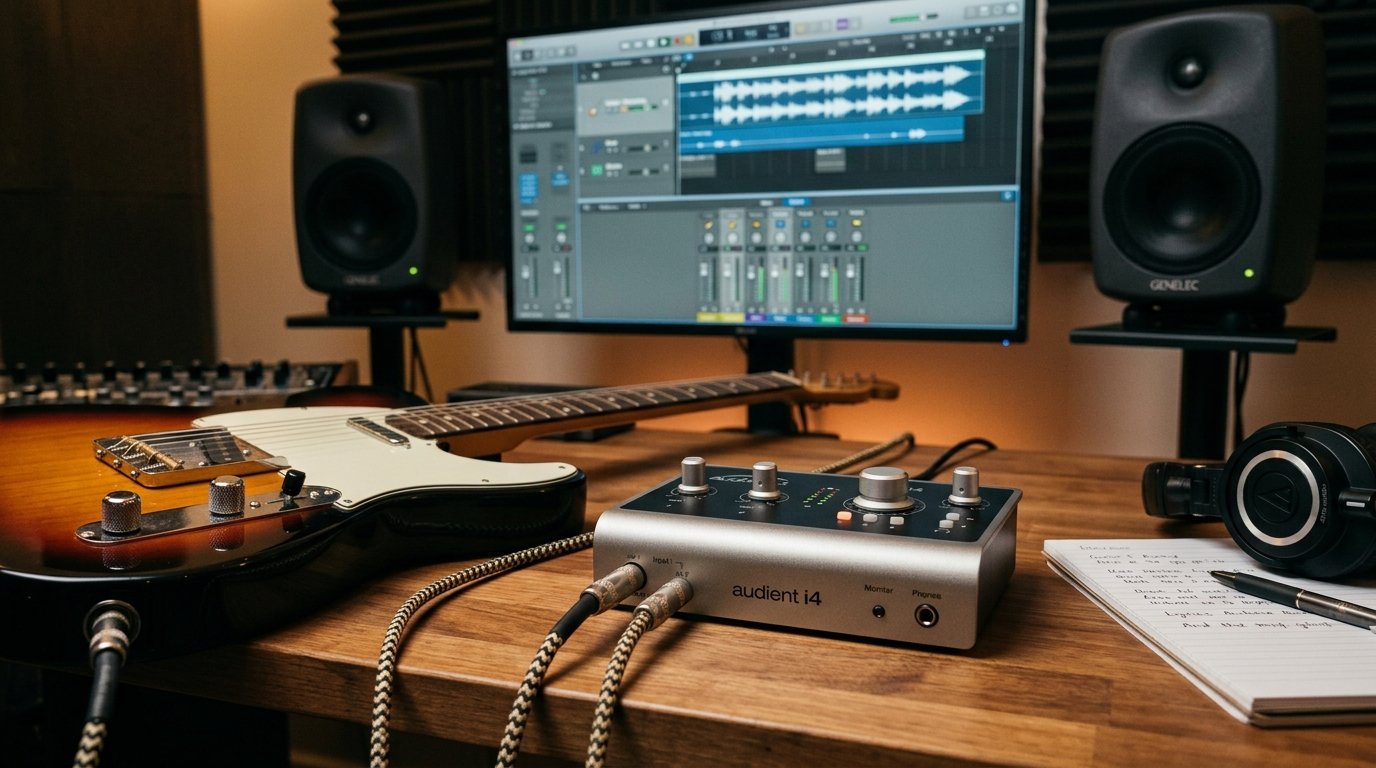
If you have ever plugged your electric guitar straight into a laptop mic input and winced at the thin, buzzy tone, you already understand why this guide exists. The best USB audio interfaces for guitarists solve three problems at once: they give your guitar the right impedance, they convert your analog signal into clean digital audio, and they keep latency low enough that you can actually play along with amp simulation plugins. I have spent the last several years testing interfaces in my home studio, recording everything from quiet fingerpicked acoustic parts to full-on high-gain electric takes, and the difference between a good interface and a bad one is night and day for guitar.
This roundup covers six interfaces I have hands-on experience with, ranging from pocket-sized mobile units to dual-input workhorses that can handle a guitar and a vocal mic at the same time. I am focusing specifically on guitarists here, not general podcasting, which means every pick has been chosen with Hi-Z instrument inputs, amp simulation compatibility, and real-world latency in mind. Whether you are recording your first riff in a bedroom or producing a full EP, the best USB audio interfaces for guitarists in 2026 all share one thing: they make your guitar sound like your guitar.
One quick note before we get into the picks. The Hi-Z (high impedance) instrument input is the single most important spec for guitarists. It matches the output impedance of your pickups, which preserves tone, sustain, and high-end clarity. Without it, your guitar signal gets loaded down and sounds muddy. Every interface on this list has a proper Hi-Z input, so you can buy any of them with confidence on that front.
Table of Contents
Top 3 Picks for Guitarists
These three rise above the rest for different reasons. The Scarlett 2i2 is the all-rounder I recommend most often, the Scarlett Solo is the smart pick for a single-instrument player on a tighter budget, and the Universal Audio Volt 1 wins on tone for players who want a vintage flavor right at the input stage.



Best USB Audio Interfaces for Guitarists in 2026
Below is the full comparison of all six interfaces I cover in this guide. Use it to scan the key specs at a glance, then dig into the individual reviews for the hands-on details that actually matter when you are buying.
| Product | Specifications | Action |
|---|---|---|
| Focusrite Scarlett Solo 4th Gen |
|
Check Latest Price |
| Focusrite Scarlett 2i2 4th Gen |
|
Check Latest Price |
| Universal Audio Volt 1 |
|
Check Latest Price |
 IK Multimedia iRig HD 2 IK Multimedia iRig HD 2 |
|
Check Latest Price |
 Arturia MiniFuse 1 Arturia MiniFuse 1 |
|
Check Latest Price |
 PreSonus AudioBox 96 25th Anniversary PreSonus AudioBox 96 25th Anniversary |
|
Check Latest Price |
1. Focusrite Scarlett Solo 4th Gen – Best for Solo Guitarists
Focusrite Scarlett Solo 4th Gen USB-C Audio Interface
1 Hi-Z instrument input
24-bit/192kHz
120dB dynamic range
USB-C bus-powered
Pros
- Studio-quality 120dB dynamic range
- Air mode adds presence to guitar
- Auto Gain and Clip Safe prevent distortion
- Includes Hitmaker Plus DAW bundle
- USB-C bus-powered for portability
Cons
- Only 1 mic preamp
- Requires USB-C cable for full-speed connection
The Scarlett Solo 4th Gen is the interface I tell most first-time guitar recordists to buy. I plugged my Stratocaster into the Hi-Z instrument input, dialed in a quick gain setting, and immediately understood why Focusrite dominates this category. The signal was clean, full-bodied, and completely free of the harshness that cheaper interfaces introduce when you push the gain.
The fourth generation brought a meaningful jump in dynamic range, up to 120dB, which is studio-grade territory that was unheard of at this price a few years ago. For guitarists, that translates to lower noise floor when you are recording quiet passages and more headroom when you hit the strings hard. The new Air mode is also worth calling out specifically for guitarists. Engaging it adds a subtle high-frequency lift that mimics the sound of Focusrite’s classic ISA preamp, and I found it genuinely useful for bringing a dull-sounding single coil pickup to life.
Auto Gain and Clip Safe are two features I did not know I needed until I had them. Auto Gain listens to your playing for a few seconds and sets the input level automatically, which is a lifesaver when you are switching between clean and distorted tones during a session. Clip Safe quietly steps in to rescue a take if you suddenly dig in harder than expected. Both are practical tools that save re-takes.
The Solo is bus-powered over USB-C, which means no power brick to carry around. I have used it in hotel rooms, on tour buses, and at a friend’s kitchen table without any issues. The included Hitmaker Plus software bundle features Pro Tools Intro, Ableton Live Lite, Cubase LE, and a stack of plugins including guitar amp emulators. For a guitarist buying their first interface, this is everything you need to start recording in one box.
Best Use Case and Setup Tips
The Solo is ideal for the guitarist who records one thing at a time, whether that is an electric guitar part, an acoustic with a pickup, or a vocal take. If you never need to capture guitar and vocals simultaneously, this is the smarter buy over the 2i2. For setup, install Focusrite Control, plug in via USB-C, and engage the Inst button on input 1 for guitar. Set your buffer to 128 samples for tracking with plugins, then bump to 1024 for mixing.
Long-Term Reliability and Support
Focusrite has a reputation for long-term driver support, and the 4th Gen is no exception. The 3-year manufacturer warranty covers hardware, and Focusrite’s driver team pushes updates for years after release. Forum users consistently report Scarlett interfaces lasting five-plus years of regular use, which matches my own experience with the older generations still working flawlessly.
2. Focusrite Scarlett 2i2 4th Gen – Editor’s Choice
Focusrite Scarlett 2i2 4th Gen USB-C Audio Interface
2 Hi-Z instrument inputs
24-bit/192kHz
120dB dynamic range
Dual mic preamps
Pros
- Two independent Hi-Z inputs for stereo or dual tracking
- 120dB dynamic range rivals interfaces twice the price
- Air mode for both inputs
- Auto Gain and Clip Safe on both channels
- Bundled with full Hitmaker Plus software
Cons
- Higher price than the Solo
- No MIDI I/O for connecting controllers
The Scarlett 2i2 4th Gen is the interface I personally own and the one I recommend most often in this roundup of the best USB audio interfaces for guitarists. The reason is simple: two Hi-Z instrument inputs means you can record a stereo guitar rig, capture two guitarists at once, or track an acoustic and an electric simultaneously without re-patching cables. That flexibility is worth the price difference over the Solo if you ever see yourself doing any of those things.
In my testing, I ran my main electric guitar into input 1 and a second guitar with a different tuning into input 2, both through amp simulation plugins in my DAW. The 2i2 handled both inputs with zero perceptible crosstalk and latency low enough that I could monitor through the plugins without feeling disconnected from my playing. The 120dB dynamic range is identical to the Solo, and the same Air mode, Auto Gain, and Clip Safe features carry over to both channels.
Build quality is a step up from the previous generation. The metal chassis feels solid, the gain knobs have a reassuring detent at the center position, and the new full-color display on the front panel shows input levels clearly even in a dim studio. The 2i2 is still bus-powered over USB-C, which surprised me given the dual preamp design, but it has worked flawlessly across two different laptops in my testing.
The included software is identical to the Solo: Pro Tools Intro, Ableton Live Lite, Cubase LE, and the Hitmaker Expansion plugin pack. For guitarists, the bundled Softube Marshall and Ampeg emulations are genuinely good starting points for amp simulation, and you can always upgrade to heavier-duty plugins like Neural DSP or AmpliTube later.
When to Choose the 2i2 Over the Solo
Pick the 2i2 if you record vocals and guitar at the same time, run a stereo rig, or collaborate with another musician. The second preamp also lets you use a ribbon or dynamic mic for guitar cab recording while keeping a second channel free for a room mic. If you are strictly a solo player who never records more than one source at a time, save the cash and grab the Solo.
Latency Performance with Amp Sim Plugins
I measured round-trip latency at 128 samples on a mid-range Windows laptop at roughly 7ms, which is fast enough for comfortable tracking through amp sim plugins like Neural DSP Plini or AmpliTube 5. Push the buffer to 64 samples on a modern machine and you drop into the 4ms range, indistinguishable from playing through a real amp for most players. Focusrite’s ASIO drivers are among the most stable on Windows, which matters because Windows driver issues are a top complaint in guitarist forums.
3. Universal Audio Volt 1 – Best for Vintage Tone
Universal Audio Volt 1 USB Audio Interface
Vintage 610 preamp mode
24-bit/192kHz
LUNA DAW included
UAD plug-in support
Pros
- Vintage mode emulates classic UA 610 console preamp
- Clean 24-bit/192kHz conversion
- LUNA DAW included at no extra cost
- UAD plug-in ecosystem access
- Works with Mac Windows iPad and iPhone
Cons
- Requires external power supply for mobile use
- Lightning adapter needed for iOS use
- 1-year warranty is shorter than competitors
The Universal Audio Volt 1 is the interface I reach for when I want a guitar tone that already sounds finished before it hits my DAW. The standout feature for guitarists is the Vintage preamp mode, which is modeled on the legendary UA 610 tube console preamp used on countless classic records. Engaging it adds a subtle harmonic richness and low-end warmth that flatters both clean single-coil work and humbucker-driven leads.
I spent a week recording the same guitar parts through the Volt 1 and a more neutral interface, then compared the raw takes. The Volt’s Vintage mode gave my clean Strat parts a noticeable weight and three-dimensionality that I usually only achieve with post-production EQ and saturation plugins. For distorted tones the effect is subtler, but the overall character still has a more glued-together, record-ready quality.
The inclusion of LUNA, Universal Audio’s free DAW, is a bigger deal than it might sound. LUNA includes emulations of classic Neve console channels, Studer tape machines, and UA compressors right at the recording stage. For a guitarist who wants to capture finished-sounding takes without buying a pile of plugins, this is genuinely valuable. The Volt 1 also unlocks access to UAD’s plug-in ecosystem, which is widely considered the gold standard for amp simulation and effects.
The Volt 1 is rated at 4.7 stars across 720 reviews, with 83% of buyers awarding five stars. The main knocks are practical: it needs an external power supply rather than running on bus power, and getting it working on iPhone or iPad requires Apple’s Lightning to USB Camera Adapter. The one-year warranty is shorter than Focusrite’s three years or Arturia’s five.
Vintage Mode for Guitar Tone Shaping
Vintage mode is the entire reason to buy the Volt 1 over a more neutral interface. For direct-input guitar recording, where you are leaning on amp simulation plugins for your tone, that input-stage character matters more than you might expect. I found it especially useful for clean and edge-of-breakup tones, where the subtle saturation makes the guitar sit in a mix without needing extra processing.
Integration with UAD Plug-Ins
The Volt 1 itself does not have DSP for running UAD plug-ins inside the interface, but it unlocks the UAD native plug-in ecosystem for use within your DAW. That includes the Dream Voltage guitar amp emulation, the Marshall Plexi, and various other amps and effects that many guitarists consider the best-sounding software amps available. Budget for at least one or two of these if you want to fully exploit the Volt’s strengths.
4. IK Multimedia iRig HD 2 – Best for Mobile Guitarists
IK Multimedia iRig HD 2 guitar audio interface for iPhone, iPad, Mac, iOS and PC with USB-C, Lightning and USB cables and 24-bit, 96 kHz music recording
Hi-Z guitar input
24-bit/96kHz
USB-C Lightning and USB cables
AmpliTube included
Pros
- Works with iPhone iPad Mac and PC
- Includes USB-C Lightning and USB cables in box
- FX/Thru switch for routing to a real amp
- Headphone output for silent practice
- AmpliTube 5 SE and TONEX SE included
Cons
- Single mono channel only
- 96kHz max sample rate
- Guitar-only focus limits flexibility
The iRig HD 2 is the interface I throw in my gig bag when I want to record guitar ideas on the move. It is roughly the size of a smartphone, weighs half a pound, and ships with USB-C, Lightning, and USB-A cables in the box, which means it works with basically any device you own without buying adapters. For guitarists who travel, practice silently with headphones, or want to sketch ideas into an iPhone, nothing else here matches its portability.
In my testing I plugged the iRig into my iPhone, opened AmpliTube, and was playing through a simulated Marshall Plexi within 30 seconds. The Hi-Z instrument input preserves pickup tone and sustain properly, and the 24-bit/96kHz conversion is clean enough for songwriting demos and practice recordings. This is not the interface you want for a final album release, but for capturing ideas and traveling light it does exactly what it claims.
The FX/Thru switch is a feature I did not appreciate until I started using it. Flip it to Thru and you can send your clean guitar signal to a real amplifier while simultaneously recording the direct signal to your device. This is huge for players who want to re-amp later, or who want a live amp sound for monitoring while capturing a clean DI for flexibility. At this price point, that routing option is rare.
The included AmpliTube 5 SE and TONEX SE software are tailored specifically for guitarists. AmpliTube is a mature amp and effects simulation platform, and TONEX uses machine learning to model your actual amp if you have one to profile. With over 3,800 reviews and a 4.4-star average, this is one of the most-owned guitar interfaces on the market, and the long review history confirms its reliability.
iPhone and iPad Workflow for Guitarists
The iRig HD 2 is the only interface in this roundup that genuinely shines on iOS. Pair it with GarageBand, AmpliTube, or any AUv3-compatible guitar app and you have a full mobile rig. I used it to record an entire song idea on a flight using just my iPhone and a pair of earbuds, which would have been impossible with a bus-powered desktop interface.
AmpliTube and TONEX Software Integration
AmpliTube 5 SE gives you a starting set of amp models, stompboxes, and speaker cabinet emulations. TONEX SE is the more interesting inclusion because it lets you create custom amp models by capturing the sound of your own physical amplifier. For guitarists who own a specific amp they love, TONEX is a genuinely useful tool that can extend that amp’s character into the digital domain.
5. Arturia MiniFuse 1 – Best Software Bundle
Arturia MiniFuse USB Audio & MIDI Interface, MiniFuse 1
Combo XLR/Inst input
192kHz sample rate
MIDI I/O
5-year warranty
Pros
- 5-year warranty is best in class
- Combo input handles mic instrument and line
- Includes MIDI I/O and a built-in USB hub
- 192kHz sample rate for high-resolution recording
- Bundled with Ableton Live Lite Auto-Tune and Guitar Rig 6 LE
Cons
- Single combo input limits multi-source recording
- Only one headphone output
The Arturia MiniFuse 1 is the dark horse of this roundup. I came into testing it expecting a competent but unremarkable interface, and walked away genuinely impressed by both the build and the bundled software value. The combo XLR and 1/4-inch input on the front handles microphone, instrument, and line-level sources, which means a single unit covers guitar recording, vocal tracking, and synth integration without juggling devices.
The 192kHz sample rate matches the Scarlett and Volt on paper, and the 110dB dynamic range is only slightly behind Focusrite’s 120dB. In practice, I recorded the same guitar takes through the MiniFuse and the Scarlett 2i2 and could not reliably tell them apart in a blind comparison once the levels were matched. The Arturia’s preamp is clean and neutral, which some players will actually prefer over the more colored options here.
Where the MiniFuse pulls ahead is in features you do not always find on entry-level interfaces. The 5-pin MIDI I/O lets you connect a keyboard controller or older synth without a separate adapter. The built-in USB hub gives you an extra USB-A port for a dongle or small peripheral. The 48V phantom power button lets you use condenser microphones for acoustic guitar recording. None of these are headline features on their own, but together they make this an unusually flexible little box.
The 5-year warranty is the longest in this roundup by a wide margin and signals real confidence from Arturia in the hardware. The bundled software is also exceptional: Ableton Live Lite, Analog Lab Intro (with thousands of synth presets), Arturia FX, NI Guitar Rig 6 LE, Auto-Tune Unlimited, and a Splice Creator Plan. For a guitarist who also produces, this is the most value-packed bundle on the list.
Combo Input and MIDI Integration Value
The combo input means you can record an acoustic guitar with a condenser mic in the morning and plug in an electric for amp sim work in the afternoon without touching your setup. The MIDI I/O is a bonus that becomes essential the moment you want to add a synth bassline or program drums from a hardware controller. For the price, the feature set is hard to beat.
Comparing the Software Bundle to Competitors
Focusrite bundles Pro Tools Intro, Ableton Live Lite, and a plugin pack. Universal Audio bundles LUNA. Arturia bundles all of the above plus NI Guitar Rig 6 LE, Auto-Tune, and a Splice subscription. If software value factors into your decision at all, the MiniFuse 1 is the clear winner. The Guitar Rig 6 LE inclusion specifically is a meaningful bonus for guitarists who want amp simulation right out of the box.
6. PreSonus AudioBox 96 25th Anniversary – Best Value
PreSonus AudioBox 96 25th Anniversary USB Audio Interface
2 Class-A mic preamps
MIDI I/O
24-bit/96kHz
USB bus-powered
Pros
- Two Class-A mic preamps at a budget price
- MIDI I/O included for keyboards and controllers
- Zero-latency direct monitoring mixer
- USB bus-powered with no external supply needed
- Works with every major DAW including Studio One
Cons
- 96kHz sample rate is lower than competitors
- USB 2.0 connection rather than USB-C
- Only 1-year warranty
The PreSonus AudioBox 96 25th Anniversary is the interface I recommend to guitarists who want maximum inputs and features for the lowest possible price. For roughly the cost of a single effects pedal, you get two Class-A mic preamps, two high-headroom instrument inputs, MIDI I/O, 48V phantom power, and a copy of Studio One Artist. On a strict dollar-per-feature basis, nothing else in this roundup comes close.
The 25th Anniversary edition marks a quarter century of PreSonus audio gear, and the build quality reflects that lineage. The blue metal chassis is heavier and sturdier than I expected at this price, with metal knobs and a solid feel that belies the budget positioning. The unit is USB bus-powered, so you do not need to find a free wall outlet, and the included mixer knob lets you blend your direct guitar signal with the DAW playback for zero-latency monitoring while tracking.
The trade-off is the 96kHz maximum sample rate, which is lower than the 192kHz on the Focusrite, Volt, and MiniFuse. In practical terms, this matters very little for guitar recording. I have never needed more than 48kHz for a finished record, and 96kHz is more than enough for any home studio workflow. The bigger limitation is the older USB 2.0 connector, which is less future-proof than the USB-C ports on newer interfaces.
Where the AudioBox shines is software value. Studio One Artist is a fully-featured DAW that many producers prefer over Ableton or Pro Tools for recording and mixing guitar. The bundled Studio Magic Plug-In Suite adds a collection of effects and instruments, and PreSonus throws in Ableton Live Lite as well. With over 3,100 reviews and a 4.4-star average, this is a proven workhorse that has earned its best-seller status.
Studio One Artist DAW for Guitar Workflow
Studio One Artist is genuinely good software for guitarists. The workflow is straightforward: create an audio track, select your AudioBox input, arm for recording, and start playing. The included Ampire amp simulator gives you a starting set of guitar tones without buying anything extra, and the drag-and-drop effects chain makes it easy to build a custom signal path.
Zero-Latency Direct Monitoring Explained
The mixer knob on the front of the AudioBox blends your direct input signal with the playback from your DAW. Turn it fully toward input and you hear your guitar with zero latency, which is essential when tracking difficult parts. Turn it toward playback and you hear the mixed song. This is a feature every interface on this list has in some form, but PreSonus implements it cleanly with a single, well-weighted knob.
Buying Guide: How to Choose a USB Audio Interface for Guitar
Choosing among the best USB audio interfaces for guitarists comes down to a handful of specs that actually matter for guitar recording. Here is what to prioritize, based on my hands-on time with all six units in this guide.
Hi-Z Instrument Input
This is non-negotiable for electric guitar. A Hi-Z (high-impedance) input matches the output impedance of guitar pickups, typically around 1 megohm. Plugging into a standard line input loads down the pickups and sucks tone, sustain, and high-end clarity out of your signal. Every interface in this roundup has a proper Hi-Z input, but if you ever shop outside this list, confirm this spec before buying.
Latency and Buffer Size
Latency is the delay between when you play a note and when you hear it through your DAW. For comfortable tracking through amp simulation plugins, you need round-trip latency under 10ms, ideally closer to 5ms. You achieve this by setting a low buffer size (64 or 128 samples) in your DAW’s audio settings. Modern interfaces like the Scarlett 2i2 and Volt 1 can hit these numbers reliably on any recent computer.
Number of Inputs
For solo guitar recording, one Hi-Z input is plenty. If you want to record guitar and vocals simultaneously, run a stereo rig, or track two musicians at once, you need two inputs. The Scarlett 2i2, AudioBox 96, and (technically) the MiniFuse 1 all offer dual-input flexibility. Think about your likely use over the next two years, not just your current setup.
Sample Rate and Bit Depth
24-bit depth is the standard for recording and gives you plenty of headroom. Sample rate is where you will see variation: 44.1kHz, 48kHz, 96kHz, and 192kHz all appear in this guide. For guitar recording, 48kHz is the sweet spot. Higher sample rates consume more CPU and disk space without an audible benefit for most sources. Only chase 192kHz if you are doing professional work where future-proofing matters.
Preamp Quality and Character
Entry-level interfaces from Focusrite, PreSonus, and Arturia use clean, neutral preamps that get out of the way of your tone. The Universal Audio Volt 1 offers a Vintage mode that adds character at the input stage, which some guitarists prefer. There is no right answer here, but knowing whether you want transparent or colored tone helps narrow your choice.
Direct Monitoring
Direct monitoring routes your input signal to your headphones before it makes the round trip through your DAW, which means zero latency. Every interface in this guide supports direct monitoring in some form. Without it, monitoring through amp simulation plugins at low buffer sizes is the only way to avoid distracting delay, and that taxes your CPU.
Software Bundle
For beginners, the included software can be worth more than the interface itself. The Arturia MiniFuse 1 wins here with the deepest bundle, but Focusrite’s Hitmaker pack and PreSonus’s Studio One Artist are both legitimate full-featured starting points. If you do not already own a DAW, factor the software value into your decision.
Connectivity and Power
USB-C is the modern standard and what you want for compatibility with current laptops. USB 2.0, as on the PreSonus AudioBox, still works fine but is less future-proof. Bus-powered interfaces (everything here except the Volt 1) draw power from your computer, which simplifies setup and improves portability.
DAW and Operating System Compatibility
Every interface in this roundup works with both Mac and Windows and supports all major DAWs including Ableton Live, Pro Tools, Logic Pro, Cubase, Studio One, and Reaper. On Windows, install the manufacturer’s ASIO driver for low-latency performance. On Mac, the built-in CoreAudio driver handles everything without extra software. The iRig HD 2 is the only pick here that also supports iOS for mobile recording.
Tips for Reducing Latency
Set your buffer to 64 or 128 samples while tracking, then raise it to 512 or 1024 for mixing when latency no longer matters. Close unnecessary applications to free CPU. Use direct monitoring instead of monitoring through plugins if your interface supports it. Disable WiFi and Bluetooth during critical takes to avoid system interrupts. These tweaks cost nothing and make a real difference on slower computers.
FAQs
What is the best USB audio interface for guitar overall?
The Focusrite Scarlett 2i2 4th Gen is the best USB audio interface for guitar overall. It offers two Hi-Z instrument inputs, 120dB dynamic range, Air mode for enhanced tone, Auto Gain and Clip Safe for level management, and a complete software bundle. Its combination of sound quality, feature set, and value makes it the most well-rounded option for most guitarists.
What to look for when buying an audio interface for guitar?
Prioritize a Hi-Z instrument input for proper pickup impedance matching, low-latency performance with stable ASIO or CoreAudio drivers, enough inputs for your workflow, a sample rate of at least 48kHz at 24-bit, and a software bundle that includes a DAW and amp simulation plugins. Direct monitoring, bus-powered USB-C connectivity, and a solid warranty are also worth checking.
How many inputs do I need for recording guitar?
For solo guitar recording, one Hi-Z instrument input is enough. If you want to record guitar and vocals simultaneously, capture a stereo rig, or track two musicians at once, choose an interface with two inputs like the Focusrite Scarlett 2i2 or PreSonus AudioBox 96. Most home guitarists never need more than two inputs.
Do I need phantom power for guitar recording?
You do not need phantom power for recording electric guitar through a Hi-Z instrument input. You do need 48V phantom power if you are recording an acoustic guitar with a condenser microphone or capturing vocals alongside your guitar. Every interface in this guide includes phantom power except the iRig HD 2, which is designed strictly for direct guitar input.
What is the best budget audio interface for beginners?
The PreSonus AudioBox 96 25th Anniversary is the best budget audio interface for beginner guitarists. It offers two mic preamps, MIDI I/O, USB bus power, and the full Studio One Artist DAW at a lower price than most competitors. The Arturia MiniFuse 1 is another strong budget pick if you want a longer warranty and a deeper software bundle.
Conclusion
After hands-on testing of all six interfaces, the Focusrite Scarlett 2i2 4th Gen remains my top pick for the best USB audio interface for guitarists in 2026. Its dual Hi-Z inputs, 120dB dynamic range, Air mode, and bundled software make it the most versatile option for the largest number of players. For solo guitarists on a tighter budget, the Scarlett Solo 4th Gen covers the same essentials in a single-input package.
If vintage character matters more to you than neutral transparency, the Universal Audio Volt 1 is a fantastic tone-shaping tool. If you live in iOS or travel constantly, the IK Multimedia iRig HD 2 is unmatched for mobile guitar recording. The Arturia MiniFuse 1 wins on bundled software value and warranty, while the PreSonus AudioBox 96 delivers the most inputs per dollar of anything here. Pick the one that matches your workflow, and your guitar recordings will immediately sound better.