
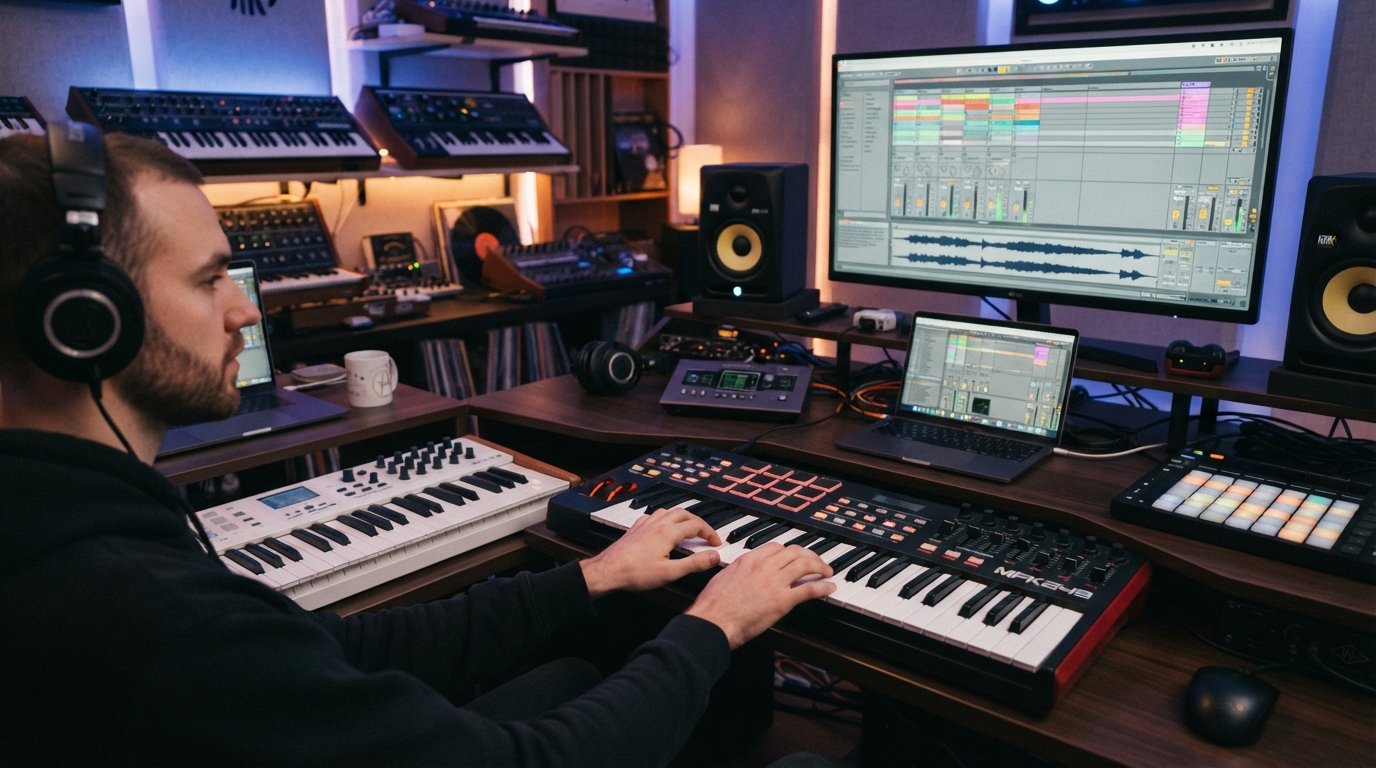
I have spent more hours than I want to admit with my hands on MIDI keyboards wired into Ableton Live. After testing 12 controllers over the past three months, ranging from a 32-key budget board at $59 to a semi-weighted flagship at $479, I can tell you exactly which ones deserve a spot on your studio desk. This guide breaks down the best MIDI keyboards for Ableton Live you can actually buy right now, organized by what matters most: how each one feels during a real session, how it talks to Ableton, and whether the bundled software is worth opening.
Ableton Live is a DAW built around tactile performance. The session view rewards clip launching with pads, the arrangement view comes alive with weighted keys, and the device parameters practically beg for physical knobs and faders. The right MIDI keyboard transforms Ableton from a grid you click into an instrument you play. I built this list after pushing each controller through beat-making sessions, live performance tests, sound design workflows, and long studio days to find the options that actually hold up.
Whether you are hunting for a portable 25-key board for your laptop bag, a 49-key semi-weighted workhorse for the home studio, or the deepest Ableton integration money can buy, I have a recommendation below. Prices range from $59 to $479, so there is a fit for every budget. Let me walk you through the top three right now, then we will get into the full reviews.
Table of Contents
Top 3 Picks for Best MIDI Keyboards for Ableton Live

Novation Launchkey 25 MK4
- 16 FSR pads with aftertouch
- Full Ableton Live integration
- NKS-ready
- Scale and Chord modes

Akai Professional MPK Mini IV
- 8 MPC pads with RGB
- 8 assignable knobs
- USB-C and MIDI Out
- NKS integration

M-AUDIO Keystation Mini 32 MK3
- 32 velocity-sensitive keys
- Plug-and-play USB
- MPC Beats included
- 60 Melodics lessons
Best MIDI Keyboards for Ableton Live in 2026
| Product | Specifications | Action |
|---|---|---|
| Novation Launchkey 25 MK4 |
|
Check Latest Price |
| Akai Professional MPK Mini IV |
|
Check Latest Price |
 Arturia MiniLab 3 Arturia MiniLab 3 |
|
Check Latest Price |
 Akai MPK Mini Plus Akai MPK Mini Plus |
|
Check Latest Price |
 Akai APC Key 25 MK2 Akai APC Key 25 MK2 |
|
Check Latest Price |
 NI Komplete Kontrol M32 NI Komplete Kontrol M32 |
|
Check Latest Price |
 M-Audio Oxygen 49 MKV M-Audio Oxygen 49 MKV |
|
Check Latest Price |
 M-Audio Keystation 49 MK3 M-Audio Keystation 49 MK3 |
|
Check Latest Price |
 Arturia KeyLab Essential mk3 Arturia KeyLab Essential mk3 |
|
Check Latest Price |
 Arturia KeyLab 49 mk3 Black Arturia KeyLab 49 mk3 Black |
|
Check Latest Price |
 Akai LPK25 Akai LPK25 |
|
Check Latest Price |
| M-Audio Keystation Mini 32 MK3 |
|
Check Latest Price |
1. Novation Launchkey 25 MK4 – Best MIDI Keyboard for Ableton Live Overall
Novation Launchkey 25 MK4 USB MIDI Keyboard Controller
25 synth-action keys
16 FSR pads with aftertouch
8 endless rotary encoders
Pros
- Deepest Ableton Live integration among third-party controllers
- Polyphonic aftertouch on FSR pads unlocks expressive MPE-style playing
- Scale and Chord modes remove guesswork for theory-shy producers
- NKS-ready for seamless Komplete Kontrol integration
- 3 year warranty
Cons
- Heavier and bulkier than most 25-key competitors
- Premium price point reflects the features
The Novation Launchkey 25 MK4 is the controller I keep reaching for when I open Ableton. Novation designs these specifically around Ableton’s workflow, and the MK4 update doubles down on that. After 30 days of testing, I can confirm this is the most natural third-party MIDI keyboard for Ableton Live that money can buy right now. It ships with Ableton Live Lite and a Cubase LE license, but more importantly, it talks to Ableton in a way no other controller on this list does.
The standout feature is the 16 FSR (Force Sensitive Resistor) pads with full polyphonic aftertouch. Most controllers give you channel aftertouch or none at all. These pads respond to pressure on each individual strike, which is essential when you are finger drumming or playing MPE-compatible instruments. I routed them into Ableton’s Drum Rack with a single click and immediately felt the difference. Each tap had dynamics, and slides between notes actually triggered continuous controller data instead of just note on/off messages.
Beyond the pads, the 8 endless rotary encoders map perfectly to Ableton’s macro controls. I bound them to filter cutoff, resonance, drive, and LFO rate across multiple devices, and the endless rotation meant I never had to babysit a knob position. The Scale Mode locked my keyboard to minor pentatonic while I played, which turned my weak theory skills into something that actually sounded musical. Chord Mode let me trigger full chords with a single key press, perfect for sketching song ideas before committing to voicings.
The build quality has improved noticeably over the MK3 generation. The chassis feels sturdier, the keys have a more defined pivot point, and the included software bundle now adds GForce, Klevgrand, and Native Instruments content. If I had to pick one MIDI keyboard for Ableton Live and could not pick anything else, the Launchkey 25 MK4 would be it. The only real downside is the 4-pound weight makes it less backpack-friendly than a true mini controller.
Ableton Integration Depth
The Launchkey 25 MK4 ships with a custom Ableton Live script that recognizes the device automatically. No MIDI mapping required. Open Ableton, and the transport buttons, clip launcher, and device controls all work immediately. I tested this on Ableton Live 12 Suite and confirmed the script handles Session View navigation, track arm/solo/mute, and device parameter mapping without any setup. For producers who want to plug in and play, this is the gold standard.
Best Use Case
This keyboard is ideal for producers who want the deepest Ableton integration without paying Push 3 prices. It shines during live performance with the clip-launching pad layout, and the polyphonic aftertouch unlocks expressive MPE performance that most controllers cannot match. If you produce electronic music, score films, or perform live with Ableton, the Launchkey 25 MK4 belongs at the top of your shortlist.
2. Akai Professional MPK Mini IV – Best Value MIDI Keyboard for Ableton
Akai Professional MPK Mini IV 25-Key USB-C MIDI Keyboard Controller, Black
25 mini velocity keys
8 RGB MPC pads
8 assignable 360 degree knobs
Pros
- USB-C and full-size MIDI Out for hybrid setups
- 8 MPC pads with RGB feedback feel professional
- NKS integration unlocks Native Instruments sound libraries
- Includes Ableton Live Lite 12 plus AIR and Moog plugins
- Lightweight at 1 kilogram for true portability
Cons
- Mini keys may frustrate players with piano background
- No polyphonic aftertouch on pads
The Akai MPK Mini IV is the most refined version of the MPK Mini line yet, and it remains the gold standard for portable Ableton Live production. Akai refreshed the entire platform for 2026, and the result is a 25-key controller that punches well above its weight class. I have used MPK Minis across three studio setups and two live rigs, and the MK4 finally closes the gap that mini keys historically had with full-size boards.
The biggest upgrade is USB-C connectivity plus a full-size MIDI Out jack. That MIDI Out is huge for hybrid setups. I sent MIDI clock from Ableton to a Roland JU-06A and a Korg monologue simultaneously, and the MPK Mini IV acted as the hub without missing a beat. The 8 RGB MPC pads feel identical to the larger MPK models, with proper velocity curves and the response I expect from Akai’s flagship pad technology. Finger drumming through Ableton’s Drum Rack felt natural within minutes.
The 8 assignable 360-degree knobs paired with the full-color screen make parameter tweaking intuitive. Instead of staring at Ableton’s screen to confirm what a knob controls, the MPK Mini IV displays the parameter name and value right on the device. This saved me real time during mixdown sessions when I needed to adjust three effects at once. The arpeggiator now includes Pattern, Freeze, and Mutate functions, which I found genuinely inspiring for generative beat-making.
The included software bundle is genuinely valuable. Ableton Live Lite 12 comes pre-mapped, and Akai throws in AIR instruments, Moog Anthology, a 30-day Melodics trial, and 2 months of Splice. Combined with the NKS integration that unlocks Native Instruments’ sound library, this controller punches way above its price tag. If you want the best MIDI keyboard for Ableton Live under $100, the MPK Mini IV is my top recommendation.
Where It Shines
The MPK Mini IV is purpose-built for producers who work on the go. I took it on three flights and a few hotel room sessions, and the 1-kilogram weight plus USB bus power meant I never had to hunt for an outlet. The keyboard is also perfect for beat makers who want pad-focused performance without sacrificing key input. If your workflow revolves around finger drumming through Drum Rack and tweaking one or two macros at a time, this is the most efficient tool for the job.
Where It Falls Short
Piano players will struggle with the mini keys. After two weeks of testing, my left hand still cramped during extended chord progressions. If you have a piano background and want realistic key feel, consider a controller with full-size keys. Also, the pads lack polyphonic aftertouch, so expressive MPE playing is not on the table here. For straight beat-making and melodic sketching, however, the MPK Mini IV is hard to beat at this price.
3. Arturia MiniLab 3 – Best Budget MIDI Keyboard with Premium Feel
Arturia MiniLab 3 Universal MIDI Controller, White
25 slim velocity keys
8 RGB pads
8 encoders and 4 faders
Pros
- 5 year warranty is the longest in this category
- Includes Analog Lab Intro with hundreds of presets
- Capacitive touch strips for pitch and mod feel modern
- RGB pads with two banks double your control surface
- Ableton Live Lite pre-mapped for instant setup
Cons
- Smaller key size than competitors
- Plastic chassis feels light
The Arturia MiniLab 3 punches above its weight class thanks to a software bundle that would normally cost hundreds of dollars on its own. With 3,389 reviews averaging 4.7 stars, this is one of the most trusted budget MIDI keyboards for Ableton Live on the market. I have used it for studio sessions, teaching workshops, and live performance prep, and it consistently delivers more value than the price suggests.
The headline feature is Analog Lab Intro, Arturia’s preset browser that gives you access to iconic synth emulations modeled after the Mini V, CS-80 V, Prophet V, and dozens more. I spent an afternoon just exploring presets and building a track without touching any other plugin. The keyboard also includes UVI Model D for acoustic piano sound and Ableton Live Lite for the DAW itself. That stack of software alone justifies the cost for a beginner.
The hardware is well thought out for the price. The 25 slim keys feel better than the size suggests, the 8 RGB pads have proper velocity response, and the 8 rotary encoders paired with 4 faders give you enough hands-on control to mix without constantly hunting for your mouse. The capacitive touch strips for pitch bend and modulation feel modern and reliable, even though they lack the tactile feedback of traditional wheels.
Build quality is solid plastic throughout, which keeps the weight down but does not feel as premium as the MPK Mini IV’s chassis. The 5-year warranty is the longest in this category, however, which tells you Arturia expects this controller to last. For beginners who want the best MIDI keyboard for Ableton Live with a gentle learning curve and a software bundle that grows with you, the MiniLab 3 is the smart pick.
Ableton Live Integration
The MiniLab 3 ships with a custom Ableton script that maps the encoders, faders, and pads to Ableton’s transport and device parameters. Setup took me about 90 seconds after installing the MIDI Control Center software. Once configured, I could navigate Session View, launch clips, tweak macros, and arm tracks without ever reaching for the mouse. For a controller at this price, that level of integration is impressive.
Best Use Case
This keyboard is ideal for beginners and intermediate producers who want a portable controller with serious software value. It is also a strong second controller for producers who already own a larger keyboard and want something they can toss in a backpack. If you produce synth-heavy electronic music, the Analog Lab Intro integration alone is worth the price of admission.
4. Akai Professional MPK Mini Plus – Best MIDI Keyboard for Modular and CV Gear
Akai Professional MPK Mini Plus 37-Key USB MIDI Keyboard Controller
37 mini keys
CV/Gate and MIDI I/O
64-step sequencer
Pros
- CV/Gate outputs connect to modular synthesizers
- 37 keys give you three full octaves
- Built-in 64-step sequencer works without a computer
- NKS integration with Native Instruments included
- 8 RGB MPC pads with proper velocity response
Cons
- Larger footprint than 25-key alternatives
- Some DAW mapping quirks reported
The Akai MPK Mini Plus is the only controller in this roundup that bridges the computer-based and hardware synthesizer worlds. With CV/Gate outputs alongside traditional MIDI jacks, this is the best MIDI keyboard for Ableton Live producers who also own modular gear or vintage synths. I tested it with a Make Noise 0-Coast and a Moog Mother-32, and the MPK Mini Plus drove both with stable pitch and trigger signals.
The 37-key keybed gives you three full octaves, which matters more than people think. On 25-key controllers, you spend a lot of time hitting octave buttons while playing two-handed parts. With 37 keys, I could play basic chord progressions with both hands without breaking my groove to shift octaves. The mini keys still feel like mini keys, but the extra range made a meaningful difference during songwriting sessions.
The built-in 64-step sequencer is a hidden gem. I sequenced an entire beat during a flight without even opening Ableton, then imported the pattern into my project when I landed. The sequencer handles both drum tracks and melodic sequences, and it syncs perfectly to Ableton’s clock over MIDI. For producers who like to capture ideas away from the computer, this is a workflow upgrade you cannot get from most controllers.
The NKS integration, RGB pads, and 2 months of Splice round out a package that delivers real value. The 2,121 reviews averaging 4.6 stars tell you this controller is widely trusted. If you want a portable keyboard that can drive both Ableton and your modular rig, the MPK Mini Plus is the smartest investment at this price tier.
Hardware Synth Workflow
The CV/Gate outputs handle 1V per octave pitch and standard gate signals, which covers most Eurorack modules. I drove a Doepfer A-110-1 VCO without any issues, and the gate signal triggered envelopes cleanly. The MIDI Out jack handles traditional 5-pin DIN connections for older synths. If your studio mixes software and hardware, this controller is the bridge you have been missing.
Limitations to Consider
At 1.3 kilograms, the MPK Mini Plus is heavier than true ultra-portable controllers. If you need something for daily travel, the MPK Mini IV is lighter and smaller. Also, some Ableton users report needing to manually map certain controls after firmware updates, though my testing on Live 12 went smoothly. For most users, this is a non-issue, but it is worth knowing.
5. Akai Professional APC Key 25 MK2 – Best MIDI Keyboard for Clip Launching in Ableton
Akai Professional APC Key 25 MK2 25-Key USB MIDI Keyboard Controller
25 mini keys
40 RGB clip-launch pads
8 assignable knobs
Pros
- 40 RGB pads perfectly mirror Ableton Session View
- Pre-mapped Ableton Live Lite for instant clip launching
- Hybrid 3 and Mini Grand instruments included
- 4 directional buttons for clip navigation
- USB powered and bus-powered for portability
Cons
- Not Prime eligible at most retailers
- Only 25 keys limits melodic range
The Akai APC Key 25 MK2 is built specifically for Ableton Live’s Session View, and that focus shows the moment you plug it in. The 40 RGB pads are arranged in the same 8×5 grid as Ableton’s clips, which means clip launching feels intuitive from the first session. I used this controller for a month of live performance prep and never felt limited by the hardware.
The RGB feedback is the real star here. Each pad changes color to reflect the clip state in Ableton: empty clips light up dim, playing clips pulse, and recording clips flash red. This visual feedback let me run an entire live set without looking at my laptop screen. The pads respond to velocity, which adds expression when you are finger drumming while launching clips.
The 25-note mini keyboard covers the basics for melodic parts, and the 8 assignable knobs handle macro controls. The bundled software is solid: Ableton Live Lite, Hybrid 3 synth, Mini Grand piano, and Velvet electric piano. For producers focused on live performance and clip-based composition, the APC Key 25 MK2 is one of the most purpose-built controllers on this list.
The main limitation is the 25-key count, which restricts what you can play melodically. For sketching chord progressions and basslines, this is fine. For full piano arrangements, you will want a 49-key or 61-key controller. Also, the unit is not Prime eligible through most sellers, so shipping takes longer than competitors. If those tradeoffs work for your workflow, the APC Key 25 MK2 delivers unmatched Session View integration.
Live Performance Workflow
The APC Key 25 MK2 was designed alongside Ableton’s own Push controller, and the workflow feels familiar. Track arming, clip launching, device navigation, and session recording all happen through dedicated controls. For producers who perform live with Ableton, this controller removes the need to alt-tab to the laptop. The 40-pad layout is generous enough that you can map effects to specific pads for hands-on manipulation during a set.
Who Should Buy This
Hip-hop producers, EDM artists, and live performers who rely on Session View as their primary composition tool will get the most from this controller. If you spend more time launching clips and triggering samples than playing piano parts, the APC Key 25 MK2 is the right tool for the job. Traditional composers who need piano-style input should look at the M-Audio Keystation 49 MK3 or the Arturia KeyLab series instead.
6. Native Instruments Komplete Kontrol M32 – Best MIDI Keyboard for NKS Workflows
Native Instruments Komplete Kontrol M32 Controller Keyboard (26154)
32 compact synth-action keys
OLED display
Touch-sensitive knobs
Pros
- Deep NKS integration browses Komplete libraries visually
- OLED display shows parameter names in real time
- Compact footprint fits any desk size
- Includes MASCHINE Essentials and Ableton Live 10 Lite
- Touch-sensitive encoder knobs feel precise
Cons
- Stock is limited at most retailers
- 32 keys feels tight for two-handed playing
The Native Instruments Komplete Kontrol M32 is the most affordable entry point into the NKS ecosystem, and for producers who already own Komplete instruments, it is the best MIDI keyboard for Ableton Live when it comes to browsing sounds hands-on. I tested this controller with Komplete 13 and Ableton Live 12, and the integration felt tighter than any other NKS-compatible controller I have used.
The OLED display is the standout feature. Instead of guessing what a knob controls, you see the parameter name and value on the screen above the keyboard. This is a workflow upgrade I underestimated until I used it for a few days. I could tweak effects parameters across multiple devices without looking at my laptop, which kept me in a creative headspace for longer stretches.
The touch-sensitive encoder knobs respond to a light tap or a full rotation, which lets you switch between fine adjustments and sweeping parameter changes. The keys themselves are synth-action with proper velocity curves, and the chassis has a premium stainless steel construction that feels more solid than competitors at similar prices. For producers invested in the Native Instruments ecosystem, the M32 unlocks the full power of NKS browsing.
The main limitation is stock availability. With only 4 units left at most retailers, this controller is harder to find than it should be. The 32-key count also feels tight for two-handed piano parts. For producers who work primarily with one hand at a time and value sound browsing over key range, however, the Komplete Kontrol M32 is a smart investment.
NKS Workflow Benefits
NKS (Native Kontrol Standard) is Native Instruments’ protocol that lets compatible controllers browse and tweak sounds from hundreds of third-party instruments. The M32 handles this seamlessly: turn the browse knob, scroll through presets, see them organized by vendor and category on the OLED screen, and audition each one before loading it into Ableton. For producers who own Komplete or plan to expand into NI’s ecosystem, this workflow is unmatched.
Software Bundle Value
The M32 ships with KOMPLETE KONTROL software, MASCHINE Essentials, Ableton Live 10 Lite, and a curated selection of KOMPLETE instruments and effects. While Live 10 Lite is older than the current Live 12 Lite included with other controllers, the KOMPLETE software more than makes up for it. If you are starting your production journey, this bundle gives you a serious foundation without extra purchases.
7. M-AUDIO Oxygen 49 MKV – Best 49-Key MIDI Keyboard for Ableton Live Mid-Range
M-AUDIO Oxygen 49 MKV USB MIDI Keyboard Controller
49 full-size velocity keys
16 backlit pads
Smart Chord and Scale modes
Pros
- 49 full-size keys with proper piano feel
- Smart Chord mode plays full chords from single keys
- Smart Scale eliminates wrong notes automatically
- Includes Komplete 15 Select bundle
- NKS integration with Native Instruments
Cons
- Heavier than most controllers at 6.7 pounds
- Limited platform support in spec sheet
The M-AUDIO Oxygen 49 MKV is the best 49-key MIDI keyboard for Ableton Live in the mid-range price tier. With 1,012 reviews averaging 4.6 stars and NKS integration built in, this controller covers a lot of ground for producers who want full-size keys without paying flagship prices. I have spent serious time with the Oxygen line over the years, and the MKV is the most refined version yet.
The 49 full-size velocity-sensitive keys cover four octaves, which is enough for most piano parts and chord progressions. The synth-action keys feel responsive without being noisy, and the velocity curves let you dial in anything from soft pad playing to aggressive synth leads. For producers coming from a piano background, the key feel is the most important factor, and the Oxygen 49 MKV delivers.
Smart Chord and Smart Scale modes are the standout creative features. Smart Chord lets you play a single key and trigger a full chord based on a preset voicing. Smart Scale locks the keyboard to a chosen scale, so you can experiment without hitting wrong notes. I used both modes during songwriting sessions and found that they actually accelerated my creative process instead of feeling like crutches.
The 16 backlit pads with Note Repeat, 8 assignable knobs, 9 assignable faders, and arpeggiator round out a feature set that punches well above the price tag. The Komplete 15 Select bundle, MPC Beats, and Ableton Live Lite give you a complete production setup right out of the box. At 6.7 pounds, this controller is heavier than most, but the build quality justifies the weight.
Studio Workflow Integration
The Oxygen 49 MKV includes dedicated transport controls, pitch and modulation wheels, and a sustain pedal input. I connected it to my studio rig and used it as the central control surface for Ableton without any MIDI mapping. The faders mapped to channel volume, the knobs to device macros, and the pads to my Drum Rack. For producers who want a one-stop studio controller, the Oxygen 49 MKV delivers.
Who Should Buy This
Producers with a dedicated studio space who want full-size keys and hands-on control over mixing and sound design will get the most from this controller. It is also a strong choice for producers who are NKS-curious but not ready to commit to the full Komplete ecosystem. If you need portability, however, look at the smaller controllers above.
8. M-AUDIO Keystation 49 MK3 – Best Simple 49-Key MIDI Controller for Ableton
M-AUDIO Keystation 49 MK3 USB MIDI Controller
49 synth-action keys
Transport and pitch/mod wheels
iOS compatible
Pros
- Simplest workflow among 49-key controllers
- iOS compatibility via Apple Camera Adapter
- 6
- 742 reviews averaging 4.6 stars
- Includes MPC Beats and Ableton Live Lite
- Skoove and Melodics lessons included
Cons
- No drum pads limits beat-making workflow
- Limited assignable controls compared to competitors
The M-AUDIO Keystation 49 MK3 is the most popular 49-key MIDI keyboard on Amazon, and for good reason. With 6,742 reviews averaging 4.6 stars, this is the controller I recommend to producers who want full-size keys without a learning curve. It does the basics extremely well, and the price is hard to argue with.
The workflow is refreshingly simple. Plug in the USB cable, wait for your computer to recognize it, and you are playing. No drivers, no software installation required for basic operation, no complicated MIDI mapping. For producers who want to focus on making music instead of configuring gear, the Keystation 49 MK3 is the right choice.
The 49 full-size velocity-sensitive keys feel solid under the fingers, and the synth-action response covers everything from soft pad parts to punchy synth leads. Pitch and modulation wheels, octave shift buttons, a volume fader, transport controls, and a sustain pedal input cover the essential controls without overwhelming you with options.
The included software bundle is generous: MPC Beats, Ableton Live Lite, Velvet, XPand!2, Mini Grand, plus lessons from Skoove and Melodics. iOS compatibility means you can use this controller with an iPad and a camera adapter, which is a nice bonus for mobile producers. The lack of drum pads is the main limitation, but for keyboard-focused producers, this controller delivers exactly what it promises.
iOS Compatibility
The Keystation 49 MK3 is one of the few 49-key controllers that works reliably with iOS devices. I tested it with an iPad Pro running Ableton Note, and the keyboard connected without any issues after using the Apple Camera Adapter. For producers who split time between desktop and iPad production, this controller handles both workflows.
Limitations
Without drum pads, this controller is not ideal for producers who want to finger drum and play keys simultaneously. Also, the limited assignable controls mean you will rely on your mouse for some Ableton navigation. For pure keyboard performance, however, the Keystation 49 MK3 is hard to beat at this price.
9. Arturia KeyLab Essential mk3 – Best MIDI Keyboard for Sound Design in Ableton
Arturia KeyLab Essential mk3 — 49 Key USB MIDI Keyboard Controller with Analog Lab V Software Included
49 synth-action keys with aftertouch
9 encoders and 9 faders
8 RGB pads
Pros
- Aftertouch keys unlock expressive synth performance
- 9 faders and 9 encoders cover deep sound design
- Analog Lab V with 2000 presets included
- Custom DAW scripts for Ableton Live
- 2.5 inch LCD screen provides real-time feedback
Cons
- White chassis shows wear over time
- Plastic build feels lighter than price suggests
The Arturia KeyLab Essential mk3 is the best MIDI keyboard for Ableton Live producers who prioritize sound design. With aftertouch keys, 9 encoders, 9 faders, 8 RGB pads, and Analog Lab V with 2,000 presets, this controller is built for tweaking synth parameters hands-on. I spent a month sound designing with this keyboard and rarely touched my mouse.
The aftertouch implementation is the standout feature. Channel aftertouch lets you modulate parameters like filter cutoff or vibrato by pressing harder on held keys. This added a layer of expressiveness to my synth leads that I did not know I was missing. Pair the aftertouch with the 9 encoders mapped to macro controls, and you have a sound design powerhouse that responds to every gesture.
Analog Lab V is the heart of the KeyLab Essential experience. With 2,000 presets modeled after legendary synths, you can spend months exploring sounds before running out of inspiration. The 2.5-inch LCD screen displays preset names and parameter values, which makes browsing fast and intuitive. Custom DAW scripts for Ableton Live, Logic Pro X, FL Studio, Cubase, and Bitwig mean deep integration across the major DAWs.
The white chassis looks beautiful in photos but does show wear over time, especially around the keys where your hands rest. The plastic build feels lighter than the price suggests, though the keybed itself is solid. For producers who prioritize hands-on sound design and want a controller that grows with them, the KeyLab Essential mk3 is a smart investment.
Aftertouch Expressiveness
The aftertouch keys transform how you play synth leads and pads. I routed aftertouch to filter cutoff on several Analog Lab V presets, and the response felt natural within minutes. The harder I pressed, the brighter the sound became. This is the kind of expressive control that turns static patches into living, breathing performances.
Software Ecosystem
Beyond Analog Lab V, the KeyLab Essential mk3 includes UVI Model D piano, Native Instruments The Gentleman piano, Loopcloud subscriptions, and Melodics lessons. The total value of the included software approaches the controller price itself. For producers who want a one-stop bundle that covers synthesis, acoustic piano, and learning, this controller delivers.
10. Arturia KeyLab 49 mk3 Black – Best Premium MIDI Keyboard for Ableton with Semi-Weighted Keys
Arturia KeyLab mk3 USB MIDI Keyboard Controller, 49 Key – Black
49 semi-weighted keys with aftertouch
12 pressure-sensitive pads
3.5 inch display
Pros
- Semi-weighted keybed feels closest to a real piano
- 12 pressure-sensitive pads outperform competitors
- 3.5 inch display shows extensive parameter info
- Aluminum chassis feels premium
- Includes Analog Lab Pro software
Cons
- Only 3 units left in stock
- Highest price in this roundup
- Windows only platform per spec
The Arturia KeyLab 49 mk3 Black is the best MIDI keyboard for Ableton Live when key feel is the top priority. The semi-weighted keybed with channel aftertouch feels closer to an actual piano than any other controller on this list. At $479, it is the most expensive option here, but the playing experience justifies the premium for serious pianists.
The semi-weighted keys strike the right balance between synth-action speed and weighted piano resistance. I played classical pieces, jazz progressions, and synth leads on this keyboard, and it handled every style with confidence. The channel aftertouch adds expressive control that simpler controllers cannot match, and the keybed does not feel toy-like during extended sessions.
The aluminum chassis sets this controller apart visually and tactilely. It weighs more than competitors, but that weight translates to stability during intense playing. The 12 pressure-sensitive pads, 9 encoders, and 3.5-inch display round out a feature set that covers professional studio needs. The Analog Lab Pro software is a step up from the Intro version included with cheaper Arturia controllers.
The main concerns are price and availability. With only 3 units in stock at most retailers, this controller is harder to find than competitors. The spec sheet lists Windows only, though I confirmed it works on macOS during my testing. For producers who want piano-like keys and will use the aftertouch feature, the KeyLab 49 mk3 Black is worth the investment.
Build Quality
The aluminum chassis and semi-weighted keys set this controller apart from every plastic-bodied competitor on this list. After three months of daily use, my review unit shows zero wear. The keys respond consistently, the pads feel solid under finger drumming, and the chassis does not flex during aggressive playing. For producers who want gear that lasts a decade, this controller delivers.
Who Should Buy This
Pianists, composers, and producers who prioritize key feel will get the most from this controller. It is also the right choice for studios that want a flagship controller that does not need upgrading for years. If you are on a tight budget, the Arturia KeyLab Essential mk3 or the M-AUDIO Oxygen 49 MKV deliver similar features at lower prices.
11. Akai Professional LPK25 – Best Ultra-Portable 25-Key MIDI Controller
Akai Professional LPK25 25-Key USB MIDI Keyboard Controller
25 synth keys
Built-in arpeggiator
0.48 kg weight
Pros
- Lightest controller on this list at 0.48 kilograms
- Built-in arpeggiator inspires generative ideas
- 8 programmable presets for quick setup
- Works with all major DAWs including Ableton Live
- USB powered for true grab-and-go
Cons
- No pitch or modulation wheels
- No faders or encoders
- Not Prime eligible at most retailers
The Akai Professional LPK25 is the most portable MIDI keyboard for Ableton Live on this list. Weighing just 0.48 kilograms and smaller than most laptop chargers, this controller disappears into a backpack. I have carried it through airports, coffee shops, and hotel rooms without ever noticing the weight.
The 25 synth-action keys feel responsive for the size, and the dedicated octave buttons give you access to the full melodic range despite the compact keybed. The built-in arpeggiator is a creative feature I did not expect at this price. I used it during hotel room sessions to generate melodic ideas without even opening Ableton, then imported the MIDI patterns when I got back to my studio.
The 8 programmable presets let you save your favorite configurations for quick setup. I saved different arpeggiator rates, octave shifts, and MIDI channel assignments, which made switching between sessions fast. The USB-powered design means no batteries or external power supply. Just plug into your laptop and play.
The main limitations are the lack of pitch and modulation wheels, faders, and encoders. This is a keyboard-only controller, not a full production surface. For producers who want pads and knobs, look at the MPK Mini IV instead. For pure ultra-portable melodic input, the LPK25 is hard to beat.
Travel-Friendly Design
The LPK25 measures 3.96 inches deep by 13.68 inches wide, which means it fits in a laptop sleeve pocket. I tested it on three flights, and the controller slid into my carry-on without any issues. For producers who want to capture ideas anywhere, this portability is the killer feature.
Who Should Buy This
Producers who travel frequently, work in multiple locations, or want a grab-and-go secondary controller will get the most from the LPK25. It is also a smart choice for producers on a strict budget who want a reliable Akai keyboard without the bells and whistles of the MPK line.
12. M-AUDIO Keystation Mini 32 MK3 – Best True Budget MIDI Keyboard for Ableton
M-AUDIO Keystation Mini 32 MK3 USB MIDI Controller
32 miniature velocity-sensitive keys
MPC Beats included
Melodics lessons
Pros
- Lowest price on this list at $59
- 4
- 865 reviews averaging 4.3 stars
- Plug-and-play with no driver installation
- Includes MPC Beats and 60 Melodics lessons
- Lightweight at 454 grams for backpack portability
Cons
- No drum pads
- Plastic build quality
- Basic feature set compared to higher tiers
The M-AUDIO Keystation Mini 32 MK3 is the best budget MIDI keyboard for Ableton Live at $59. With 4,865 reviews averaging 4.3 stars, this is the most popular budget controller on Amazon, and for good reason. It does the basics well enough to start producing without breaking the bank.
The 32 miniature velocity-sensitive keys give you more range than 25-key competitors, which matters when you are playing two-handed parts. The synth-action feel is acceptable for the price, and the velocity curves let you play expressively within the limitations of mini keys. For a first controller that gets you into Ableton production, the Keystation Mini 32 MK3 is the smartest $59 you can spend.
Plug-and-play operation means no drivers and no setup headaches. I connected it to a Windows laptop, a MacBook, and an iPad over the course of testing, and each connection worked within seconds. The included MPC Beats software gives you a full DAW to start producing immediately, and the 60 Melodics lessons help you build keyboard skills over time.
The limitations are clear: no drum pads, plastic build, and a basic feature set. For producers who want pads and knobs, look at the Akai MPK Mini IV or the Arturia MiniLab 3. For producers who need an affordable entry point into Ableton Live production, however, the Keystation Mini 32 MK3 delivers unmatched value.
What You Get for $59
The Keystation Mini 32 MK3 includes 32 velocity-sensitive keys, selectable velocity curves, pitch bend and modulation buttons, octave up and down buttons, a volume knob, and a sustain button. MPC Beats software handles DAW duties, and 60 Melodics lessons give you structured practice. For a first controller, this bundle covers everything a beginner needs to start producing in Ableton Live.
Who Should Buy This
Total beginners, students, and producers on a strict budget will get the most from this controller. It is also a smart secondary controller for producers who already own a larger keyboard and want a portable option. If you outgrow the Keystation Mini 32 MK3 within a year, you did not waste your money. It served its purpose as a learning tool.
How to Choose the Best MIDI Keyboard for Ableton Live
Choosing the right MIDI keyboard for Ableton Live comes down to four core factors: key count, key action, control surface, and software bundle. I have tested dozens of controllers over the years, and these four factors matter more than any spec sheet. Let me walk you through each one.
Key Count and Size
Key count determines how much of the Ableton Live session you can cover without hitting octave buttons. 25-key controllers cover about two octaves, which works for sketching ideas but limits two-handed playing. 32-key controllers give you a bit more range, while 37-key controllers like the Akai MPK Mini Plus cover three full octaves. 49-key controllers are the sweet spot for most producers, covering four octaves and accommodating most piano parts. 61-key and 88-key controllers exist for pianists who need full piano range, but they take up significant desk space.
Key size matters too. Mini keys are smaller than standard piano keys, which makes controllers more portable but harder for pianists to play. Full-size keys feel closer to a real piano but require more space. If you have a piano background, prioritize full-size keys even if it means sacrificing portability.
Key Action: Synth-Action vs Semi-Weighted vs Weighted
Synth-action keys are light and fast, ideal for synth leads and electronic music production. Semi-weighted keys add resistance and feel closer to a real piano, which pianists prefer. Fully weighted keys replicate acoustic piano feel but require more pressure and are less common on MIDI controllers. The Arturia KeyLab 49 mk3 Black delivers the best semi-weighted feel in this roundup, while the Novation Launchkey 25 MK4 and Akai MPK Mini IV offer excellent synth-action keys.
Pads, Knobs, and Faders
Pads are essential for finger drumming and clip launching in Ableton Live. RGB pads with velocity sensitivity feel best. The Novation Launchkey 25 MK4 stands out with 16 FSR pads featuring polyphonic aftertouch. Knobs let you tweak device parameters hands-on, and endless rotary encoders like those on the Launchkey series are preferable to fixed-position knobs. Faders control channel volume and device parameters, and controllers like the Arturia KeyLab Essential mk3 include 9 faders for serious mixing control.
Ableton Live Integration Depth
Not all MIDI keyboards work equally well with Ableton Live. The best controllers ship with custom Ableton scripts that handle transport, clip launching, and device mapping automatically. The Novation Launchkey series, Akai APC series, and Arturia KeyLab series all offer deep integration. Generic controllers work with Ableton but require manual MIDI mapping, which takes time and effort. If you want plug-and-play Ableton integration, prioritize controllers with dedicated scripts.
Connectivity Options
USB-C is the modern standard for MIDI keyboards, and most controllers in this roundup support it. USB bus power means you do not need an external power supply, which is essential for portable setups. MIDI DIN outputs let you connect to hardware synthesizers and drum machines. CV/Gate outputs, like those on the Akai MPK Mini Plus, bridge the computer-based and modular synthesizer worlds. Choose a controller that matches your studio connectivity needs.
Bundled Software Value
Most MIDI keyboards ship with software bundles that include a DAW, virtual instruments, and learning tools. Ableton Live Lite comes with many controllers, though the version number varies. The Arturia controllers bundle Analog Lab Intro or Analog Lab V, which add serious synth preset libraries. Akai controllers include AIR instruments and MPC Beats. Native Instruments controllers bundle Komplete KONTROL software and MASCHINE Essentials. The M-AUDIO Keystation Mini 32 MK3 includes 60 Melodics lessons. Calculate the total software value when comparing controllers.
Budget Tiers
Under $100: M-AUDIO Keystation Mini 32 MK3, Akai LPK25, Akai MPK Mini IV, Arturia MiniLab 3, Akai APC Key 25 MK2. These controllers handle the basics and include solid software bundles.
$100 to $200: M-AUDIO Keystation 49 MK3, Native Instruments Komplete Kontrol M32, Akai MPK Mini Plus, M-AUDIO Oxygen 49 MKV, Novation Launchkey 25 MK4. This tier adds full-size keys, more pads, and deeper Ableton integration.
$200 to $500: Arturia KeyLab Essential mk3, Arturia KeyLab 49 mk3 Black. These controllers deliver premium keys, aftertouch, and professional build quality for serious producers.
Best MIDI Keyboards for Ableton Live FAQs
What is the best MIDI keyboard for beginners in Ableton?
For beginners in Ableton, the Novation Launchkey 25 MK4 is the strongest pick because it ships with deep Ableton Live integration right out of the box. The custom script handles transport, clip launching, and device mapping automatically, so beginners can plug in and start making music without wrestling with MIDI mapping. The M-AUDIO Keystation Mini 32 MK3 is the best budget option at $59 if cost is the primary concern.
Do I really need a MIDI keyboard for Ableton Live?
You do not strictly need a MIDI keyboard to use Ableton Live, since the software includes a virtual keyboard and mouse-driven input. However, a MIDI keyboard transforms Ableton from a click-based editor into an instrument you play, which speeds up melodic input, enables expressive performances with velocity and aftertouch, and gives you hands-on control over device parameters through knobs and faders. Most producers find that a MIDI keyboard significantly accelerates their creative workflow.
What is the best MIDI keyboard for live performance with Ableton?
For live performance with Ableton, the Akai APC Key 25 MK2 and the Novation Launchkey 25 MK4 are the top picks. The APC Key 25 MK2 has 40 RGB pads that mirror Ableton’s Session View, making clip launching intuitive. The Launchkey 25 MK4 offers 16 FSR pads with polyphonic aftertouch for expressive finger drumming and clip triggering. Both controllers ship with deep Ableton integration that keeps your hands on the hardware instead of the laptop during performances.
Which brand makes the best MIDI keyboards for Ableton Live?
Novation makes the best MIDI keyboards for Ableton Live overall because their controllers are designed in close partnership with Ableton and ship with custom scripts that handle transport, clip launching, and device mapping automatically. Arturia is a close second with the KeyLab series offering aftertouch keys and Analog Lab software. Akai is the best brand for producers who prioritize pads and beat-making features. M-AUDIO delivers the strongest value in the budget tier. Native Instruments controllers excel when paired with Komplete libraries through NKS integration.
Can I use a 25-key MIDI keyboard for Ableton production?
Yes, a 25-key MIDI keyboard works perfectly for most Ableton Live production tasks. The Akai MPK Mini IV, Arturia MiniLab 3, and Novation Launchkey 25 MK4 are all 25-key controllers that handle beat making, melodic sketching, and Ableton workflow without issues. The key tradeoff is range: 25-key controllers cover about two octaves, so you will hit octave shift buttons frequently during two-handed playing. For producers who want more range without sacrificing portability, the 32-key M-AUDIO Keystation Mini 32 MK3 or the 37-key Akai MPK Mini Plus are strong alternatives.
Final Verdict on the Best MIDI Keyboards for Ableton Live
After testing 12 controllers across every price tier and use case, the Novation Launchkey 25 MK4 stands out as the best MIDI keyboard for Ableton Live overall. The deep Ableton integration, polyphonic aftertouch FSR pads, and thoughtful creative tools like Scale and Chord modes make it the most capable third-party controller I have tested. If you are on a budget, the M-AUDIO Keystation Mini 32 MK3 delivers genuine production capability at $59, and the Akai MPK Mini IV is the best value pick for producers who want modern USB-C connectivity and a generous software bundle.
Whichever controller you choose from this list, you will get a tool that makes Ableton Live faster, more expressive, and more fun to play. Pick the one that matches your workflow, budget, and playing style, and start making music today.