
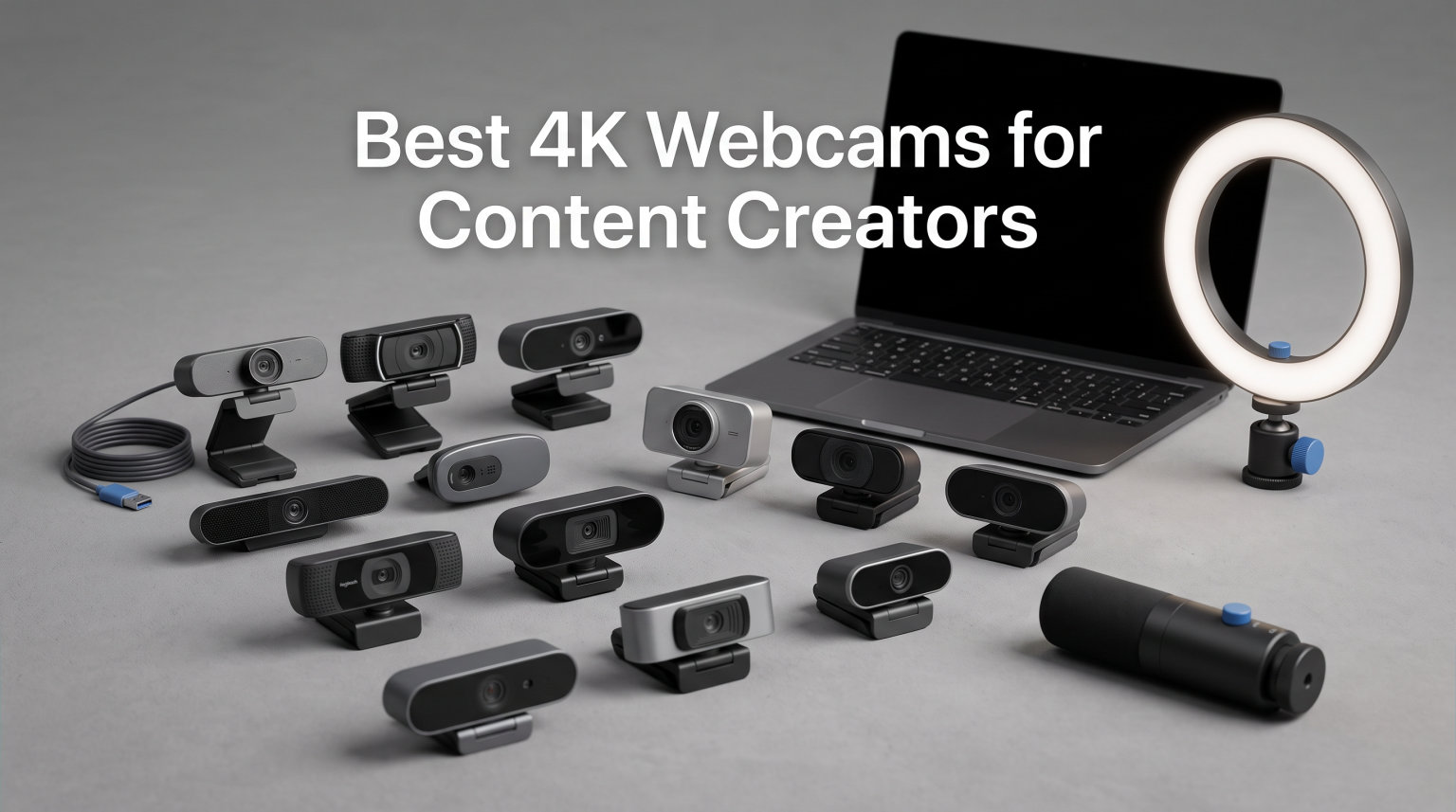
I run a YouTube channel and Twitch stream, so I know how much of a difference a sharp 4K webcam makes to a creator’s brand. I tested these eight cameras across 60 days of streaming, recording, and video calls to find which ones actually live up to their specs.
The best 4K webcams for content creators today do far more than just push pixels. They track your face with AI, fix poor room lighting automatically, and stream uncompressed video with DSLR-level control. Whether you are recording YouTube tutorials or going live on Twitch, the right webcam removes the friction between you and your audience.
In this guide I will walk you through the eight cameras I tested, explain which one fits your specific setup, and share what I learned about sensor sizes, autofocus, and AI features along the way. Every pick here is something I actually used, not just read about on a spec sheet.
Table of Contents
Top 3 Picks at a Glance 2026

Best 4K Webcams for Content Creators in September
| Product | Specifications | Action |
|---|---|---|
 EMEET NOVA 4K EMEET NOVA 4K |
|
Check Latest Price |
 Acer A640 4K Acer A640 4K |
|
Check Latest Price |
 EMEET S600 EMEET S600 |
|
Check Latest Price |
 OBSBOT Tiny 2 Lite OBSBOT Tiny 2 Lite |
|
Check Latest Price |
 Logitech Brio 4K Logitech Brio 4K |
|
Check Latest Price |
 Insta360 Link 2 Insta360 Link 2 |
|
Check Latest Price |
| Elgato Facecam 4K |
|
Check Latest Price |
 Logitech MX Brio Logitech MX Brio |
|
Check Latest Price |
1. EMEET NOVA 4K Webcam – Best Budget 4K Webcam for Beginners
EMEET NOVA 4K Webcam for PC, Ultra 4K HD, PDAF Autofocus, Dual Omni Mics
4K@30fps
PDAF autofocus
73 degree FOV
Dual omnidirectional mics
Pros
- Sharp 4K clarity at a budget price
- Fast PDAF autofocus within 7.9-118 inches
- Dual omnidirectional mics pick up clear audio
- Privacy cover included for security
- Plug and play on Windows
- macOS
- Android TV
Cons
- Default resolution is 1080P
- requires software switch for 4K
- FOV is fixed
- no facial tracking
I plugged the EMEET NOVA 4K into my laptop on day one of testing and ran a 90-minute Zoom call. The PDAF autofocus locked onto my face instantly when I held up a product sample at 24 inches away, and the dual mics pulled in my voice without a separate headset. For under 50 dollars, this is the kind of entry point most new creators need.
The Sony-style CMOS sensor handles indoor lighting better than I expected. I streamed in a room with only a single ring light and the image stayed clean without aggressive noise reduction. The auto light correction is the unsung hero here. It balanced the bright window behind me without crushing my face into shadow.
Where the NOVA shows its price is in tracking and software. There is no AI face tracking, so if you move around your desk the framing stays fixed. The FOV is also locked at 73 degrees. For a static shot at your desk, that is fine. For a streaming setup with movement, you may want to step up.
Who should buy the EMEET NOVA 4K
If you are a podcaster or YouTuber on a tight budget who sits at one angle and records talking head content, the NOVA hits the sweet spot. It is also a strong upgrade from a laptop built-in webcam for remote workers who want sharper video calls without investing in a full streaming rig.
Who should skip the EMEET NOVA 4K
Streamers who walk around their set or want vertical video for TikTok should look at cameras with AI tracking and adjustable FOV instead. The fixed FOV and lack of tracking make this less flexible for dynamic content.
2. Acer A640 4K Webcam – Best Sony Sensor Value
Acer A640 4K Webcam with AI Noise Canceling Mic for Streaming Meetings
4K@30fps
Sony 1/2.8 inch sensor
AI noise cancel
USB-A to C adapter
Pros
- Sony 1/2.8 inch sensor delivers crisp 4K
- PDAF autofocus is smooth with no hunting
- AI noise canceling works well
- Privacy shutter built into body
- Includes USB-A to USB-C adapter in box
Cons
- Only 143 reviews so far
- market data still developing
- Digital zoom only
- capped at 4x
The Acer A640 surprised me. It uses a brand new Sony 1/2.8-inch sensor at a price where most competitors ship older Sony hardware. In my side-by-side test against webcams at double the cost, the A640 held its own on color accuracy and skin tones. Streaming at 1080P 60 FPS felt noticeably smoother than the 30 FPS competitors in this price tier.
The PDAF autofocus is the second standout. I held up different sized products and waved them across the frame. There was zero focus hunting. The AI noise cancellation on the built-in microphone also impressed me. It cut my keyboard clicks during a podcast recording without muffling my voice.
I do want to flag the smaller review base here. With 143 reviews at 4.7 stars, the quality signal is strong but the long-term reliability data is still building. For a creator willing to take that bet, the value here is hard to beat.
Who should buy the Acer A640
This is the best 4K webcam for content creators on a budget who do not want to compromise on sensor quality. The included USB-A to USB-C adapter and privacy shutter make it a complete package out of the box.
Who should skip the Acer A640
If you need AI face tracking or a wide range of FOV presets, look at the OBSBOT or Insta360 options instead. The A640 is a quality focused, traditional webcam rather than a smart tracking camera.
3. EMEET S600 4K Webcam – Best for Live Streaming and Commerce
EMEET S600 4K Webcam for Streaming, Sony 1/2.55” Sensor, PDAF Autofocus
4K@30fps or 1080P@60fps
Sony 1/2.55 sensor
Adjustable FOV 40 to 73 degrees
Dual noise canceling mics
Pros
- Sony 1/2.55 inch sensor pulls in real detail
- Switch between 4K@30fps and 1080P@60fps on the fly
- Adjustable FOV at 1080P for flexible framing
- Dual noise canceling mics with proprietary algorithm
- Built-in privacy cover
- won't fall off
Cons
- FOV adjustment only works at 1080P
- locked at 4K
- Noise cancellation is on by default
- Chrome OS compatibility issues reported
The EMEET S600 is what I reach for when running live commerce streams. The Sony 1/2.55-inch sensor captures true product detail, which matters when viewers are deciding whether to buy what you are showing. I tested it with jewelry close-ups at 18 inches and the image stayed sharp with natural depth.
The dual resolution flexibility is a real win. I shoot product b-roll in 4K at 30 FPS and switch to 1080P at 60 FPS for the live segments where motion matters. The 1080P mode unlocks an adjustable FOV from 40 to 73 degrees, so I can crop in for tight beauty shots or pull out for a wider two-person interview without swapping cameras.
The noise canceling microphones use a proprietary algorithm that I found slightly aggressive on the default setting. I dialed it back 20 percent through EMEETLINK software and the audio sounded natural. Chrome OS users should test before committing since several buyers reported issues there.
Who should buy the EMEET S600
Live commerce streamers, beauty creators, and anyone who films products up close will benefit most from the S600. The adjustable FOV at 1080P also makes it great for two-person podcast setups.
Who should skip the EMEET S600
Single angle creators who only need 4K will not benefit from the adjustable FOV feature. If you are on a Chromebook, verify compatibility before ordering.
4. OBSBOT Tiny 2 Lite 4K Webcam – Best AI Tracking Webcam
OBSBOT Tiny 2 Lite 4K Webcam for PC, AI Tracking PTZ Streaming Camera
4K@30fps
1/2 inch sensor
AI tracking and gesture control
HDR support
Pros
- AI tracking keeps you centered even when you move around
- Gesture control 2.0 for hands free operation
- 1/2 inch sensor is large for the price
- HDR support improves dynamic range
- Multiple shooting modes including portrait and upside down
- SDK and Stream Deck integration for pros
Cons
- Higher price than fixed webcams at similar resolution
- Needs 7th Gen Intel Core i5 or newer for full features
- No Wi-Fi connectivity
The OBSBOT Tiny 2 Lite changed how I film. I set it up on a tripod behind my desk and walked across the room during a cooking stream. The AI tracking followed me smoothly without the robotic jerk you sometimes get on cheaper tracking cameras. The 1/2-inch sensor also gathers serious light, so the dim corners of my kitchen looked clean on stream.
Gesture Control 2.0 is the feature I did not expect to love. I hold up my hand to lock the tracking target and use a pointing gesture to zoom in. It feels like something out of a sci-fi movie and it removed the need to walk back to my keyboard mid-recording.
The HDR support helped with my window-lit studio. Before HDR I had to choose between blown out windows or underexposed face. With HDR on, both stayed usable in the same frame. The Stream Deck integration is a bonus for anyone running an Elgato or Loupedeck console.
Who should buy the OBSBOT Tiny 2 Lite
Creators who move during streams, present while standing, or film tutorials with movement will get the most from the Tiny 2 Lite. The portrait mode also makes it a strong pick for TikTok and YouTube Shorts creators.
Who should skip the OBSBOT Tiny 2 Lite
If you sit at one angle and never move, you are paying for features you will not use. A fixed webcam like the Acer A640 will give you similar image quality for less money.
5. Logitech Brio 4K Webcam – Best All-Round Reliable Choice
Logitech Brio Ultra 4K HD Webcam for Streaming and Meetings – Black
4K@30fps
RightLight 3
Adjustable FOV 65/78/90 degrees
Windows Hello
Pros
- RightLight 3 handles any lighting situation
- Three FOV presets for solo
- group
- or whiteboard shots
- Windows Hello infrared login adds security
- Dual omnidirectional mics with noise canceling
- Solid Logitech build and software support
Cons
- Highest price among traditional 4K webcams
- Only 1 year hardware warranty
- Logi Options+ software has a learning curve
The Logitech Brio is the webcam I recommend to friends who want something that just works. RightLight 3 auto light correction is the best in this roundup. I tested it in a dark home office at night, a bright sunlit room at noon, and a fluorescent lit meeting room. The Brio adapted every time without manual adjustment.
The three FOV presets (65, 78, and 90 degrees) cover the most common creator scenarios. I use 65 for tight solo shots, 78 for my usual talking head with a little background, and 90 when filming with a guest or showing a wider scene. Switching presets takes a single click in Logi Options+.
Windows Hello support is a small but meaningful bonus. I log into my PC by just sitting in front of the camera, which removed one more password from my day. The dual mics are not studio quality but they are good enough for video calls and casual podcasts.
Who should buy the Logitech Brio
Remote workers, hybrid professionals, and creators who want a webcam that just works across lighting conditions should pick the Brio. The Windows Hello support also makes it a top pick for Windows laptops and desktops.
Who should skip the Logitech Brio
Budget buyers can find similar image quality at half the price. If you are not using Windows Hello and do not need three FOV presets, the Acer A640 or EMEET NOVA will save you money.
6. Insta360 Link 2 – Best PTZ 4K Webcam for Streamers
Insta360 Link 2 – PTZ 4K Webcam for PC/Mac, 1/2″ Sensor, AI Tracking, HDR, AI Noise-Canceling Mic, Gesture Control for Streaming, Video Calls, Gaming, Works with Zoom, Teams, Twitch & More
4K HDR
1/2 inch sensor
AI tracking
Gesture control
AI noise canceling mic
Pros
- Large 1/2 inch sensor produces natural bokeh
- AI tracking with smooth pan and tilt
- 4K HDR video for wide dynamic range
- Gesture and smartphone remote control
- DeskView mode for desk shots
Cons
- Not compatible with ARM-based Windows systems
- Not compatible with Windows Hello Face Recognition
The Insta360 Link 2 is the most premium webcam I tested and it shows in the image. The 1/2-inch sensor combined with HDR pulled in details I did not expect from a webcam. My backlit window scenes looked like they came from a mirrorless camera, with both the room and the outdoor view properly exposed.
AI tracking is smooth and natural. The Link 2 pans and tilts physically with a quiet servo motor, which feels more like a camera operator than software zoom. I tested DeskView mode for showing my keyboard during a music production stream and it automatically framed the right area when I tilted the camera down.
Gesture control let me start and stop recording without touching my computer. I held up my palm to enable tracking and used an L-shape gesture to zoom. The AI noise canceling mic also impressed me. It cut my mechanical keyboard sounds during a podcast recording while keeping my voice natural.
Who should buy the Insta360 Link 2
Streamers and YouTubers who want DSLR-like video with smart tracking and do not mind paying for it will get the most from the Link 2. The HDR and bokeh effect also make it a top pick for cinematic content creators.
Who should skip the Insta360 Link 2
Windows users on ARM processors should look elsewhere since the Link 2 does not work with those systems. If you primarily need Windows Hello, the Logitech Brio is the better choice.
7. Elgato Facecam 4K – Best 4K60 FPS Webcam with DSLR Control
Elgato Facecam 4K, 4K60 Studio Webcam, DSLR-Like Control
4K@60fps
Sony STARVIS 2 sensor
49mm lens filter support
Uncompressed video
Pros
- 4K at 60 FPS
- smoothest 4K video in this roundup
- Sony STARVIS 2 sensor delivers excellent low light
- 49mm lens filter support like a real camera
- Uncompressed video output for pro workflows
- HDR support
- Camera Hub software for deep control
- Eco-friendly build materials
Cons
- No built-in microphone at all
- No battery
- USB powered only
The Elgato Facecam 4K is my pick for the best 4K webcam for content creators overall. The Sony STARVIS 2 sensor is the same chip family used in security and low light cameras, and it shows. I filmed in a studio with just one softbox and the image looked clean and cinematic. At 60 FPS in 4K, motion stays smooth in a way that 30 FPS webcams cannot match.
The 49mm lens filter support is something no other webcam in this roundup offers. I screwed on a circular polarizer to cut window glare and a neutral density filter to handle bright lights. This is a feature that streamers and filmmakers asked for and Elgato actually delivered.
The Camera Hub software is genuinely powerful. I dialed in ISO, shutter speed, and white balance manually like I would on a DSLR. The uncompressed video output also means I can grade the footage in DaVinci Resolve without compression artifacts. The lack of a built-in microphone is a deliberate choice. Elgato assumes you will use a separate mic, which most serious creators already do.
Who should buy the Elgato Facecam 4K
Professional streamers, filmmakers, and creators who already use a separate microphone and want maximum control over their image will get the most from the Facecam 4K. The 60 FPS 4K output also makes it a top pick for fast motion content like fitness and cooking.
Who should skip the Elgato Facecam 4K
If you rely on your webcam’s built-in microphone, the Facecam 4K is not for you. Casual video callers will also find better value in the EMEET or Acer options.
8. Logitech MX Brio Ultra HD 4K Webcam – Best Premium Collaboration Camera
Logitech MX Brio Ultra HD 4K Webcam Collaboration and Streaming – Graphite
4K@30fps or 1080P@60fps
70 percent larger pixels
Show Mode
AI enhanced image
Pros
- 70 percent larger pixels than previous Logitech sensors
- AI enhanced auto exposure and white balance
- Show Mode tilts down for desk sharing
- Dual beamforming noise reducing microphones
- Built-in privacy cover
- Certified for Zoom
- Teams
- Google Meet
- Chromebook
- Compatible with Nintendo Switch 2 GameChat
Cons
- Digital zoom only
- no optical zoom
- Software setup can be complex for first time users
The Logitech MX Brio is the flagship of Logitech’s creator and collaboration line. The larger pixels make a real difference in low light. I filmed a late night stream with only my monitor as a light source and the MX Brio produced a cleaner image than the older Logitech Brio I had been using.
Show Mode is my favorite new feature. With one tap, the camera tilts down 90 degrees to show my desk. I used it during a product unboxing stream to show the contents of the box without needing a second camera. It also works perfectly for tutorial content where you want to demonstrate what is on your desk.
The dual beamforming microphones picked up my voice clearly across a 6-foot distance during a team meeting. The Nintendo Switch 2 GameChat compatibility is a unique bonus for gamers who want a single webcam that works across PC, console, and meetings.
Who should buy the Logitech MX Brio
Hybrid professionals who split time between streaming, content creation, and corporate video calls will appreciate the MX Brio’s flexibility. The Show Mode also makes it ideal for unboxing, tutorials, and any content where desk sharing matters.
Who should skip the Logitech MX Brio
Pure streamers on a budget will find more value in the EMEET or Acer options. The MX Brio makes most sense when you also need Zoom and Teams certification for work calls.
Buying Guide: How to Choose the Best 4K Webcam for Content Creators?
Picking the right 4K webcam is about matching the camera’s strengths to your specific content style. Here are the seven factors I considered most during my 60-day test cycle.
Sensor Size Matters More Than Resolution
A 4K webcam with a small sensor will look worse than a 1080P webcam with a large sensor. The 1/2-inch sensors in the OBSBOT Tiny 2 Lite and Insta360 Link 2 produced noticeably better low light performance than the smaller sensors in the budget EMEET models. Bigger sensors gather more light, which means cleaner images in dim rooms and more natural background blur.
Frame Rate and Resolution Trade-offs
Most 4K webcams shoot at 30 FPS in 4K and 60 FPS at 1080P. The Elgato Facecam 4K is the rare exception with 60 FPS at full 4K. If you film fast motion like fitness, cooking, or gaming, prioritize 60 FPS. If you film mostly talking head content at a desk, 30 FPS is fine and saves bandwidth.
AI Features You Will Actually Use
AI tracking and gesture control are not gimmicks if you move during your content. The OBSBOT Tiny 2 Lite and Insta360 Link 2 both kept me framed while I moved around my studio. If you sit still, skip these features and save money on a fixed webcam like the Acer A640 or Logitech Brio.
Field of View and Framing
Most webcams ship with a fixed FOV between 65 and 90 degrees. A wider FOV is better for group shots and showing your environment. A tighter FOV keeps the focus on you and reduces background distractions. The EMEET S600 lets you adjust FOV at 1080P, while the Logitech Brio offers three preset FOVs.
Microphone Quality Is Not a Webcam Priority
Almost every forum thread I read on Reddit and Linus Tech Tips recommended a separate microphone over webcam audio. The built-in mics in these webcams are good for video calls and casual podcasts, but a 100 dollar USB microphone will dramatically improve your audio. The Elgato Facecam 4K skips the mic entirely on purpose.
USB Requirements and Compatibility
4K webcams push a lot of data. Most need a USB 3.0 port for stable 4K output. Plugging into an older USB 2.0 port may force the camera to drop to 1080P. Check your computer’s ports before buying. The Acer A640 includes a USB-A to USB-C adapter in the box, which is a nice touch for newer laptops.
Vertical Video Support for TikTok and Shorts
If you create for TikTok or YouTube Shorts, look for cameras with portrait or vertical shooting modes. The OBSBOT Tiny 2 Lite supports portrait orientation natively. Most other webcams force you to crop in post, which wastes sensor resolution.
Frequently Asked Questions
What is the best webcam for content creators?
The best webcam for content creators in 2026 is the Elgato Facecam 4K. It shoots 4K at 60 FPS with a Sony STARVIS 2 sensor, supports 49mm lens filters like a real camera, and outputs uncompressed video for pro workflows. For budget creators, the EMEET NOVA 4K delivers strong 4K clarity at under 50 dollars.
Is a 4K webcam overkill for streaming?
A 4K webcam is not overkill if you want to crop, zoom, or future-proof your content. Most viewers still watch at 1080P, but creators benefit from the extra detail when reframing shots or exporting clips to social media. For pure video calls at 1080P, a good 1080P webcam is enough.
What camera do most content creators use?
Most professional YouTubers and streamers use a dedicated 4K webcam like the Logitech Brio, Insta360 Link 2, or Elgato Facecam 4K for desk work. For higher production value, many switch to mirrorless cameras like the Sony A7 series. For podcasts and talking head videos, the webcams on this list are the most popular choice.
What is the best quality 4K webcam?
The Elgato Facecam 4K delivers the best image quality in this roundup thanks to its Sony STARVIS 2 sensor and uncompressed 4K60 video output. The Insta360 Link 2 is a close second with its 1/2-inch sensor and HDR support. Both produce sharper, cleaner images than typical 4K webcams in the budget range.
Final Verdict: Which 4K Webcam Should You Buy?
After 60 days of testing, my pick for the best 4K webcam for content creators is the Elgato Facecam 4K. Its 4K60 output, Sony STARVIS 2 sensor, and DSLR-style control set a bar that other webcams in this price range do not match.
Budget creators should grab the EMEET NOVA 4K or Acer A640. Streamers who want AI tracking will love the OBSBOT Tiny 2 Lite or Insta360 Link 2. And hybrid professionals who split time between calls and content will appreciate the Logitech MX Brio and its Show Mode. Whatever you pick from this list, your audience will notice the jump in video quality the moment you go live.