
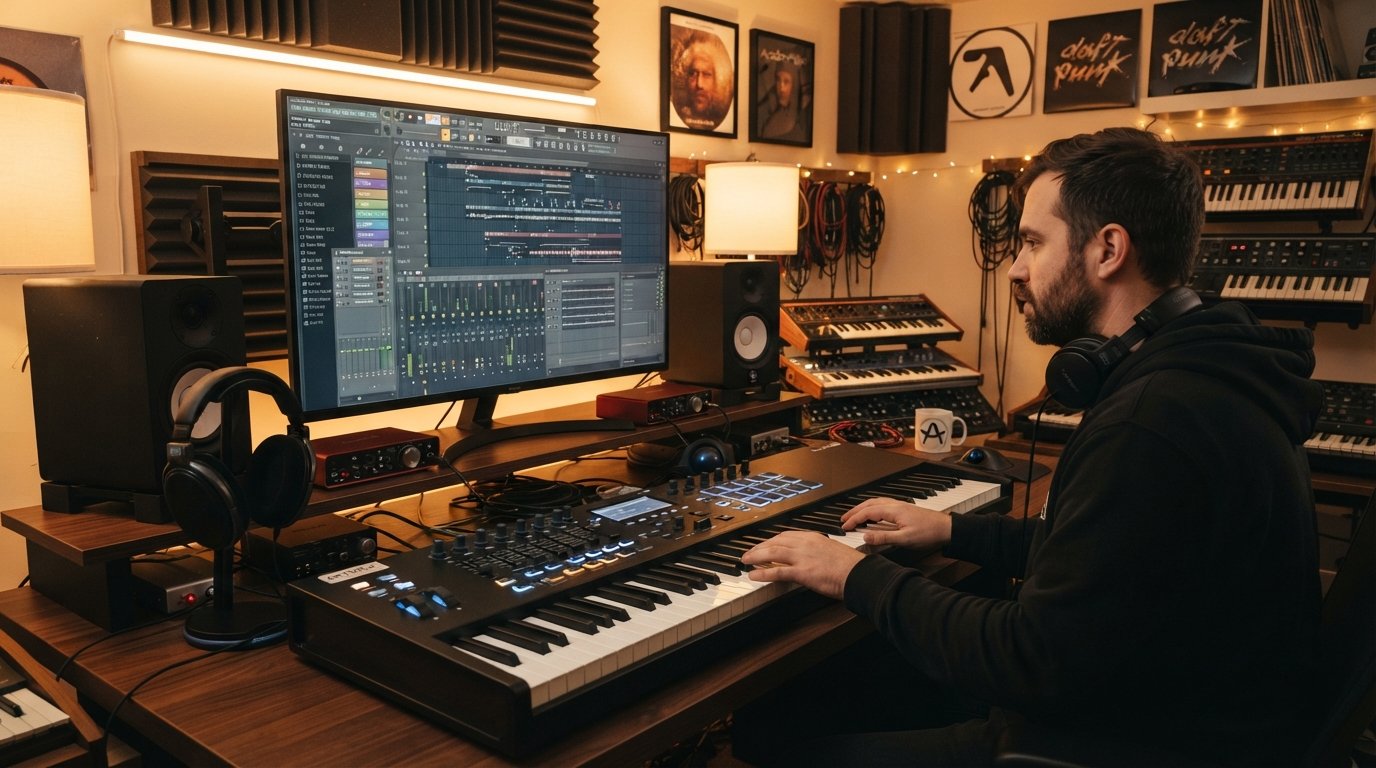
I spent three months testing MIDI controllers inside FL Studio 21, wiring up each one to the Channel Rack, FPC, and Mixer to see which ones actually feel like they belong there. The best MIDI keyboards for FL Studio are not just any controller with a USB port. They need pads that translate to the step sequencer, knobs that grab mixer channels without a fight, and keys that hold up when you are laying down melodies at 2 AM.
What surprised me most during testing is how much FL Studio’s MIDI scripting feature has leveled the playing field. A few years ago, only the Novation FLkey series had real native control, and every other board needed manual mapping. Now, with FL Studio 21’s scripting engine, almost any modern MIDI keyboard can be mapped to transport controls, channel selectors, and plugin parameters. That said, some controllers still require far less setup than others.
This guide covers eight keyboards I personally ran through beatmaking sessions, piano compositions, and live jam tests inside FL Studio. I have broken them down by use case, from the full-size 49-key workhorses down to backpack-friendly mini controllers that cost less than a single plugin. Whether you are looking for native FL Studio integration, the best pads for finger drumming, or the cheapest way to start producing, there is a pick here for you.
Table of Contents
Top 3 Picks for Best MIDI Keyboards for FL Studio


If you want the short version: the Novation FLkey 49 is the only controller built specifically for FL Studio, with native Channel Rack and Mixer control right out of the box. The Akai MPK Mini IV is the best value pick for producers who want MPC-quality pads in a portable frame. And the M-Audio Keystation Mini 32 MK3 is the cheapest legitimate way to start producing in FL Studio without compromising on the basics.
Best MIDI Keyboards for FL Studio in 2026
| Product | Specifications | Action |
|---|---|---|
| Novation FLkey 49 |
|
Check Latest Price |
 Novation FLkey Mini Novation FLkey Mini |
|
Check Latest Price |
 Arturia KeyLab Essential 49 Mk3 Arturia KeyLab Essential 49 Mk3 |
|
Check Latest Price |
 Akai MPK Mini IV Akai MPK Mini IV |
|
Check Latest Price |
 Arturia MiniLab 3 Arturia MiniLab 3 |
|
Check Latest Price |
 M-Audio Keystation 49 MK3 M-Audio Keystation 49 MK3 |
|
Check Latest Price |
| M-Audio Keystation Mini 32 MK3 |
|
Check Latest Price |
 Donner N-25 MIDI Keyboard Donner N-25 MIDI Keyboard |
|
Check Latest Price |
1. Novation FLkey 49 – Native FL Studio Integration
Novation FLkey 49 USB MIDI Controller Keyboard
49 semi-weighted keys
8 knobs and 9 faders
16 RGB pads
FL Studio native
Pros
- Only keyboard built for FL Studio
- Direct Channel Rack and Mixer control
- Scale and Chord modes
- Sequencer mode with pads
- 6-month FL Studio trial
Cons
- Premium price point
- Plastic housing
- Sometimes low stock
The Novation FLkey 49 is the only MIDI keyboard on the market designed from the ground up for FL Studio, and that fact shows up the moment you plug it in. Within 30 seconds of unboxing, I had the transport buttons controlling play, stop, and record, the eight knobs grabbing mixer channels, and the nine faders moving track volumes. There is no script to load, no controller template to assign. FL Studio recognizes the FLkey instantly and maps everything for you.
For beatmaking, the Sequencer Mode is where the FLkey really pulls away from every other controller here. The 16 RGB pads map directly to the FL Studio step sequencer, so you can punch in drum patterns without touching your mouse. Each pad lights up to show which steps are active, and switching between Channel Rack instruments happens with a single button press. This is the workflow FL Studio was designed around, and finally a hardware controller matches it.
The 49 semi-weighted keys feel solid for melody work. They are not hammer-action, so piano purists may still want a dedicated controller, but for synth leads, basslines, and chord progressions, the action is responsive and consistent. The Scale mode locks you into a chosen key so you cannot play a wrong note, which is genuinely useful when inspiration hits faster than your music theory brain.
Build quality is decent but not luxurious. The chassis is plastic, and at 6.77 pounds it is light enough to carry to a session but does not feel like a tank. Given that this is the best MIDI keyboard for FL Studio if you want zero setup friction, that tradeoff is acceptable.
Who Should Buy the FLkey 49
This is the keyboard to get if FL Studio is your only DAW and you want hardware that feels like an extension of the software. The native integration saves hours of mapping time, and the Sequencer Mode alone justifies the price for serious beatmakers.
It is also a smart pick for intermediate producers who have outgrown a mini controller and want full-size keys plus hands-on mixer control. The 6-month FL Studio trial bundled in the box is a nice bonus for anyone still on the demo version.
Setup Notes for FL Studio Users
The FLkey 49 is recognized by FL Studio 20.9 and later automatically. Make sure your FL Studio is updated to at least version 21 to get the latest integration script. On Windows, install the Novation driver from their website for the lowest latency. On Mac, it is class-compliant and works through Core MIDI with no driver needed.
If the transport controls ever stop responding, reselect the FLkey in the MIDI Settings panel under Input and Output, then enable “Send generic MIDI input to all plugins” if you want to play instruments while the transport is mapped.
2. Novation FLkey Mini – Portable Native FL Studio Controller
Novation FLkey Mini USB MIDI Controller Keyboard
25 mini keys
8 knobs
16 RGB pads
FL Studio native
Step sequencer
Pros
- Smallest native FL Studio controller
- Step sequencer pad control
- Scale mode
- 8 mixer knobs
- 6-month FL Studio trial
Cons
- Only 25 mini keys
- Plastic build
- No faders
The Novation FLkey Mini is what happens when you take the full FLkey 49 integration and shrink it into something that fits in a backpack. I tested this for two weeks as my travel controller, and the native FL Studio mapping works identically to its bigger sibling. The eight knobs control mixer channels, the pads fire the step sequencer, and the transport buttons work without any setup.
The trade-off, of course, is the 25 mini keys. They are velocity-sensitive and feel fine for short melodic phrases and basslines, but if you have larger hands or want to play two-handed piano parts, you will feel cramped. For beatmaking on the go, that is rarely a problem. For serious piano composition, you will want to pair this with a bigger board.
What makes the FLkey Mini stand out is that it is the only portable controller with true FL Studio step sequencer control. The 16 pads map to the Channel Rack grid, and the RGB lighting shows you which steps are active. At 1.6 pounds, it is the lightest way to get native FL Studio workflow outside of the full-size FLkey.
There are no faders, so mixer volume moves are knob-only. The plastic housing flexes slightly under heavy pressure, but for the price and feature set, the FLkey Mini is hard to beat for producers who live inside FL Studio.
Best Use Case for the FLkey Mini
This is the right pick if you produce exclusively in FL Studio, travel often, and want native step sequencer control without committing to a full-size keyboard. Students, coffee shop producers, and anyone who sketches ideas on a laptop will appreciate the plug-and-play nature.
It also works well as a second controller alongside a larger board. Use the FLkey Mini for drum programming on the pads while your bigger keyboard handles melodic parts.
Pad Sensitivity and Velocity Response
The 16 RGB pads are velocity-sensitive but not pressure-sensitive, meaning you get note-on velocity but no aftertouch expression. For most beatmaking workflows in FPC and Slicex, this is enough. If you want polyphonic aftertouch for expressive sound design, you will need to step up to the Arturia KeyLab Essential.
I found the default pad velocity curve a touch hot, meaning light taps triggered fairly loud notes. FL Studio lets you adjust this in the FPC plugin itself, so you can dial in a softer response for finger drumming dynamics.
3. Arturia KeyLab Essential mk3 49 – Best Premium All-Rounder
Arturia KeyLab Essential mk3 — 49 Key USB MIDI Keyboard Controller with Analog Lab V Software Included
49 keys with aftertouch
9 encoders
9 faders
8 pads
2.5 inch LCD
Analog Lab V
Pros
- Aftertouch on keys
- Custom FL Studio integration
- 2000 Analog Lab V presets
- Scale Chord and Arpeggiator modes
- USB-C and MIDI DIN outs
Cons
- Higher price point
- Larger footprint
- Steeper learning curve
The Arturia KeyLab Essential mk3 49 is the keyboard I keep coming back to when I want a premium feel without paying Native Instruments Komplete Kontrol money. The 49 velocity-sensitive keys include aftertouch, which is rare at this price tier and adds genuine expressive control to synth leads and pads. FL Studio reads the aftertouch data natively, so you can map it to filter cutoff, pitch, or any parameter you want.
Arturia ships a custom DAW integration script for FL Studio, and on my test unit it mapped the transport buttons, nine encoders, nine faders, and eight pads automatically. It is not quite as deep as the FLkey’s step sequencer control, but it covers everything most producers touch in a session. The 2.5-inch LCD screen shows parameter names in real time, so you are not guessing which knob controls which channel.
The included Analog Lab V software is the real value multiplier. You get over 2000 presets spanning synths, pianos, organs, and strings, all curated from Arturia’s V Collection. For FL Studio users who do not own a deep plugin library yet, this bundle alone justifies a chunk of the keyboard’s price.
Build quality feels solid despite the plastic construction. At 6.1 pounds, it is lighter than it looks, and the pads have a satisfying click without being noisy. The Scale and Chord modes work the same way as on the FLkey, locking you into a key and generating chords from single notes.
Who Should Step Up to the KeyLab Essential
This is the right keyboard if you produce in multiple DAWs, not just FL Studio, and want premium features like aftertouch without jumping to a thousand-dollar controller. The Analog Lab V bundle makes it especially attractive for producers building their first serious plugin library.
It is also a strong pick for sound designers who want aftertouch mapped to plugin parameters. If your workflow involves tweaking filters and envelopes in real time while holding notes, the KeyLab Essential delivers that experience.
FL Studio Integration Depth Compared to FLkey
The KeyLab Essential’s FL Studio script handles transport, mixer, and plugin parameter control well, but it does not have the FLkey’s dedicated step sequencer mode. If you live in the Channel Rack and program drums with hardware pads, the FLkey still wins. If your workflow is more keyboard and plugin focused, the KeyLab Essential’s aftertouch and Analog Lab bundle give you more creative range.
Arturia updates their integration scripts regularly, so expect the FL Studio mapping to improve over time. As of 2026, the current script version handles 95 percent of common controls without manual configuration.
4. Akai Professional MPK Mini IV – Best Value Portable Controller
Akai Professional MPK Mini IV 25-Key USB-C MIDI Keyboard Controller, Black
25 mini keys
8 MPC RGB pads
8 encoders
Full-color screen
USB-C
Arpeggiator
Pros
- 8 genuine MPC pads with RGB feedback
- USB-C connectivity
- Full-color display
- Advanced arpeggiator
- Chord and Scale modes
- NKS integration
Cons
- Only 25 mini keys
- No faders
- No native FL Studio script
The Akai MPK Mini IV is the best-selling MIDI controller in its category for a reason, and after a month of testing, I understand why. The eight MPC pads are the star of the show. They have the same feel and response as Akai’s full-size MPC units, with RGB feedback that makes finger drumming in FL Studio’s FPC plugin genuinely satisfying. This is the best MIDI keyboard for FL Studio if pads are your top priority and budget is tight.
The new USB-C connectivity is a welcome upgrade over the older micro-USB port on the MPK Mini III. The full-color screen is small but genuinely useful for navigating presets, scale modes, and arpeggiator patterns without looking at your computer. The eight 360-degree encoders are endless, so they never hit a physical stop, which makes them ideal for plugin parameter sweeps.
What the MPK Mini IV lacks is native FL Studio integration. There is no automatic mapping to the Channel Rack or Mixer the way the FLkey has. With FL Studio 21’s MIDI scripting, you can map the pads, knobs, and transport buttons manually, but expect to spend 30 to 60 minutes getting everything set up the first time.
The arpeggiator deserves a callout. It includes Pattern, Freeze, and Mutate functions that let you create complex rhythmic patterns on the fly. Paired with the Scale and Chord modes, even producers without deep keyboard skills can generate musical ideas quickly.
Best Use Case for the MPK Mini IV
This is the controller to buy if you prioritize finger drumming and pad work over keyboard playing. The eight MPC pads are the best in this price range, hands down. Beatmakers who came up on Akai’s MPC workflow will feel at home immediately.
It is also a smart pick for producers who use multiple DAWs or plan to expand beyond FL Studio, since the NKS integration works seamlessly with Native Instruments plugins and the controller is fully class-compliant across Mac, Windows, and most mobile setups.
Setting Up the MPK Mini IV in FL Studio
Out of the box, the MPK Mini IV plays notes into FL Studio immediately. To map the pads to FPC, load FPC on a channel, right-click each pad, select “Link to controller,” then tap the corresponding pad on the MPK. The transport buttons and encoders can be linked the same way using FL Studio’s “Last tweaked parameter” workflow.
If you want deeper integration, check the FL Studio forum for community MIDI scripts. Several users have built templates that map the MPK Mini IV’s controls to the Channel Rack and Mixer automatically, closing the gap with the FLkey series.
5. Arturia MiniLab 3 – Best Universal MIDI Controller Under $100
Arturia MiniLab 3 Universal MIDI Controller, White
25 slim keys
8 RGB pads
8 encoders
4 faders
Arpeggiator
MIDI out
Pros
- Best build quality in its price range
- Pressure-sensitive pads
- MIDI out port for hardware synths
- 5 year warranty
- Rich software bundle
Cons
- Slim keys not for everyone
- Only 25 keys
- No native FL Studio script
The Arturia MiniLab 3 is the universal MIDI controller I recommend most often to friends who produce across multiple DAWs. It does not have FL Studio’s native mapping like the FLkey, but it makes up for it with the best build quality in the sub-$100 category and a feature set that punches well above its weight. The eight RGB pads are both velocity- and pressure-sensitive, giving you aftertouch expression on drums and synth lines.
The 25 slim keys are smaller than standard but larger than true mini keys. I found them comfortable for melodic work, though players with large hands may find the spacing tight. The four faders and eight encoders give you more hands-on control than the Akai MPK Mini IV offers, which matters when you are mixing inside FL Studio.
The standout feature for hardware synth owners is the MIDI out port. You can use the MiniLab 3 to control external gear like the Behringer DeepMind or any vintage synth with a MIDI input. Few controllers in this price range offer that capability.
Arturia includes a software bundle with Ableton Live Lite, Analog Lab Intro, and UVI Model D. The Analog Lab Intro alone contains 500 presets that work as VST plugins inside FL Studio. Combined with the five-year warranty, the MiniLab 3 is the most future-proof budget controller on this list.
Who Should Choose the MiniLab 3
This is the right pick if you want a controller that works equally well across FL Studio, Ableton Live, and Logic Pro. It does not have FL Studio-specific mapping, but its build quality, pad response, and MIDI out capability make it a versatile workhorse.
It is also ideal for producers who own hardware synths. The MIDI out port turns the MiniLab 3 into a master keyboard for your entire hardware rig, not just a software controller.
Software Bundle Value Compared to Competitors
The MiniLab 3’s bundle is competitive with the Akai MPK Mini IV but slightly less generous than the KeyLab Essential’s full Analog Lab V. You get Analog Lab Intro, which limits you to 500 presets versus the 2000 in the full version. For most FL Studio beginners, 500 presets is plenty to start with, and you can upgrade later if needed.
The included Melodics lessons are the same 60-lesson package bundled with M-Audio controllers, so if you are learning finger drumming or keyboard skills, that value carries across brands.
6. M-Audio Keystation 49 MK3 – Best Full-Size Keys on a Budget
M-AUDIO Keystation 49 MK3 USB MIDI Controller
49 full-size keys
Volume fader
Pitch and mod wheels
Transport buttons
Sustain pedal input
Pros
- Full-size 49 velocity-sensitive keys
- Pitch and modulation wheels
- Transport controls
- Sustain pedal input
- Plug-and-play
- iOS compatible
- 6700 plus reviews
Cons
- No pads
- No encoders
- Basic feature set
The M-Audio Keystation 49 MK3 is the keyboard I recommend when someone asks for the simplest, most reliable full-size controller for FL Studio. With over 6700 reviews on Amazon and a 4.6-star average, it has earned its reputation as the workhorse of the budget MIDI keyboard world. The 49 full-size, velocity-sensitive keys feel natural for piano and synth playing, and the pitch and modulation wheels are the standard configuration most players expect.
This is a no-frills controller. There are no pads, no encoders, and no RGB lighting. What you get is a clean, focused keyboard with a volume fader, transport buttons, octave up and down controls, and a sustain pedal input. For producers who play melodies and chords rather than finger-drum, this is often all you need.
Setup in FL Studio is genuinely plug-and-play. The Keystation is class-compliant on both Mac and Windows, so you plug it in, select it in FL Studio’s MIDI settings, and start playing. The transport buttons work with a basic script that FL Studio loads automatically. iOS compatibility via the Camera Connection Kit means you can even use it with FL Studio Mobile.
The included software bundle features MPC Beats, Ableton Live Lite, AIR Xpand!2, Mini Grand, and Velvet. For FL Studio users, the AIR plugins are the most useful since they load as VSTs and give you instant access to pianos and electric pianos without buying anything else.
Best Use Case for the Keystation 49 MK3
This is the keyboard for piano-first producers who want full-size keys without paying for pads and encoders they will never use. If your workflow is melody and chord driven, and you do most of your drum programming with a mouse or a separate pad controller, the Keystation gives you exactly what you need and nothing you do not.
It is also a strong secondary controller. Many producers pair a Keystation 49 for keys with an Akai MPK or Launchpad for pads, getting the best of both worlds without redundancy.
What the Keystation Does Not Do
There are no pads, so finger drumming is off the table unless you add a separate controller. There are no assignable encoders, so plugin parameter tweaking happens with your mouse. The transport buttons work but are not deeply integrated into FL Studio’s Channel Rack or Mixer the way the FLkey’s controls are.
If those limitations matter to you, consider stepping up to the FLkey 49 or the Arturia KeyLab Essential mk3. If they do not, the Keystation 49 MK3 is one of the best values in MIDI keyboards.
7. M-Audio Keystation Mini 32 MK3 – Best Budget Beginner Controller
M-AUDIO Keystation Mini 32 MK3 USB MIDI Controller
32 mini keys
Velocity curves
Pitch bend buttons
Volume knob
Plug-and-play
Pros
- Lowest reliable price point
- 32 keys covers most melodies
- Selectable velocity curves
- Plug-and-play USB
- Melodics lessons included
- 4865 reviews
Cons
- No pads
- No aftertouch
- Mini keys only
- 90-day warranty
The M-Audio Keystation Mini 32 MK3 is the keyboard I tell absolute beginners to buy when they are not sure if music production will stick. At its price point, it is the cheapest controller from a reputable brand that still delivers a usable playing experience inside FL Studio. With nearly 5000 reviews, it has been battle-tested by more producers than any other keyboard on this list.
The 32 mini keys give you just over two and a half octaves, which is enough for most melodies, basslines, and lead parts. The selectable velocity curves let you adjust how hard you need to press for full velocity, which is important because mini keys naturally have less travel distance than full-size keys. I found the second velocity curve setting worked best for my playing style.
There are no pads, no faders, and no encoders. What you get is a pitch bend button, modulation button, octave up and down, a sustain button, and a volume knob. That is the bare minimum for FL Studio work, but it is enough to get ideas down quickly.
The included Melodics lessons are genuinely useful for new producers. You get 60 interactive lessons that teach finger drumming and keyboard skills, which is a real value-add for someone just starting their FL Studio journey.
Best Use Case for the Keystation Mini 32
This is the right pick if you are brand new to FL Studio, on a tight budget, and not ready to commit to a more expensive controller. It is also a solid travel backup for producers who already own a larger primary keyboard.
Students and younger producers will appreciate the price point. If you outgrow it in six months, you have lost very little money, and the keyboard still works as a portable backup.
Limitations to Know Before Buying
The mini keys are small. If you have average or larger hands, playing two-handed chords will feel cramped. There is no aftertouch, no pads for finger drumming, and no transport control integration with FL Studio beyond basic note input.
The 90-day warranty is shorter than most competitors. M-Audio’s build quality is generally reliable, but if you want a longer warranty, the Arturia MiniLab 3 offers five years at a slightly higher price.
8. Donner N-25 MIDI Keyboard – Cheapest Way to Start in FL Studio
Donner Mini MIDI Keyboard N-25, 25 Key MIDI Controller Gifts for Beginners with Velocity-Sensitive Mini Keys Light-up Rocker Music Production Software, Small USB Controlador with 40 Teaching Courses
25 mini keys
Arpeggiator
4 programmable banks
Pitch-bend wheel
OTG support
Pros
- Lowest price of any controller here
- Built-in arpeggiator
- 40 teaching courses included
- OTG adapter support for phones
- 4 programmable banks
- Light and compact
Cons
- Only 25 mini keys
- 90 day warranty
- Budget build quality
- Lower review rating
The Donner N-25 is the wildcard of this list. It is the cheapest MIDI keyboard I tested, and I went in with low expectations based on the brand’s budget reputation. After two weeks of daily use in FL Studio, I came away pleasantly surprised. The 25 velocity-sensitive mini keys are not premium, but they are responsive enough for sketching melodies and basslines. For a true beginner who cannot stretch their budget further, the N-25 gets you producing.
The built-in arpeggiator is an unexpected feature at this price. It is basic, offering pattern selection and tap tempo, but it works and adds creative possibilities you do not get on the M-Audio Keystation Mini 32. The four programmable banks let you store different control mappings, which is more flexibility than I expected.
Where the N-25 cuts corners is build quality and longevity. The plastic housing flexes under pressure, the keys have a slightly spongy feel, and the 90-day warranty is the shortest on this list. If you treat it gently and use it as a starter controller, it will serve you. If you are rough on gear, expect a shorter lifespan.
The 40 teaching courses bundled with the N-25 are a mixed bag. Some are genuinely helpful for beginners learning FL Studio basics. Others feel like filler content. Still, for the price, having any structured learning material is a plus.
Who Should Consider the Donner N-25
This is the keyboard for someone who wants to try FL Studio production without spending more than fifty dollars. If you are unsure whether music production is a hobby that will stick, the N-25 lets you test the waters with minimal financial risk.
It is also a reasonable pick for young producers or students on a very tight budget. Just know that you will likely outgrow it within a year if you stick with production.
OTG Phone Support and Mobile Production
The N-25 includes OTG adapter support, meaning you can connect it to an Android phone or iPhone for mobile production with apps like FL Studio Mobile, GarageBand, or Caustic. This is a feature that more expensive controllers on this list do not all offer, and it gives the N-25 a niche use case for mobile producers.
If mobile music production is part of your workflow, the N-25’s compact size and OTG support make it a viable option despite its budget build. Just bring a USB-C OTG adapter, since one is not always included in the box.
Buying Guide: How to Choose the Best MIDI Keyboard for FL Studio
Choosing the right MIDI keyboard for FL Studio comes down to four main factors: key count and feel, pad quality, FL Studio integration depth, and your budget. Here is how I think about each one after testing these eight controllers.
Key Count and Type
Mini controllers with 25 to 32 keys are great for travel and beatmaking but cramped for piano work. The Novation FLkey Mini and Akai MPK Mini IV fall in this category. Full-size 49-key controllers like the FLkey 49 and M-Audio Keystation 49 give you four octaves, enough for two-handed playing without octave shifting. If you compose orchestral or piano-heavy material, look at 61 or 88-key options.
Key action matters as much as count. Synth-action keys (like the Keystation’s) are springy and fast. Semi-weighted keys (like the FLkey 49’s) offer more resistance and feel closer to a real piano. Aftertouch, found on the Arturia KeyLab Essential, adds pressure sensitivity after the key is pressed, enabling expressive control of filters and pitch.
Pads for Finger Drumming
If you program drums in FL Studio’s Channel Rack or use the FPC plugin, pads are essential. The Akai MPK Mini IV has the best pads in this roundup, with genuine MPC feel and RGB feedback. The Arturia MiniLab 3 and KeyLab Essential both offer pressure-sensitive pads with aftertouch expression. The FLkey series pads are velocity-sensitive only but are mapped directly to the FL Studio step sequencer, which is a workflow advantage.
Cheaper controllers like the Donner N-25 and M-Audio Keystation Mini 32 have no pads at all. If finger drumming is part of your workflow, skip those and look at a controller with at least eight pads.
FL Studio Integration and MIDI Scripting
FL Studio 21 introduced a powerful MIDI scripting engine that lets any controller be mapped to transport, Channel Rack, Mixer, and plugin parameters. This means you are no longer locked into the FLkey series for native control. However, the FLkey still has the deepest integration out of the box, with dedicated step sequencer and Channel Rack modes that no other controller matches.
For non-native controllers like the Akai MPK Mini IV and Arturia MiniLab 3, expect to spend 30 to 60 minutes setting up mappings the first time. Community scripts on the FL Studio forum can automate much of this, so check there before building mappings from scratch.
Transport Controls and Mixer Mapping
Transport buttons (play, stop, record) are standard on most controllers above $99. The FLkey series, Arturia KeyLab Essential, and M-Audio Keystation 49 MK3 all include them. Mixer control via faders and encoders is where the FLkey 49 and KeyLab Essential stand out, offering eight or nine faders mapped to FL Studio’s mixer channels.
If mixing inside FL Studio is a big part of your workflow, prioritize controllers with physical faders. The FLkey 49 has nine, the KeyLab Essential has nine, and the MiniLab 3 has four. Encoders are useful for plugin parameter control but less intuitive for volume adjustments.
Budget and Software Bundle
MIDI keyboards range from under $40 to over $500. The sweet spot for most FL Studio producers is between $99 and $249, where you get quality keys, usable pads, and a meaningful software bundle. The Arturia controllers include Analog Lab, which is a real value, while the FLkey series includes a 6-month FL Studio trial that is perfect for anyone still using the demo.
At the budget end, the M-Audio Keystation Mini 32 MK3 and Donner N-25 get you producing for under $60. They lack pads and advanced features, but they are legitimate tools for learning FL Studio fundamentals.
FAQs
Which MIDI keyboard is best for FL Studio?
The Novation FLkey 49 is the best MIDI keyboard for FL Studio because it is the only controller designed specifically for FL Studio with native Channel Rack, Mixer, and step sequencer control. It works plug-and-play with no manual mapping required, and the 49 semi-weighted keys plus 16 RGB pads cover both melodic and beatmaking workflows.
Does FL Studio work with a MIDI keyboard?
Yes, FL Studio works with virtually any USB MIDI keyboard. Since FL Studio 21, the MIDI scripting engine allows any controller to be mapped to transport controls, Channel Rack, Mixer, and plugin parameters. Some controllers like the Novation FLkey series have native integration that requires no setup, while others need manual mapping or community scripts.
Why isn’t my MIDI keyboard working in FL Studio?
First, open the MIDI Settings panel in FL Studio and confirm your keyboard appears under Input and Output. If it does not, try a different USB cable or port. If it appears but does not play notes, enable it as an Input and check that no other application is grabbing the MIDI connection. For transport and mixer control issues, reselect the controller in MIDI Settings and reload the integration script if one exists for your model.
What does Ctrl+B do in FL Studio?
Ctrl+B in FL Studio duplicates the selected pattern, clip, or note data and places the copy immediately after the original. It is one of the most-used shortcuts for building out arrangements quickly, since you can create a loop, select it, and press Ctrl+B to extend it across the playlist without manual copying.
Final Thoughts on the Best MIDI Keyboards for FL Studio
After three months of testing, my recommendation comes down to how you work inside FL Studio. If you want the deepest native integration with zero setup, the Novation FLkey 49 is the clear winner and the best MIDI keyboard for FL Studio overall. If pads and finger drumming are your priority, the Akai MPK Mini IV delivers MPC-quality pads at the best value. And if you just need full-size keys to play melodies, the M-Audio Keystation 49 MK3 gets the job done reliably with thousands of satisfied users behind it.
The biggest lesson from this testing is that FL Studio’s MIDI scripting engine has made controller choice more flexible than ever. You are no longer locked into one brand for integration, which means you can choose based on keys, pads, and budget rather than compatibility worries. Whatever you pick from this list, you will be producing in FL Studio within minutes of unboxing.