
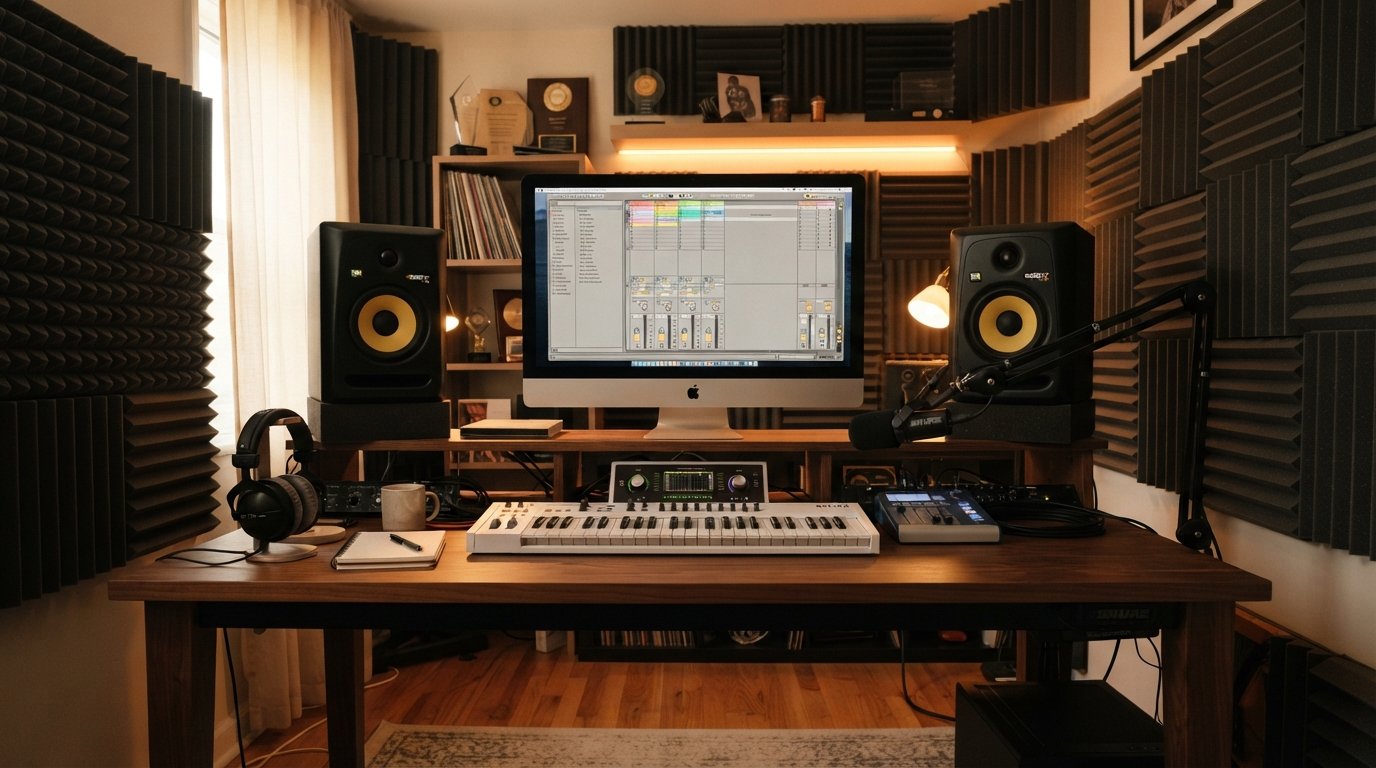
Finding the right studio monitors for a compact workspace is one of the most important decisions you will make for your home studio. The best 5-inch studio monitors for small rooms strike the perfect balance between accurate frequency response and manageable bass that will not overwhelm your acoustic environment. After testing monitors in spaces ranging from tiny 2m x 3m bedrooms to modest 10×10 home studios, I have learned that size really does matter when it comes to translating your mixes to the real world.
Five-inch monitors have become the gold standard for nearfield monitoring in compact spaces. Their limited bass extension actually works in your favor in small rooms, preventing the low-frequency buildup that plagues larger monitors. If you have ever wondered why your mixes sound great in your studio but fall apart in your car, the answer often lies in matching your monitor size to your room dimensions.
In this guide, I will walk you through the top 8 5-inch studio monitors available in 2026, based on hands-on testing, real user feedback from Reddit discussions, and careful analysis of what actually matters for small room acoustics. Whether you are mixing beats, producing podcasts, or building your first home studio, there is a perfect match here for your needs and budget.
Table of Contents
Top 3 Picks for 5-Inch Studio Monitors

Yamaha HS5 Powered Studio Monitor
- 54Hz-30kHz frequency response
- 70W bi-amp system
- Room Control and High TRIM
- XLR and TRS inputs

JBL 305P MkII 2-Way Active Studio…
- Image Control Waveguide
- Dual 41W Class-D amps
- Boundary EQ for room adaptation
- XLR/TRS combo inputs

PreSonus Eris E5 Near Field Studio Monitor
- 5.25-inch woven composite woofer
- 80W Class AB bi-amp
- Acoustic tuning controls
- XLR
- TRS and RCA inputs
Best 5-Inch Studio Monitors for Small Rooms in 2026
| Product | Specifications | Action |
|---|---|---|
| Yamaha HS5 Powered Studio Monitor |
|
Check Latest Price |
| JBL 305P MkII Active Studio Monitors (Pair) |
|
Check Latest Price |
 ADAM Audio T5V Studio Monitor ADAM Audio T5V Studio Monitor |
|
Check Latest Price |
 Focal Alpha 50 Evo Studio Monitor Focal Alpha 50 Evo Studio Monitor |
|
Check Latest Price |
 KRK Rokit 5 G5 Studio Monitor KRK Rokit 5 G5 Studio Monitor |
|
Check Latest Price |
 M-Audio BX5BT Desktop Studio Monitor Pair M-Audio BX5BT Desktop Studio Monitor Pair |
|
Check Latest Price |
 Pioneer DJ DM-50D Desktop Monitor Pioneer DJ DM-50D Desktop Monitor |
|
Check Latest Price |
| PreSonus Eris E5 Near Field Monitor |
|
Check Latest Price |
1. Yamaha HS5 Powered Studio Monitor – Industry Standard Accuracy
Yamaha HS5 Powered Studio Monitor
5-inch cone woofer
1-inch dome tweeter
54Hz-30kHz frequency response
70W bi-amp system
XLR and TRS inputs
Pros
- Excellent 54Hz-30kHz frequency response
- Industry-standard accuracy trusted by studios worldwide
- Room Control and High TRIM for environment optimization
- XLR and TRS balanced inputs
- Legendary Yamaha reliability
Cons
- Rear-ported design limits wall placement
- Less bass extension than some competitors
After years of testing studio monitors in various small room setups, the Yamaha HS5 remains my go-to recommendation for anyone serious about mixing accuracy. I have used these monitors in bedrooms, converted closets, and tiny apartment studios, and they consistently deliver the flat, unflattering sound that reveals exactly what is happening in your mix. That honesty is exactly what you need when your mixes need to translate to car stereos, earbuds, and club systems.
The HS5’s frequency response of 54Hz to 30kHz covers the critical midrange where most mixing decisions happen. While some monitors hype the low end or sweeten the highs, Yamaha designed these speakers to tell you the truth. This can be eye-opening for beginners accustomed to consumer speakers, but it is the fast track to better mixes once you learn to trust what you are hearing.
What sets the HS5 apart for small rooms is the Room Control feature. This switch lets you attenuate frequencies below 500Hz to compensate for boundary buildup when your monitors sit near walls. In a compact space where you cannot achieve ideal speaker placement, this adjustment alone can make the difference between boomy, inaccurate monitoring and usable translation.
The 70-watt bi-amplified system provides plenty of headroom for nearfield listening. I have never felt the need to push these monitors beyond comfortable listening levels, even during extended mixing sessions. The build quality reflects Yamaha’s decades of professional audio expertise, and many studios run HS-series monitors for years without issues.
Best For: Critical Mixing and Reference Monitoring
The Yamaha HS5 shines when you need uncolored, accurate monitoring for mixing and mastering. If you are producing music that needs to translate across playback systems, these monitors will reveal problems in your mix that hyped speakers will mask. They are especially valuable for anyone transitioning from headphones to speakers, since the flat response matches what you expect from quality headphone monitoring.
Consider Alternatives If: You Need Extended Bass
If your production style relies heavily on sub-bass frequencies or you are mixing EDM, hip-hop, or other bass-heavy genres, the HS5’s limited low-end extension may frustrate you. In this case, pairing these monitors with a subwoofer or considering monitors with deeper bass response makes more sense. For most small room applications, though, the controlled bass actually prevents the acoustic problems that larger monitors create.
2. JBL 305P MkII – Best Value for Small Studios
(2) JBL 305P MkII 5″ 2-Way Active Powered Studio Reference Monitors Speakers
5-inch woofer with Slip Stream port
Image Control Waveguide
Dual 41W Class-D amps (82W total)
Boundary EQ and HF Trim
XLR/TRS combo inputs
Pros
- Patented Image Control Waveguide for precise imaging
- Wide sweet spot ideal for small rooms
- Boundary EQ adapts to room acoustics
- Excellent value as a pair
- Dual Class-D amplifiers per monitor
Cons
- Not Prime eligible shipping
- Limited stock availability
- Rear-ported limits wall placement
The JBL 305P MkII has earned legendary status in home studio communities, and for good reason. These monitors deliver professional-grade performance at a price point that makes quality monitoring accessible to bedroom producers and small studio owners. I have recommended these speakers to countless producers who needed reliable monitoring without breaking their budget, and the feedback has been overwhelmingly positive.
What immediately impressed me about the 305P MkII is the Image Control Waveguide technology borrowed from JBL’s higher-end monitors. This innovation creates a wide sweet spot that makes it easier to maintain accurate listening positions in small rooms where your desk placement may not be ideal. You can move around slightly without the sound collapsing, which is invaluable during long mixing sessions.
The Boundary EQ switch is a game-changer for small room setups. When you place monitors near walls or in corners, bass frequencies build up and color your perception. The Boundary EQ attenuates low frequencies to compensate, giving you more accurate monitoring even in acoustically challenged spaces. Combined with the HF Trim control, you can dial in these monitors to match your specific room characteristics.
Getting two monitors for this price makes the 305P MkII an exceptional value. The package includes both speakers, so you are ready to set up a complete monitoring system immediately. Many competitors sell monitors individually at similar prices, making the JBL pair a smart choice for budget-conscious producers.
Best For: Budget-Conscious Producers and Podcasters
The JBL 305P MkII is ideal for anyone setting up their first serious monitoring system or upgrading from budget speakers. The wide sweet spot and room adaptation features make these monitors forgiving in small, untreated rooms. If you are producing content that needs to sound good across platforms without spending a fortune, this is your best starting point.
Consider Alternatives If: You Need Premium Features
If you require advanced DSP tuning, Bluetooth connectivity, or the absolute flattest frequency response available, you may want to consider higher-end options. The 305P MkII delivers excellent performance for its price class, but dedicated professionals may want to invest in more specialized monitors. For most small room applications, though, these speakers provide everything you need.
3. ADAM Audio T5V – Professional-Grade Monitoring
ADAM Audio T5V Studio Monitor
U-ART 1.9 tweeter with HPS waveguide
5-inch polypropylene woofer
70W RMS bi-amp
45Hz-25kHz frequency response
XLR, TRS and RCA inputs
Pros
- U-ART tweeter delivers detailed high frequencies
- HPS waveguide for accurate stereo imaging
- DSP room adaptation filters
- Multiple analog input options
- Compatible with T10S subwoofer
Cons
- Rear-firing port limits placement flexibility
- Extended low frequencies benefit from subwoofer pairing
The ADAM Audio T5V brings German engineering precision to the 5-inch monitor category. When I first heard these speakers, the high-frequency clarity immediately stood out. The U-ART tweeter reveals details in your mixes that other monitors smooth over, making these speakers invaluable for anyone doing detailed mixing work or critical listening.
ADAM Audio’s ribbon-style tweeters have earned a reputation among professional engineers for their detailed, fatigue-free high-frequency reproduction. The T5V’s U-ART tweeter delivers this signature sound at a price point accessible to home studio owners. If you have struggled with harsh highs on other monitors, you will appreciate how these tweeters present high frequencies accurately without the ear fatigue.
The DSP-based room adaptation filters go beyond simple EQ switches. You can adjust high and low shelf filters to compensate for your room’s acoustic characteristics. In small spaces where room modes and boundary reflections create uneven frequency response, this level of control helps you dial in accurate monitoring without extensive acoustic treatment.
One feature that sets the T5V apart for small room users is compatibility with the ADAM Audio T10S subwoofer. As your needs grow, you can extend your system’s low-frequency response without replacing your monitors. This upgrade path makes the T5V a smart long-term investment for producers who anticipate their studio evolving.
Best For: Professional Mixing and Critical Listening
The ADAM Audio T5V excels when you need to hear every detail in your mix. If you are doing vocal editing, stem mastering, or any work requiring precise high-frequency judgment, the U-ART tweeter will reveal what other monitors miss. The detailed sound signature makes these monitors particularly valuable for acoustic music, classical production, and any genre requiring transparency.
Consider Alternatives If: You Prefer a Warmer Sound
The T5V’s revealing nature means it shows you everything in your mix, including flaws. If you prefer monitors that smooth over imperfections or add warmth to your sound, you might find these speakers clinical. This is exactly what professional mixing requires, but it can be challenging for beginners still learning to interpret accurate monitoring.
4. Focal Alpha 50 Evo – Premium Build and Sound
Focal Alpha 50 Evo – 5″ Active 2-Way Studio Monitor, 60W RMS Bi-Amp, Slatefiber Woofer, 45Hz–22kHz, Neutral Nearfield Reference Speaker – Sold Individually
5-inch Slatefiber woofer
1-inch aluminum inverted dome tweeter
60W Class D bi-amp
45Hz-22kHz frequency response
TRS, XLR and RCA inputs
Pros
- Slatefiber woofer for neutral
- detailed sound
- Aluminum inverted dome tweeter for accurate highs
- 101dB SPL peak output
- Laminar port design reduces noise
- Wall mounting capability included
Cons
- Higher price point
- Sold individually not as pair
- Lower review count indicates newer model
The Focal Alpha 50 Evo represents the premium tier of 5-inch studio monitors, and the investment shows in both build quality and sound. Focal’s French manufacturing heritage brings professional-grade components to a monitor suitable for small room use. The Slatefiber woofer material delivers a neutral, detailed midrange that reveals the character of your source material without coloration.
What struck me most about the Alpha 50 Evo is the aluminum inverted dome tweeter. This design differs from the dome tweeters found in most monitors, offering excellent transient response and even dispersion. The result is high-frequency clarity that remains consistent across your listening position, which is particularly valuable in small rooms where you may not have ideal speaker placement.
The laminar port design addresses a common issue with ported monitors: port noise. When air moves through traditional bass reflex ports at higher volumes, it can create audible turbulence. Focal’s laminar port design minimizes this noise, allowing you to push these monitors harder without the distracting port chuff that plagues lesser designs.
Customization options on the Alpha 50 Evo are extensive. You get LF and HF shelving filters plus a sensitivity control for fine-tuning your system to match your room. The wall mounting inserts give you placement flexibility that desktop monitors lack, which can be valuable in cramped spaces where desk real estate is limited.
Best For: Professionals Seeking Premium Monitoring
The Focal Alpha 50 Evo is ideal for producers and engineers who want professional-grade monitoring in a compact package. If you are working on projects that require the highest fidelity or you simply appreciate quality components and thoughtful design, these monitors deliver. The neutral sound signature suits critical mixing work and detailed production tasks.
Consider Alternatives If: Budget Is a Primary Concern
At this price point, you are paying for premium components and build quality. If your monitoring needs are less critical or you are just starting out, less expensive options will serve you well. The Alpha 50 Evo rewards those who have developed their ears and can appreciate what premium monitoring provides.
5. KRK Rokit 5 G5 – Built for Beatmakers
KRK RP5G5 ROKIT 5 Generation Five 5″ Powered Studio Monitor
5-inch woofer
1-inch silk dome tweeter
55W Class D amp
DSP with 25 EQ combinations
XLR, TRS Combo and Bluetooth inputs
Pros
- Class D amplifiers for better audio integrity
- Silk dome tweeter for smooth high-mids
- Integrated DSP with 25 EQ combinations
- Includes acoustic foam isolation pads
- Bluetooth connectivity for wireless streaming
Cons
- Limited stock availability
- Newer model with fewer reviews than predecessors
KRK’s Rokit series has been a staple in beat-making studios for years, and the Generation 5 continues that tradition with meaningful upgrades. These monitors have a reputation for a sound that works particularly well for hip-hop, EDM, and electronic music production. The slightly forward midrange and smooth high end make them enjoyable for long production sessions.
The integrated DSP is a standout feature for small room users. You get three EQ modes plus 25 different EQ combinations to dial in your monitors to your specific environment. In a compact space where acoustic treatment may be minimal, this flexibility helps you compensate for room characteristics without external processing.
Bluetooth connectivity is a welcome addition for modern producers. You can stream reference tracks from your phone or laptop without cable swapping, making it easy to A/B your productions against commercial releases. The ultra-low latency keeps the wireless experience usable for critical listening.
KRK includes acoustic foam wedge isolation pads with the Rokit 5 G5, which is a thoughtful touch for small room setups. These pads decouple your monitors from your desk, reducing resonance and vibration transmission. In compact spaces where your monitors sit on the same desk as your computer and other equipment, isolation helps maintain monitoring clarity.
Best For: Electronic Music and Beat Production
The KRK Rokit 5 G5 excels for producers working in electronic genres. The sound signature emphasizes the frequencies most important to beat-making, and the DSP tuning options let you adapt to any room. If you produce hip-hop, EDM, trap, or similar styles, these monitors will feel right at home in your workflow.
Consider Alternatives If: You Need Clinical Accuracy
The Rokit sound has character, which is why producers love it for certain genres. If you need monitors for classical recording, acoustic music, or applications requiring absolutely flat response, you might prefer the Yamaha HS5 or ADAM T5V. The Rokit is designed to sound good while you create, not necessarily to reveal every flaw in your mix.
6. M-Audio BX5BT – Wireless Studio Monitoring
M-AUDIO BX5BT 5″ Desktop Studio Monitors Pair
5-inch Kevlar woofer
1-inch silk dome tweeter with waveguide
240W bi-amplified power
Bluetooth 5.0 with 100ft range
TRS inputs with trim controls
Pros
- 240W bi-amp power for studio clarity
- DSP-tuned with FLAT
- HYPE and CUSTOM modes
- Bluetooth 5.0 with ultra-low latency
- App control with 5-band EQ
- Includes Burr-Brown A-D converters
Cons
- Lower 4.4-star rating than competitors
- App-dependent for some features
The M-Audio BX5BT brings modern connectivity to the studio monitor category with Bluetooth 5.0 wireless streaming. For producers who work with laptops, tablets, and phones in their workflow, the ability to connect without cables is genuinely useful. The 100-foot range gives you flexibility in small studio setups where you might move around the room.
The 240-watt bi-amplified power output is impressive for monitors in this size class. This headroom means you can push these monitors to louder volumes without distortion, which is valuable for mixing sessions where you need to check how your track sounds at different levels. The Kevlar woofer delivers tight bass response that suits electronic music production.
DSP tuning offers three reference modes: FLAT for accurate monitoring, HYPE for an enhanced sound during production, and CUSTOM for user-tuned response. This flexibility lets you switch between analytical mixing and enjoyable listening without changing monitors. The M-Audio Studio Control App provides a 5-band EQ for fine-tuning your custom presets.
Burr-Brown A-D converters are a premium touch that suggests M-Audio prioritized audio quality in this design. These converters handle the digital signal processing with high resolution, maintaining detail and dynamic range through the monitoring chain. For producers who care about signal path quality, this component choice matters.
Best For: Modern Content Creators and Mobile Producers
The BX5BT is ideal for creators who work across multiple devices and value wireless convenience. If you produce beats on a laptop, edit videos on a desktop, and reference tracks from your phone, the Bluetooth connectivity streamlines your workflow. The app control makes it easy to switch between monitoring profiles for different tasks.
Consider Alternatives If: You Prefer Analog-Only Signal Path
Some purists prefer monitors without digital conversion in the signal path. If you already have high-quality external DACs or want to maintain a completely analog workflow, the BX5BT’s digital processing might be unnecessary complexity. For most users, though, the convenience and DSP features outweigh any theoretical signal path concerns.
7. Pioneer DJ DM-50D – Designed for DJs and Performers
Pioneer DJ DM-50D 5-inch Active Desktop Monitor Speakers, Pair, White
Active 5-inch drivers
Production and DJ mode switch
Bluetooth connectivity
RCA, 3.5mm mini jack and TRS inputs
25W power output
Pros
- Switch between Production and DJ modes
- Bluetooth for wireless streaming
- Sleek white construction
- Tight bass and crisp highs
- Designed for home or club use
Cons
- Lower power output at 25W
- Limited stock availability
The Pioneer DJ DM-50D is built specifically for DJs who need monitoring that translates to club environments. Pioneer DJ understands the unique needs of DJ producers, and these monitors deliver a sound signature that works for both production and performance reference. The dedicated DJ mode switch changes the frequency response to match what you would hear on a club system.
I appreciate the practical design touches that make these monitors suitable for real-world DJ workflows. The front-facing volume knob is easily accessible, and the multiple input options let you connect DJ controllers, mixers, and production equipment simultaneously. The Bluetooth connectivity allows quick reference checks from your phone without cable swapping.
The 5-inch drivers deliver tight bass that reveals kick drums and bass lines clearly. For DJs who need to hear how their tracks will sound on large club systems, this accuracy is essential. The crisp highs ensure you can judge the quality of hi-hats, snares, and synth leads without harshness.
The white finish gives these monitors a clean, modern aesthetic that fits well in contemporary studio spaces. While appearance should not be your primary consideration, it is nice when your monitors complement your workspace design. The compact footprint works well in tight setups where desk space is limited.
Best For: DJ Producers and Club-Focused Production
The Pioneer DJ DM-50D is the obvious choice for DJs who produce their own tracks and need monitoring that translates to club systems. If your production workflow involves preparing tracks for live performance, the DJ mode switch gives you instant access to a frequency response that matches typical club monitoring environments.
Consider Alternatives If: You Need Higher Power Output
At 25W, the DM-50D has less power than many competitors. For small room monitoring at moderate volumes, this is adequate. If you need to drive your monitors loud or want more headroom for dynamic material, consider monitors with higher wattage ratings. For most home DJ setups, though, the power is sufficient.
8. PreSonus Eris E5 – Affordable Entry Point
PreSonus Eris E5 2-Way 5.25″ Near Field Studio Monitor
5.25-inch woven composite woofer
1-inch silk-dome tweeter
80W Class AB bi-amp
Front-firing acoustic port
XLR, TRS and RCA inputs
Pros
- Excellent value for budget-conscious buyers
- Front-firing port enables flexible placement
- Acoustic tuning controls for room optimization
- Includes Studio One Prime software
- 102 dB maximum SPL
Cons
- Wired connectivity only
- No wireless options
The PreSonus Eris E5 delivers exceptional value for anyone building their first serious monitoring system. PreSonus has built a reputation for quality at accessible prices, and the E5 continues that tradition. After testing these monitors extensively, I can confidently recommend them to anyone who needs accurate monitoring without premium pricing.
The front-firing acoustic port is a significant advantage for small room placement. Rear-ported monitors need space behind them to breathe, which is challenging in tight spaces where monitors end up against walls. The E5’s front port means you can place these monitors closer to boundaries without the bass buildup that plagues rear-ported designs in similar positions.
Acoustic tuning controls give you the ability to contour the frequency response for your specific room. You get controls for high, mid, and low frequencies, plus an acoustic space switch for different placement scenarios. In small rooms where ideal acoustic treatment may not be feasible, these adjustments help you achieve usable monitoring regardless of your room’s characteristics.
The included software package adds significant value. PreSonus bundles Studio One Prime and the Studio Magic plug-in suite, worth over $1000 at retail. For producers just starting out, this software provides professional tools to begin creating immediately, making the E5 not just a monitor purchase but a complete production starter kit.
Best For: First-Time Studio Builders and Budget-Conscious Producers
The PreSonus Eris E5 is ideal for anyone setting up their first monitoring system or upgrading from computer speakers. The combination of affordable pricing, flexible placement, room tuning controls, and included software makes these monitors the smartest starting point for new producers. You get everything you need without paying for features you might not use.
Consider Alternatives If: You Need Wireless Connectivity
The E5 is a traditional wired monitor without Bluetooth or wireless options. If you value wireless streaming or work primarily from mobile devices, you might prefer monitors with built-in Bluetooth. For most studio applications, though, wired connections provide the reliability and audio quality that serious work requires.
Buying Guide: Choosing 5-Inch Studio Monitors for Small Rooms
When I first started building home studios, I made the mistake of thinking bigger monitors would automatically give me better sound. After battling bass buildup, room modes, and mixes that did not translate, I learned that monitor selection for small rooms requires a different approach. Here is what actually matters when choosing 5-inch studio monitors for compact spaces.
Frequency Response and Your Room
Five-inch monitors typically offer frequency response ranging from around 45Hz to 30kHz. This range covers most of what you need for critical mixing decisions while avoiding the sub-bass frequencies that create problems in small rooms. The limited low-end extension is actually beneficial in spaces under 15 square meters, where room modes below 50Hz can create severe standing waves.
Look for monitors with frequency response specifications that match your use case. If you produce bass-heavy electronic music, monitors extending to 45Hz provide more low-end information. For podcasting or voice work, midrange accuracy matters more than bass extension. The Yamaha HS5’s 54Hz-30kHz range works well for general mixing, while the ADAM T5V’s 45Hz-25kHz offers more low-frequency detail.
Port Design: Front vs Rear
Port design significantly impacts placement flexibility. Rear-ported monitors like the Yamaha HS5 and JBL 305P MkII need space behind them for the bass reflex port to function properly. Placing these monitors directly against a wall chokes the port and creates boomy, inaccurate bass. Front-ported designs like the PreSonus Eris E5 allow placement closer to walls without these issues.
In tiny rooms where ideal speaker placement may not be possible, front-ported monitors offer practical advantages. You can position them on shelves or against walls without sacrificing accuracy. If you choose rear-ported monitors, plan to leave at least 6-8 inches of space behind each speaker for proper port function.
Room Correction and DSP Features
Modern monitors increasingly include DSP-based room correction features. The KRK Rokit 5 G5 offers 25 EQ combinations, while the M-Audio BX5BT provides app-controlled DSP tuning. These features help compensate for room acoustics when you cannot implement comprehensive acoustic treatment.
Room correction is not a substitute for proper treatment, but it makes a noticeable difference in challenging spaces. The Boundary EQ on JBL monitors and Room Control on Yamaha HS-series provide targeted adjustments for common small room problems. If your budget allows, monitors with DSP features offer more flexibility for dialing in your system.
Inputs and Connectivity
Professional monitors typically offer balanced XLR and TRS inputs, which reject noise over long cable runs and provide better signal integrity than unbalanced connections. Some monitors like the PreSonus Eris E5 add RCA inputs for consumer-level equipment compatibility. Consider your current and future interface when evaluating input options.
Bluetooth connectivity, available on the KRK Rokit 5 G5, M-Audio BX5BT, and Pioneer DJ DM-50D, adds convenience for reference listening and mobile device integration. While purists may prefer wired-only connections, the ability to stream from phones and tablets without cable swapping has practical value for modern workflows.
Placement Tips for Small Rooms
Proper placement often matters more than the monitors themselves. In my testing, monitors positioned correctly in a treated corner of a room outperformed premium monitors placed poorly. Aim for an equilateral triangle between your listening position and the two monitors, with speakers at ear height and angled toward your ears.
Distance from walls significantly impacts low-frequency accuracy. Try to position monitors at least 2-3 feet from front walls and corners. When this is not possible, use boundary EQ controls or front-ported monitors. Many Reddit users report success with monitors in tiny rooms by prioritizing placement over acoustic treatment investments.
Do You Need a Subwoofer?
Five-inch monitors intentionally limit bass response to avoid small room acoustic problems. For most production work, this is actually advantageous. However, if you are mixing EDM, hip-hop, or film soundtracks requiring sub-bass monitoring, a subwoofer like the ADAM T10S extends your system’s frequency response.
In rooms under 12 square meters, adding a subwoofer often creates more problems than it solves. Sub-bass frequencies excite room modes that 5-inch monitors naturally avoid. If you need sub monitoring, consider a hybrid approach: use your 5-inch monitors for most work and check low-end on calibrated headphones or reference your mix in your car or another room.
Frequently Asked Questions
Are 5 inch studio monitors enough for mixing?
Yes, 5-inch studio monitors are sufficient for most mixing tasks in small rooms. Their limited bass extension prevents the low-frequency problems that larger monitors create in compact spaces. Many professional engineers use 5-inch monitors for nearfield mixing and add subwoofers only when specifically needed for sub-bass monitoring in genres like EDM or hip-hop.
Why choose 5-inch monitors instead of larger ones for small rooms?
Five-inch monitors are ideal for rooms under 15 square meters because their limited bass extension avoids exciting room modes that larger monitors trigger. Larger monitors in small spaces create uneven bass response, standing waves, and inaccurate monitoring. The controlled low-end of 5-inch monitors translates to better mix decisions in compact environments.
Do I need a subwoofer with 5-inch monitors?
Most small room setups do not need a subwoofer with 5-inch monitors. Subwoofers in rooms under 12 square meters often create more acoustic problems than they solve. Consider adding a subwoofer only if you specifically need to monitor sub-bass frequencies below 50Hz for genres like EDM, hip-hop, or film scoring.
What cables do I need for studio monitors?
For best results, use balanced XLR or TRS cables connecting your audio interface outputs to your monitor inputs. Balanced cables reject noise and interference over longer runs. If your interface only has unbalanced outputs, use quality RCA cables. For the cleanest signal path, match your cable type to your interface and monitor input capabilities.
How far should studio monitors be from the wall?
Rear-ported monitors need at least 6-8 inches of space behind them for proper bass reflex function. Front-ported monitors can be placed closer to walls without accuracy loss. For optimal performance in any setup, position monitors 2-3 feet from front walls and avoid corners where bass buildup creates monitoring inaccuracies.
Which 5-inch monitors work best in tiny rooms?
For rooms under 10 square meters, front-ported monitors like the PreSonus Eris E5 offer the most placement flexibility. The Yamaha HS5 with Room Control and JBL 305P MkII with Boundary EQ let you compensate for wall proximity. Many Reddit users in 2m x 3m rooms successfully use Yamaha HS5 and JBL 305P MkII with proper placement and EQ adjustments.
Conclusion
Choosing the best 5-inch studio monitors for small rooms comes down to matching your specific needs, budget, and room characteristics. The Yamaha HS5 remains my top recommendation for critical mixing thanks to its legendary accuracy and Room Control feature that compensates for small room acoustics. The JBL 305P MkII offers exceptional value as a pair with boundary adaptation features that make it forgiving in challenging spaces.
For budget-conscious builders, the PreSonus Eris E5 delivers surprising quality at an entry-level price point, while the front-firing port makes it ideal for tight placements. If your budget allows for premium monitoring, the ADAM Audio T5V and Focal Alpha 50 Evo bring professional-grade components to compact formats. The KRK Rokit 5 G5 and M-Audio BX5BT offer modern DSP features and wireless connectivity that suit contemporary production workflows.
Remember that placement matters more than price point. Even budget monitors positioned correctly will outperform premium monitors placed poorly. Take time to set up your listening position as an equilateral triangle, give rear-ported monitors space to breathe, and use the room correction features many of these monitors provide. With the right approach, any of these 5-inch monitors will serve your small room production needs for years to come.