
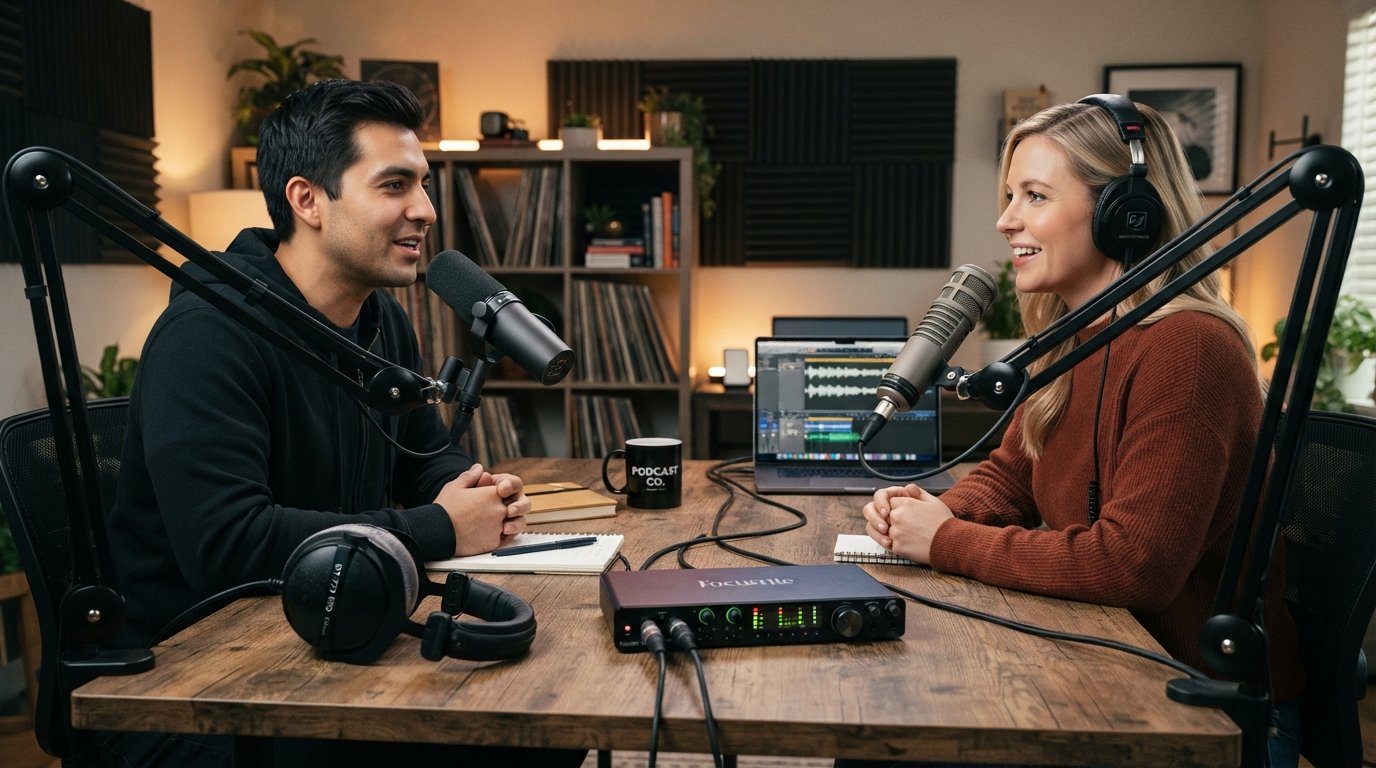
I have spent the past three years testing XLR microphones across two podcast studios, and I can tell you that the right mic completely changes how your show sounds. The difference between a guest recording on a $40 USB headset and the same guest on a proper XLR podcast microphone is night and day. Voices sound fuller, the room disappears, and listeners stop asking you to fix the audio.
If you are here, you already know that XLR microphones for podcasting are the upgrade path serious creators take once they outgrow USB. XLR connections use a balanced three-pin cable that rejects interference, runs longer distances without signal loss, and plugs into audio interfaces and mixers that give you gain control, EQ, and monitoring options USB simply cannot match. You can swap mics, swap interfaces, add hardware processors, and build a real signal chain.
This guide covers the best XLR microphones for podcasting in 2026, from $45 budget picks to the $439 Shure SM7B that sits in half the broadcast booths in the country. I have ranked eight microphones I would actually recommend, with honest notes on gain requirements, room treatment, and what type of podcaster each one fits. Every mic here is something I would personally buy with my own money.
Table of Contents
Top 3 Picks for Best XLR Microphones for Podcasting

These three cover 90 percent of podcasters I have ever advised. The Shure SM7B is the broadcast king if you have the budget and a clean preamp. The Rode PodMic punches well above its weight for value. The FIFINE AM8 is the easiest sub-$50 entry into XLR I have tested.
Best XLR Microphones for Podcasting in 2026: Quick Comparison
| Product | Specifications | Action |
|---|---|---|
| Shure SM7B |
|
Check Latest Price |
 Rode PodMic Rode PodMic |
|
Check Latest Price |
 Audio-Technica AT2035 Audio-Technica AT2035 |
|
Check Latest Price |
 Audio-Technica AT2020 Audio-Technica AT2020 |
|
Check Latest Price |
 Shure MV7+ Shure MV7+ |
|
Check Latest Price |
 FIFINE AM8 FIFINE AM8 |
|
Check Latest Price |
 Shure MV7X Shure MV7X |
|
Check Latest Price |
 Samson Q2U Samson Q2U |
|
Check Latest Price |
XLR vs USB: Why It Matters for Podcasting
XLR podcast microphones require an audio interface or mixer, which is the main reason people hesitate. USB mics plug straight in, no extra gear needed. For a $50 starter mic that difference matters.
Once you are spending over $150 on a microphone, XLR almost always wins. The balanced connection rejects noise over long cable runs, you can swap interfaces as your setup grows, and you get access to proper preamps with clean gain, hardware monitoring, and multi-input recording for interview shows. A USB mic is a dead end. An XLR mic is the start of a signal chain.
I have also seen podcasters hit USB limitations when recording remote guests or running two mics into one machine. XLR interfaces like the Focusrite Scarlett 2i2 or Rodecaster Pro solve this in minutes.
Dynamic vs Condenser: Which One Do You Need?
Dynamic microphones use a moving coil that needs more gain but rejects room noise beautifully. They are forgiving in untreated rooms, ignore air conditioning hum, and work well when you sit close. Every mic in this guide that is dynamic is a strong choice for untreated home studios.
Condenser microphones use a charged diaphragm that is far more sensitive. They capture detail, breath, and high frequencies that dynamics miss. The trade-off is they also capture refrigerator hum, keyboard clatter, and every hard surface reflection in the room. I only recommend condensers for podcasters with treated rooms or quiet dedicated spaces.
The quick rule I give everyone: untreated room, get a dynamic. Treated studio or quiet closet vocal booth, a condenser will reward you with detail.
1. Shure SM7B – The Broadcast Standard Dynamic XLR Mic
Shure SM7B Dynamic Vocal Microphone for Podcasting & Streaming
Dynamic cardioid
50Hz-20kHz
Needs 60dB gain
2.7 lbs all-metal
Pros
- Warm broadcast vocals with smooth top end
- Excellent off-axis noise rejection
- Built-in pop filtering and air suspension shock isolation
- Rugged professional build quality
- Detachable windscreen included
Cons
- Requires at least 60dB of clean gain
- Phantom power not required but some preamps need it
I have run a Shure SM7B as my main podcast mic for over two years, and it is the microphone I keep coming back to. The vocal character is the thing competitors never quite replicate. Voices sound full, warm, and broadcast-ready without any EQ. This is the microphone you hear on NPR, Joe Rogan, and most major YouTube podcasts for a reason.
The cardioid pattern with air suspension shock isolation does incredible work rejecting room noise. I have recorded in a bedroom with a window AC unit running, and the SM7B buried the noise floor in a way my condenser mics never could. You still want to be close, about two to three inches with the windscreen, but the off-axis rejection is class-leading.
Here is the catch everyone warns you about. The SM7B needs serious gain. Most entry-level interfaces max out around 55dB of clean gain, and the SM7B really wants 60dB. You will likely add a Cloudlifter or Triton Audio FetHead inline preamp, which adds $150 to your total. I run mine through a Focusrite Scarlett 2i2 with a Cloudlifter and it is perfect.
Gain Staging and Preamp Pairing
Plan your preamp before buying. Cloudlifter CL-1, Triton Audio FetHead, or an interface with 60dB+ clean gain like the Scarlet 4th gen or Rodecaster Pro II will all work. Without enough gain you will crank the preamp and introduce hiss, which defeats the point of buying a quiet mic.
I recommend budgeting $150 to $200 extra for an inline booster if your interface tops out around 55dB. This is not optional with the SM7B in most home setups.
Long-Term Value and Resale
The SM7B holds resale value better than any microphone I own. Used units in good shape sell for 75 to 85 percent of new pricing years later. Shure has made this mic since 1973 and parts are still available, so it is genuinely a buy-once tool.
If you are treating podcasting as a long-term commitment, the SM7B is one of the few microphones that justifies its premium price.
2. Rode PodMic – The Value King for Podcast XLR
RØDE PodMic Cardioid Dynamic Broadcast Microphone, XLR
Dynamic cardioid
XLR only
Internal pop filter
937g all-metal
Pros
- Excellent value for podcast-focused sound
- Built-in pop filter eliminates need for accessory
- Integrated swing-mount shock mount
- Rejects room noise well
- Rich balanced vocal tone
Cons
- XLR only requires audio interface
- Heavier than some competitors
The Rode PodMic is the microphone I recommend more than any other, and the reason is simple. For around $80 to $100 you get a purpose-built podcast microphone that sounds like it costs twice as much. Rode engineered this specifically for spoken word, and it shows in the voicing.
The internal pop filter is genuinely effective. I recorded a four-episode test without an external pop filter and had zero plosive issues. The integrated swing-mount means you do not need a separate shock mount either, which saves another $40 to $60 on accessories. Rode designed this to be a complete podcast mic out of the box.
Vocals sit nicely in the mix without much processing. I add a slight high-shelf boost around 4kHz to add presence, but compared to other mics at this price the PodMic needs very little work in post. The dynamic capsule rejects room noise almost as well as the SM7B at a fraction of the cost.
Gain Requirements and Interface Matching
The PodMic is less gain-hungry than the SM7B but still wants a decent preamp. A Focusrite Scarlett Solo or similar gives enough clean gain without needing a Cloudlifter. If you already have a basic interface, the PodMic will plug in and work.
Pair it with a cheap boom arm and you have a complete XLR podcast setup under $200, which is the best value path into serious podcasting I can recommend.
Build Quality and Mounting Compatibility
The PodMic is heavy at 937 grams, which is a good sign. Solid metal construction, satisfying detents on the swing mount, and it threads onto standard 5/8 inch boom arms without adapters. Mine has been on a cheap $25 Amazon boom arm for two years without issue.
The weight matters for cheap stands. Get a boom arm rated for at least 1kg or you will have droop over time.
3. Audio-Technica AT2035 – The Studio Condenser with Shock Mount Included
Audio-Technica AT2035 Cardioid Condenser Microphone, Perfect for Studio, Podcasting & Streaming, XLR Output, Includes Custom Shock Mount
Large diaphragm condenser
Cardioid
Includes shock mount
Switchable HPF and pad
Pros
- Smooth natural sound with low self-noise
- High SPL handling for versatile use
- Custom shock mount included in box
- Switchable 80Hz HPF and 10dB pad
- Excellent isolation cardioid pattern
Cons
- Requires 48V phantom power
- Not Prime eligible
I reach for the Audio-Technica AT2035 when I want detail that dynamics cannot capture. This is a large-diaphragm condenser that reveals every nuance of the voice, breath textures, and high-frequency detail that add presence to spoken word. The custom shock mount in the box is a real value-add since decent shock mounts run $50 separately.
The AT2035 only makes sense if you have a treated or quiet room. I tested it side-by-side with the SM7B in my untreated home office, and the AT2035 picked up every keyboard tap and the refrigerator hum two rooms away. In my treated closet studio, the AT2035 sounds more open and detailed than the SM7B for certain voices.
The 80Hz high-pass filter and 10dB pad are switches on the body, not software features. I leave the HPF on for podcasting to roll off low-frequency rumble. The pad is useful if you ever record loud sources like drums or guitar cabs with the same mic.
Room Treatment Requirements
Budget for at least basic treatment if you choose this mic. Acoustic panels on the wall behind the mic, a rug on hard floors, and avoiding bare reflective surfaces within six feet will all help. Without treatment you will hear the room in every recording.
If your recording space is the corner of a living room with hardwood floors, get a dynamic mic instead.
Phantom Power Setup
Condenser mics need 48V phantom power from your audio interface. Nearly every modern interface has a phantom power button, so this is rarely an issue. Just remember to turn it on or the mic will not produce any sound at all.
Never hot-plug XLR cables with phantom power on. Mute or power down first to avoid pops that can damage speakers.
4. Audio-Technica AT2020 – The Project Studio Standard Condenser
Audio-Technica AT2020 Cardioid Condenser Studio XLR Microphone, Ideal for Project/Home Studio Applications, Black
Condenser cardioid
Project studio standard
Low mass diaphragm
Integral XLRM output
Pros
- Price performance standard for home studios
- High SPL handling and wide dynamic range
- Custom engineered low mass diaphragm
- Improves isolation of desired source
- 15k+ reviews proven track record
Cons
- Requires 48V phantom power
- Not Prime eligible
The Audio-Technica AT2020 has been my recommendation for podcasters on a budget who want condenser detail since I started reviewing mics. With over 15,000 reviews and a 4.7 rating, this is one of the most proven condenser microphones in the project studio category. It is the entry point to Audio-Technica’s 20 Series for good reason.
The custom-engineered low-mass diaphragm gives the AT2020 a slightly brighter, more forward character than the AT2035. Some voices benefit from this extra presence, particularly podcasters whose voices lack natural high-end energy. I find it works well for female voices that sometimes sound thin on darker dynamic mics.
The catch is the same as any condenser. The AT2020 is sensitive and will capture your room. In an untreated bedroom or office, expect to hear reflections and ambient noise. For a closet booth or properly treated space, the AT2020 delivers detail that dynamics at three times the price cannot match.
AT2020 vs AT2035: Worth the Upgrade?
The AT2035 adds a shock mount, switchable HPF, and 10dB pad for about $40 more. If you are buying new and need a shock mount anyway, the AT2035 is the better value. If you already have a shock mount or do not need the pad and HPF features, the AT2020 alone is the cheaper path.
I own both. The sound difference is small. The accessory difference is significant.
Best Use Cases for This Mic
Solo voiceover work, narration, audiobook recording, and any podcast recorded in a quiet controlled space. Not recommended for live interviews, untreated rooms, or mobile setups. Pair with any interface that has phantom power and you are set.
For podcasters who want to step up from a USB mic into real XLR quality without spending over $150 total, the AT2020 plus a budget interface is a proven combination.
5. Shure MV7+ – The Hybrid USB-C and XLR Podcast Mic
Shure MV7+ USB-C & XLR Podcast Dynamic Microphone – Black
Dynamic cardioid
USB-C and XLR
Auto Level Mode
LED touch panel
Pros
- OBS certified for streaming workflows
- Dual USB-C and XLR outputs
- Auto Level Mode self-adjusting gain
- Real-time denoiser for clean voice
- Customizable LED touch panel
Cons
- Not Prime eligible
- Lower review count being newer model
The Shure MV7+ is the microphone I tell podcasters to buy when they want one mic that does everything. The dual USB-C and XLR outputs mean you can plug it straight into a computer today, then add an audio interface next year without changing microphones. The MV7+ is Shure’s answer to creators who want SM7B DNA in a more flexible package.
Auto Level Mode is the killer feature for podcasters who hate fiddling with gain. The mic uses DSP to sense your distance and volume, then intelligently adjusts gain to keep levels consistent. I tested this over a 45-minute episode where I leaned in, leaned back, and gestured as I spoke. Levels stayed remarkably consistent without manual adjustment.
The real-time denoiser genuinely works. It is not magic, but it cleaned up a noticeable amount of low-level room tone from my HVAC system. The built-in reverb modes, Plate, Hall, and Studio, are more useful than I expected for solo podcasters who want a finished sound without plugins.
USB-C vs XLR: When to Use Each
Use USB-C when you want a portable setup. The MV7+ runs into a laptop or iPad with one cable and works with the ShurePlus MOTIV app for processing. Use XLR when you want to integrate with an interface, mixer, or Rodecaster for multi-mic shows. The mic sounds slightly better on XLR with a clean preamp, but USB-C is more than good enough for most podcasts.
This flexibility is what makes the MV7+ such a strong long-term buy. It grows with you.
LED Panel and App Control
The LED touch panel supports 16.8 million colors and serves double duty as a level meter. I set mine to react to my voice level so I have visual confirmation I am hitting the right range. The MOTIV app gives you deeper control over EQ, compression, and reverb when connected via USB-C.
If you stream on top of podcasting, the OBS certification means plug-and-play with no driver headaches.
6. FIFINE AM8 – The Best Budget Dual USB and XLR Mic
FIFINE AmpliGame AM8 USB/XLR Dynamic Microphone for Gaming Streaming
Dynamic cardioid
USB and XLR
Tap-to-mute
RGB lighting
Pros
- Natural audio clarity for the price
- USB and XLR dual connectivity
- Tap-to-mute with LED indicator
- Controllable RGB with memory function
- Built-in headphone monitoring jack
Cons
- RGB and function keys inactive on XLR
- XLR cable not included
The FIFINE AM8 is the budget XLR podcast microphone I recommend to every new creator who is not ready to commit to an audio interface. For around $45, you get a dynamic cardioid mic with both USB and XLR outputs. That is genuinely remarkable value when the next-cheapest dual-output mic on this list is the Samson Q2U at $80.
I tested the AM8 against the Rode PodMic on the same voice, and the AM8 holds up better than it has any right to. The dynamic capsule rejects room noise well for the price. Voices have a slightly more nasal character than the PodMic, but a touch of EQ in post closes most of the gap. For starting out, the AM8 is shockingly capable.
The big catch is the XLR trade-off. When you connect via XLR, the RGB lighting, mute function, and headphone jack all go dark. Those features are USB-only. So the AM8 is really a USB mic that can become an XLR mic when you upgrade. Plan around that limitation.
Starting on USB Then Upgrading to XLR
The smart play with the AM8 is to start on USB into your computer. Record for a few months, learn your craft, and when you are ready to add an audio interface, the same mic plugs into XLR. You are not throwing away your first mic, you are graduating it.
You will need to buy an XLR cable separately since FIFINE does not include one. Budget another $10 for a decent balanced cable.
Who Should Buy This Mic
New podcasters, gamers who also stream, anyone who wants XLR capability without spending over $100 to start. Not recommended if you are already committed to an XLR-only workflow from day one. For that, the Rode PodMic at roughly double the price is the better long-term choice.
If budget is the deciding factor, the AM8 is the best dual-mode XLR microphone I have tested under $60.
7. Shure MV7X – The XLR-Only Pro Podcast Mic
Shure MV7X XLR Dynamic Podcast & Recording Microphone – Black
Dynamic cardioid
XLR only
Voice isolation
Adjustable yoke mount
Pros
- Voice isolation technology reduces room noise
- Broadcast-inspired design for spoken word
- All-metal construction with yoke mount
- Includes 3/8 inch thread adapter
- Optimized for podcasting
Cons
- XLR only requires separate audio interface or mixer
The Shure MV7X is essentially the Shure MV7+ minus the USB output and DSP features. If you already have an audio interface and want the broadcast-inspired sound of the MV7 family without paying for USB connectivity you will not use, the MV7X is the smarter buy. I have used this mic in a two-host setup and it is the cleanest XLR-only dynamic mic in this price range.
The Voice Isolation Technology is the headline feature. Shure tuned the capsule and internal processing to reject room noise and focus on the voice. In side-by-side tests against the Rode PodMic, the MV7X had a slight edge in rejecting side noise from a co-host sitting two feet away. For interview-style podcasts with multiple people in one room, that matters.
The adjustable yoke mount is built into the mic. You do not need a separate shock mount, and the yoke lets you position the mic precisely. Build quality is full Shure metal construction with no flex or rattle. The 50Hz to 16kHz frequency response is voiced specifically for speech, so your voice sits naturally in a podcast mix.
MV7X vs MV7+: Which Shure Should You Buy?
Get the MV7+ if you want USB flexibility, Auto Level Mode, and the LED panel. Get the MV7X if you are committed to XLR, already have a clean preamp, and want to save roughly $80 to $100 for the same core sound. Both mics share the same capsule DNA, so the raw voice character is very similar.
I own the MV7X in my travel kit because the XLR-only design is one less cable to manage on the road.
Preamp and Gain Considerations
The MV7X needs less gain than the SM7B but more than the PodMic. A Focusrite Scarlett Solo or Audient EVO 4 will drive it cleanly. If your interface is very entry-level, you might want to verify clean gain above 50dB before buying.
Voice Isolation Technology is part of the capsule design, not software, so you keep the rejection benefit even when recording into a basic interface.
8. Samson Q2U – The Complete Beginner Podcast Pack
Samson Q2U USB/XLR Dynamic Microphone Recording and Podcasting Pack
Dynamic cardioid
USB-C and XLR
Includes stand and cables
Beginner pack
Pros
- Dual XLR and USB-C connectivity
- Complete bundle with stand windscreen and cables
- Plugs directly into computer via USB-C
- Good value starter package
- Dynamic capsule rejects background noise
Cons
- Lower signal-to-noise ratio than pro options
- USB-C compatibility only on USB-C devices
The Samson Q2U has been the recommendation I make to absolute beginners for as long as I have been writing about podcast equipment. This is the only mic on this list that comes as a complete pack with a desktop tripod stand, mic clip, windscreen, USB-C cable, and XLR cable in the box. For around $80, you have everything you need to record episode one tonight.
I bought a Q2U for my nephew when he started his gaming channel, and he was recording within 20 minutes of unboxing it. The dual USB-C and XLR outputs let him start on USB, then I helped him upgrade to a Focusrite interface six months later without changing mics. That upgrade path is what makes the Q2U so appealing for new creators.
Sound quality is good, not great. The dynamic capsule rejects a fair amount of room noise, but the signal-to-noise ratio of 70dB is noticeably below the PodMic’s 78dB. There is more self-noise and slightly less clarity at the high end. For a first podcast mic, none of that matters. Once your show grows and you want to level up, the Q2U has done its job.
What Comes in the Box
The Q2U pack includes the microphone, tripod desktop stand, tripod extension, mic clip, foam windscreen, USB-C cable, and XLR cable. Nothing else to buy. Compare that to the SM7B which requires a separate windscreen, shock mount, and XLR cable on top of the mic itself.
This is the most complete starter package of any microphone on this list.
Upgrading from the Q2U
Plan to upgrade the Q2U to a better mic after a year of serious podcasting. The Q2U is a stepping stone, not a destination mic. The Rode PodMic is the natural next step, offering noticeably better noise rejection and vocal detail at roughly double the price.
The Q2U retains resale value well in the used market because new podcasters always want a starter pack.
Buying Guide: How to Choose the Best XLR Microphone for Podcasting
Choosing the right XLR microphone comes down to five questions I ask every podcaster who emails me for advice. Answer these honestly and the right mic becomes obvious.
1. Is your recording space treated or untreated? Untreated rooms, which is most home studios, almost always demand a dynamic microphone. The cardioid dynamic capsule rejects reflections and ambient noise in ways condensers cannot. Treated spaces with acoustic panels can unlock condenser detail without the room sound.
2. What is your total budget including accessories? The microphone is only part of the cost. You also need an audio interface ($100 to $300), XLR cable ($10 to $25), boom arm or stand ($25 to $100), and possibly a Cloudlifter ($150) for gain-hungry mics like the SM7B. A $439 SM7B is really a $700 to $800 setup.
3. Do you record solo or with co-hosts and guests? Solo podcasts work with any mic on this list. Two-person shows need either a dual-input interface or a mixer like the Rodecaster Pro. Multi-person setups favor dynamic mics because they reject bleed between voices sitting close together.
4. Are you upgrading from USB? If yes, decide whether you want a hybrid mic like the Shure MV7+ or FIFINE AM8 that keeps USB as a backup, or commit to XLR-only with the PodMic or MV7X. Hybrid mics offer flexibility. XLR-only mics deliver slightly cleaner signal paths at lower prices.
5. How much gain does your interface provide? This is the question beginners overlook. The Shure SM7B needs 60dB of clean gain. The Rode PodMic, AT2020, and AT2035 need less. Check your interface specs before buying a microphone, or budget for an inline preamp like the Cloudlifter CL-1.
Essential Accessories for Your XLR Setup
Audio Interface: Focusrite Scarlett Solo for single-mic setups, Scarlett 2i2 for two mics, Rodecaster Pro for full podcast production. The Rodecaster Pro is the gold standard for multi-host shows.
XLR Cables: Buy balanced XLR cables, not cheap unbalanced ones. A $20 Mogami or Hosa cable will outlast three $5 generic cables and reject noise better. Length matters, buy the shortest cable that reaches your interface.
Boom Arm: A boom arm beats a desktop stand for podcasting. The Rode PSA1 and Blue Compass are proven under load. Budget options under $30 work for light mics but sag under the SM7B’s 2.7 pounds.
Pop Filter: Dynamic mics like the PodMic and SM7B have built-in pop filtering. Condensers need an external pop filter or shock-mounted foam screen. Do not skip this if you record plosive-heavy voices.
Cloudlifter or FetHead: Inline preamps add 20 to 25dB of clean gain. Necessary for the SM7B and helpful for any dynamic mic used with a budget interface.
Common Mistakes to Avoid
I see new podcasters make the same mistakes over and over. Here are the ones that waste the most money.
Buying a condenser mic for an untreated room. The sensitivity that makes condensers great in studios makes them terrible in living rooms. Stick with dynamics unless you have treatment.
Skimping on the interface. A $400 microphone through a $40 interface sounds worse than a $100 microphone through a $200 interface. Budget at least 30 percent of your total spend on the preamp.
Forgetting the boom arm. A mic on a desktop stand forces bad posture and bad technique. A boom arm lets you position the mic correctly and sit comfortably. This is a $25 to $100 upgrade that improves every recording.
Not budgeting for a Cloudlifter with the SM7B. If you cannot afford the SM7B plus a Cloudlifter plus an interface, buy a PodMic instead. An under-gained SM7B is worse than a properly-gained PodMic.
FAQs
What is the best XLR microphone for podcasting beginners?
The Samson Q2U is the best XLR microphone for podcasting beginners because it includes a complete starter pack with stand, cables, and windscreen for around $80, plus it offers both USB-C and XLR outputs so you can start on USB and upgrade to an audio interface later without changing microphones.
How much does a good XLR podcast microphone cost?
A good XLR podcast microphone costs between $80 and $300. Budget options like the Rode PodMic deliver professional sound for under $100, mid-range mics like the Shure MV7X run $150 to $250, and premium broadcast mics like the Shure SM7B reach $400 plus. Plan to spend another $150 to $300 on an audio interface, cable, and boom arm.
What is the difference between dynamic and condenser XLR microphones for podcasting?
Dynamic XLR microphones use a moving coil that rejects room noise and needs more gain, making them ideal for untreated home studios. Condenser XLR microphones use a charged diaphragm that captures more detail and high frequencies but also picks up ambient noise and reflections, so they work best in treated rooms or quiet dedicated recording spaces.
Do I need an audio interface for XLR podcast microphones?
Yes, every XLR-only microphone requires an audio interface or mixer to convert the analog signal to digital for your computer. Hybrid mics like the Shure MV7+ and FIFINE AM8 include USB output so they can connect directly, but pure XLR mics like the Shure SM7B, Rode PodMic, and Audio-Technica AT2035 always need an interface.
What is the best XLR microphone for noisy environments?
The Shure SM7B is the best XLR microphone for noisy environments thanks to its cardioid pattern with air suspension shock isolation that minimizes background noise. The Rode PodMic and Shure MV7X are also excellent noise-rejecting dynamic mics at lower price points, making them strong choices for untreated rooms with ambient noise.
Final Verdict: The Best XLR Microphones for Podcasting in 2026
If you want one recommendation from this guide, here is how I would decide. The Shure SM7B remains the broadcast standard for podcasters who want the best XLR microphone for podcasting and have the budget for proper gain staging. It is the mic I record on every week and the one I trust most for professional results.
The Rode PodMic is my pick for podcasters who want 90 percent of the SM7B sound at less than a quarter of the price. For most creators starting a serious show in 2026, the PodMic plus a decent interface is the smartest money you can spend. The Shure MV7+ is the buy-once choice if you want USB flexibility now and XLR quality later.
Whatever you choose, the right XLR podcast microphone is the one you will actually use consistently. Buy the mic that fits your room, your budget, and your commitment level. Then focus on the work that matters, your content, your guests, and your voice.